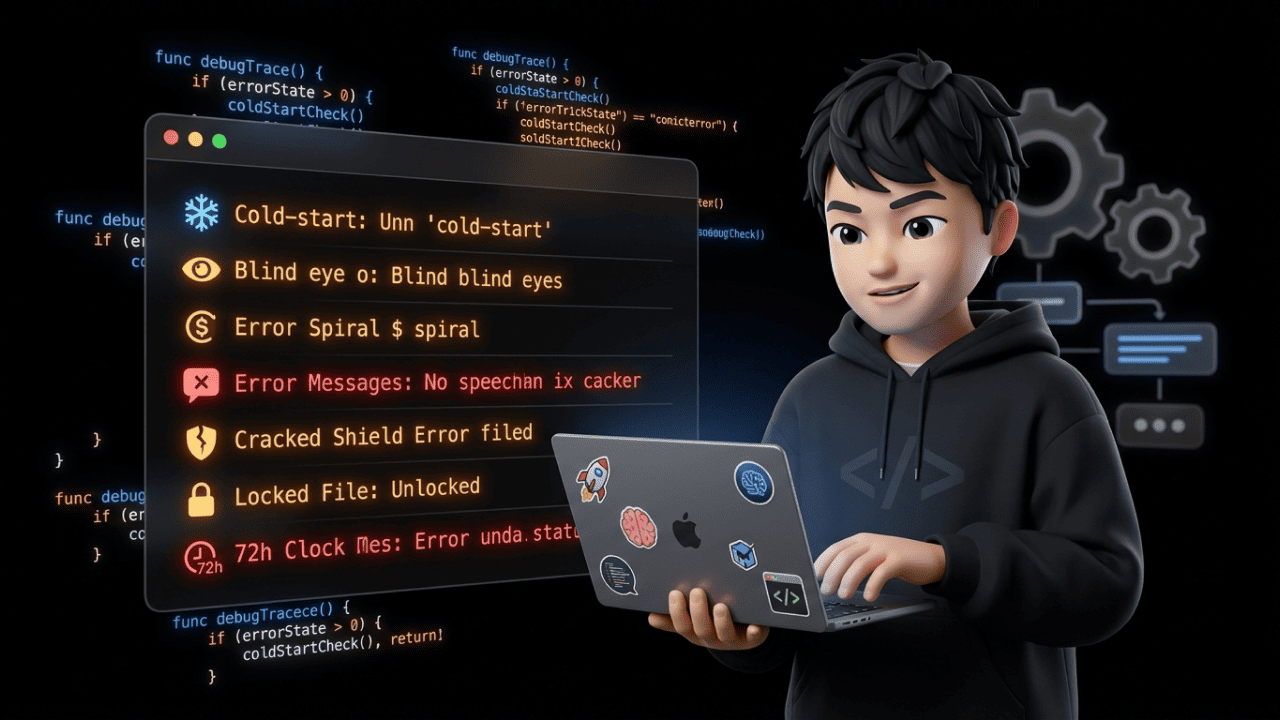

Zendesk has 200,000 enterprise customers worldwide (Source: David Grimm, Leafworks Webinar 02/2026). Impressive. But "200,000 customers" doesn't mean "zero problems." Especially not if you're running an e-commerce shop in the DACH region with Shopify, WhatsApp, and the pressure to automate your support right now.
I've looked at the concrete technical Zendesk AI limitations — not the landing page, not the sales deck, but the official Zendesk Developer Docs, the Help Center documentation, and what actually happens day-to-day. Here are seven things Zendesk won't tell you on a demo call.
1. Cold-Start Problem: Nothing Works Without 1,000 Tickets
The toughest Zendesk AI limitation for growing e-commerce teams: The AI doesn't work out of the box.
But first, you need to understand what "Zendesk AI" actually means. Because Zendesk AI is not the same as Zendesk AI. What's included in the standard plans is called "Essential AI" — and that's basically better Help Center answers. Nothing more.
If you want Intelligent Triage (automatic ticket categorization by intent, sentiment, language) or the Agent Copilot, you need the "Advanced AI" add-on. That's $50 per agent per month — on top of an already expensive base plan. With 10 agents, that's $500/month just for the AI upgrade, before a single ticket gets automated.
And even with Advanced AI: Intelligent Triage requires, according to Zendesk's own documentation, at least 1,000 resolved tickets from the past 6 months to even start. Macro suggestions need between 100 and 800 tickets from the past 9 months. New macros take about two weeks to show up in the machine learning model. For clean intent recognition, the system needs 50 to 200 training examples per intent.
| Zendesk AI Feature | Minimum Requirement |
|---|---|
| Intelligent Triage | 1,000 resolved tickets (past 6 months) |
| Macro Suggestions | 100–800 tickets with macros (past 9 months) |
| New Macros in Model | ~2 weeks learning time |
| Intent Recognition (Custom) | 50–200 examples per intent |
| Advanced AI Add-on | $50/agent/month extra |
In plain terms: A shop with 5 agents and 500 tickets/month pays $250/month for Advanced AI — and then waits months before the AI delivers first results. For a team that needs automation before the Q4 season, that's not a feature. That's a promise on an installment plan.
Counterpoint: Enterprise teams with 50+ agents and hundreds of thousands of tickets per year won't feel this. But for SMB e-commerce in the DACH region — the typical team switching from Outlook or Greyhound to a proper ticketing system for e-commerce — it's the first roadblock.
2. Language Gaps: 80 Languages for Replies, Only 30 for Intent Recognition
Zendesk advertises generative responses in 80+ languages. Sounds world-class. The problem: Intent and sentiment recognition works in only about 30 languages. Those are the features that automatically categorize and prioritize tickets — exactly what you're paying for with that expensive Advanced AI add-on.
For a DACH e-commerce shop with purely German-speaking customers? Not a showstopper. But reality looks different.
What Zendesk AI can't do:
- Local dialects and slang — mixed-language messages overwhelm the recognition
- Transliteration — a Russian customer must write in Cyrillic, Latin characters aren't recognized
- Tonally complex languages like Arabic or Hebrew analyzed reliably
Think about your Swiss customers mixing French and German in a single message. Or expats in Vienna writing German with Turkish or Serbian phrases mixed in. The AI fails at these nuances — and the ticket lands unfiltered in the general queue. No routing, no prioritization. Tough luck.
3. Zendesk AI Is "Blind" to PDFs, Images, and Attachments
This is the Zendesk AI limitation that hits hardest in e-commerce: Zendesk AI cannot process attachments. No PDFs. No images. No damage photos. The Zendesk Help Center confirms it black on white: The generative AI cannot read images, videos, or diagrams. All visual information must be stored redundantly as plain text in Zendesk Guide.
Every workaround requires custom endpoints or scripts built by external agencies like Leafworks. The problem: Not scalable, not transferable, every project is a custom solution. And you pay extra every time.
Typical e-commerce support scenarios where Zendesk AI fails:
- Customer sends a damage photo → Agent must manually open, describe, categorize
- Customer attaches an invoice → Agent must manually cross-reference
- Customer sends a shipping label as PDF → Agent must manually extract the data
At 100+ tickets/day, this adds up. Every photo, every invoice, every attachment — manual. The AI you're paying $50/agent/month for sees none of it.
What the alternative looks like: With armincx, the AI analyzes damage photos automatically. A customer reports a defective screen and sends a photo. The AI creates a structured pre-assessment — product identification, damage type, description, warranty status. Before an agent opens the ticket, the summary is ready.
Zendesk can't do this natively. And "have an agency build a custom endpoint" isn't a solution when you have 3 agents and wanted to go live yesterday.
4. Intent Management: Beyond 100 Intents It Gets Chaotic — and Multi-Intent Has a Blind Spot
Zendesk AI performs best with 30 to 40 intents. Mature models handle 60 to 80. But beyond 100 active intents, recognition accuracy drops rapidly — the AI starts mixing up intentions.
"Initiate return" and "Request exchange"? Treated identically. "Request invoice" and "Dispute invoice"? Same bucket.
And if you want to systematically measure AI quality, you'll hit the next wall: Zendesk QA (Quality Assurance) allows a maximum of 10 active AI-based evaluation categories per account. Ten. For an e-commerce shop with dozens of ticket types — WISMO, returns, claims, invoices, product questions, warranty cases — that's nowhere near enough to track response quality in any granular way.
Then there's the multi-intent issue. Zendesk improved this with the Relate updates from late 2025: The AI now recognizes multiple intents in a single message and processes them sequentially. Sounds like progress. It is — until the first escalation.
As soon as the first intent requires a handoff to a human agent, the ticket gets immediately fully escalated. The AI stops. The remaining questions — no matter how trivial — are left hanging. The agent has to handle the rest manually.
Concrete example: Customer writes "I want to file a claim for the damaged lamp and where's my second package?" The claim needs a human — so it's escalated immediately. The WISMO inquiry about the second package? Trivial for the AI. But it doesn't get answered anymore. The agent has to handle both manually.
On top of that, there's context isolation: The AI treats each ticket in isolation. When a VIP customer who had a return last week asks a follow-up today — the AI doesn't always connect the dots. The result: redundant, "robotic" answers for customers who expect premium service.
5. Help Center Tunnel: The AI Only Knows Zendesk Guide — and Even There, Not Everything
Zendesk's AI primarily uses Zendesk Guide (Help Center) as its knowledge source. External tools like Notion, Confluence, or Google Docs? Not natively indexable. Without expensive third-party integrations, the AI is blind to everything that doesn't live in Zendesk. And it can't crawl external websites either — even if you link to external pages in your Help Center articles, the AI won't follow those links.
Sounds like an architecture detail. In practice: Your product documentation lives in Notion? The AI doesn't know it. Your team maintains FAQ answers in Google Docs? Invisible.
And even within Zendesk Guide, there are hard index limits. A look at Zendesk's official documentation ("Knowledge product limits") reveals: The search index only captures the first 100,000 bytes of an article — that's roughly 25,000 to 100,000 characters depending on language. Anything deeper in the text simply doesn't exist for the AI.
Additionally:
- The generative AI cannot read images, videos, or diagrams — visual info must exist redundantly as text
- Nested lists (nested instructions) confuse the LLM and lead to hallucinations
For e-commerce shops that spread their product info across multiple tools — and that's the rule, not the exception — this means: You have to duplicate your entire knowledge base into Zendesk Guide. Or the AI answers with gaps. Or it hallucinates. Both bad.
Honest take: Fragmented knowledge sources are an industry-wide problem. But Zendesk makes it especially hard because external sources always require custom engineering — and that doesn't get cheaper. How this compares to other AI customer support tools is worth a separate look.
6. Brand Voice: 10,000 Character Limit — and the AI Overrides Your Tone
Zendesk's AI doesn't automatically learn your specific brand tone. You can set up Communication Guidelines — but according to Zendesk's own docs, these are limited to 10,000 characters. For a D2C brand with a differentiated voice, that's a joke.
But the real problem runs deeper: The system overrides your guidelines situationally. When a customer is upset, the AI prioritizes "empathy" over your brand guidelines. Your prescribed tone of voice? Ignored.
For premium e-commerce brands where customer communication is part of the brand identity, that's a real risk. You invest in brand voice, training, tone-of-voice guides — and the AI decides on a case-by-case basis that it knows better. It's one of the reasons many shops start looking for Zendesk alternatives.
Where this hurts specifically: Imagine a luxury fashion brand. The tone is deliberately restrained and elegant. Never excessively empathetic. Zendesk AI? Sends a generic "Oh, we're so incredibly sorry!" on a complaint — because the empathy algorithm overrides the brand guidelines. Your customers notice. And it feels like chatbot, not brand.
7. Automated Resolutions: The 72-Hour Cost Trap
This is where it gets expensive. Zendesk's AI success metric is called "Automated Resolutions" (AR) — and the pricing model is tied directly to it.
Every Zendesk plan includes a tiny free quota: 5 ARs/agent/month on the Team plan, 10 on Professional, 15 on Enterprise. After that, each additional Automated Resolution costs between $1.50 and $2.00.
Sounds fair? It's not. Because the definition of "resolved" has a massive loophole.
For emails, there's a 72-hour window: The AI sends a help article. The customer doesn't respond within 72 hours. Zendesk counts the ticket as "automatically resolved." And charges you the AR.
Why customers don't respond:
- They're waiting for a human answer and think the article is just an interim response
- The weekend falls in between
- They've given up in frustration
During peak seasons — Black Friday, holiday shopping — human agents often need more than 3 days for a response. The result: massive false positives. Tickets counted as AI successes and billed accordingly, even though the customer is still waiting.
| Scenario | What Actually Happens | How Zendesk Counts It | Who Pays? |
|---|---|---|---|
| AI sends article, customer doesn't reply in 72h | Customer waiting for human agent | ✅ "Automated Resolution" | You. $1.50–2.00 |
| Peak season, agent response > 3 days | Customer gave up | ✅ "Automated Resolution" | You. $1.50–2.00 |
| Customer actually solves problem themselves | AI helped | ✅ "Automated Resolution" | You. $1.50–2.00 |
Only the third scenario is a real success. The first two are false positives — and you pay anyway.
Let's do the math: A shop with 10 agents on the Professional plan has 100 free ARs/month (10 × 10). At 2,000 tickets/month and a supposed automation rate of 40%, that's 800 ARs. Minus 100 free ARs = 700 billable ARs × $1.50 = $1,050/month — on top of the base plan and the Advanced AI add-on. And a portion of those 700 ARs are false positives. A detailed cost comparison between Freshdesk and Zendesk shows this isn't an isolated issue.
For comparison: armincx measures Average Resolution Time (ART) — business hours from ticket creation to resolution, excluding customer wait time. armincx customers see improvements of 24–91% compared to the previous period (Source: Chatarmin Customer Dashboards, KW Mar 4–11, 2026). Methodologically transparent: ART is not identical to Zendesk's AHT — both exclude customer wait time, but ART starts at ticket creation, AHT at agent pickup. We make this difference visible on purpose, because clean metrics beat inflated dashboards.
UI and API Limits: The Daily Bottleneck
Beyond the architectural weaknesses, there are technical restrictions that cause friction every day — especially for e-commerce shops that need to connect their ERP or shop system.
The API rate limit is the most obvious pain point. A look at the official Zendesk Developer Docs shows: The rate limit is 200 requests/minute on the Team plan, 700 requests/minute on Enterprise. Sounds like plenty — until you think about Black Friday.
When your Shopify store, your ERP (JTL, Xentral, Billbee), your shipping provider, and your CRM are all pushing data to Zendesk simultaneously, 200 requests/minute are used up in minutes. The consequence: synchronization delays. Order data missing from the ticket. The agent can't see a tracking number. The customer waits.
But the global rate limit is only half the story. There's a second, harder limit that hits even more often in practice: Maximum 30 ticket updates per 10 minutes per user per ticket. According to Zendesk Developer Docs, this is a fixed value — non-negotiable, not plan-dependent. For e-commerce systems pushing live data to a ticket (tracking updates, status changes, ERP sync), this bottleneck quickly becomes a showstopper.
And then the UI limits in the messaging widget:
| Limitation | Value (per Zendesk Docs) | E-Commerce Impact |
|---|---|---|
| API Rate Limit (Team) | 200 req/min | Bottleneck with multi-system integration |
| API Rate Limit (Enterprise) | 700 req/min | Often not enough for peak season |
| Ticket Updates per User | 30 per 10 min/ticket | ERP sync and live tracking break |
| AI Message Blocks | max. 1,000 characters | Complex answers must be split |
| Button Text | max. 20 characters, max. 10 buttons | Descriptive CTAs impossible |
| Buttons in Mobile SDK | not supported | Mobile customers: degraded experience |
| Buttons + Links | can't be mixed on the same level | Design constraints in the widget |
Individually? Annoying. Combined? Daily friction — on every ticket, every integration, every agent interaction. And that's with a tool that starts at $115/agent/month (Suite Professional), before AI is even added.
Bottom Line: Zendesk Is Strong — but Not Built for Your E-Commerce Shop
Zendesk remains a strong tool for enterprise IT helpdesks with ITIL requirements and global teams. 200,000 customers don't come from nowhere.
But for e-commerce teams in the DACH region — with 3–30 agents, a Shopify stack, WhatsApp as a channel, and the need for AI automation that works on day 1 — the Zendesk AI limitations hit real walls.
The questions you should be asking:
- Do you have 1,000+ resolved tickets in the past 6 months — or are you buying an AI feature that sleeps for months?
- Does your support need attachment processing (damage photos, PDFs, invoices)?
- Does your knowledge live only in Zendesk Guide — or spread across Notion, Google Docs, Confluence?
- Do you want to pay $1.50–2.00 per "Automated Resolution" — including false positives?
- Are 200–700 API requests/minute and 30 ticket updates per 10 minutes enough for your tech stack during peak season?
If more than two of those questions produce a "no," it's worth a direct comparison with armincx — the AI-first helpdesk software built for e-commerce in the DACH region. No cold-start problem, AI image analysis included, EU hosting, and no per-resolution billing.
Zendesk AI Limitations FAQ
What languages does Zendesk AI fully support?
Zendesk supports generative responses in 80+ languages. But intent and sentiment recognition — the features you're paying for with the Advanced AI add-on — only works in about 30 languages. Transliteration (e.g., Russian in Latin characters) is not processed.
What's the difference between Zendesk AI and Advanced AI?
Standard Zendesk AI ("Essential") delivers basic responses from the Help Center. For Intelligent Triage (automatic ticket categorization) and the Agent Copilot, you need the paid Advanced AI add-on — $50 per agent per month, on top of the base plan.
How many tickets does Zendesk Intelligent Triage need to start?
At least 1,000 resolved tickets from end users in the past 6 months. Without this history, Intelligent Triage won't start. Macro suggestions additionally require 100–800 tickets from the past 9 months.
Can Zendesk AI process images or PDFs?
No. Zendesk's generative AI cannot read images, videos, or PDFs. All visual information must be stored redundantly as plain text in Zendesk Guide. Damage photos, invoices, and shipping labels remain invisible to the AI.
How much does a Zendesk Automated Resolution (AR) cost?
After using up the free quota (5–15 ARs per agent depending on plan), each additional Automated Resolution costs $1.50–2.00. With 10 agents and 800 ARs/month, that adds up to over $1,000/month — on top of the base plan.
How does Zendesk define a successful AI resolution?
For emails: The AI sends a help article. If the customer doesn't reply within 72 hours, the ticket counts as an "Automated Resolution" — and gets billed. Even if the customer gave up in frustration or is waiting for a human agent.
How many intents can Zendesk AI reliably recognize?
30 to 40 intents are optimal, 60 to 80 for mature models. Beyond 100 active intents, recognition accuracy drops rapidly — the AI confuses similar intentions like "return" and "exchange."
What are the Zendesk API rate limits?
200 requests/minute on the Team plan, 700 on Enterprise. Plus a hard limit of 30 ticket updates per 10 minutes per user per ticket — especially critical for ERP sync and live tracking.
Can Zendesk AI maintain my brand's voice?
Only partially. You can set up Communication Guidelines, but they're limited to 10,000 characters. When customers are upset, the AI overrides your tonality in favor of standardized empathy — regardless of what your brand guidelines prescribe.
What data sources does Zendesk AI use?
Primarily its own Zendesk Guide (Help Center). External tools like Notion, Confluence, or Google Docs are not natively indexable. The search index also only captures the first 100,000 bytes of an article — longer texts get cut off.
How does multi-intent work with Zendesk AI?
The AI recognizes multiple intents per message and processes them sequentially. But as soon as the first intent requires escalation to a human agent, the AI stops completely. All follow-up questions — even trivial ones — land on the agent's plate.
What happens when a customer doesn't respond to Zendesk AI?
After 72 hours without a customer reply, the ticket counts as an "Automated Resolution" and gets billed. During peak seasons — when agents already need more than 3 days — this produces massive false positives.
Does Zendesk AI follow external links in the Help Center?
No. The generative AI doesn't follow external links in your Help Center articles. All relevant information must exist as plain text directly in Zendesk Guide — even if you link to external resources.