
Your WhatsApp marketing looks like a JPEG from 2005? Pixelated images, cropped videos, muddy thumbnails – and you're wondering why nobody engages with your campaigns?
Here's the uncomfortable truth: WhatsApp is no longer just a text messenger. It's a multimedia channel where millions of purchasing decisions are made. And if your content looks like it's been through a meat grinder, it signals exactly one thing: unprofessional.
This guide gives you everything you need to know about WhatsApp image sizes, video formats, and media optimization – from profile pictures to API carousel templates. No fluff, just hard facts and practical tips.
The Ultimate WhatsApp Media Cheat Sheet 2026
Before we dive into the details, here's your overview. Print it out, pin it to your wall, tattoo it on your forearm – just make sure you finally use the right formats.
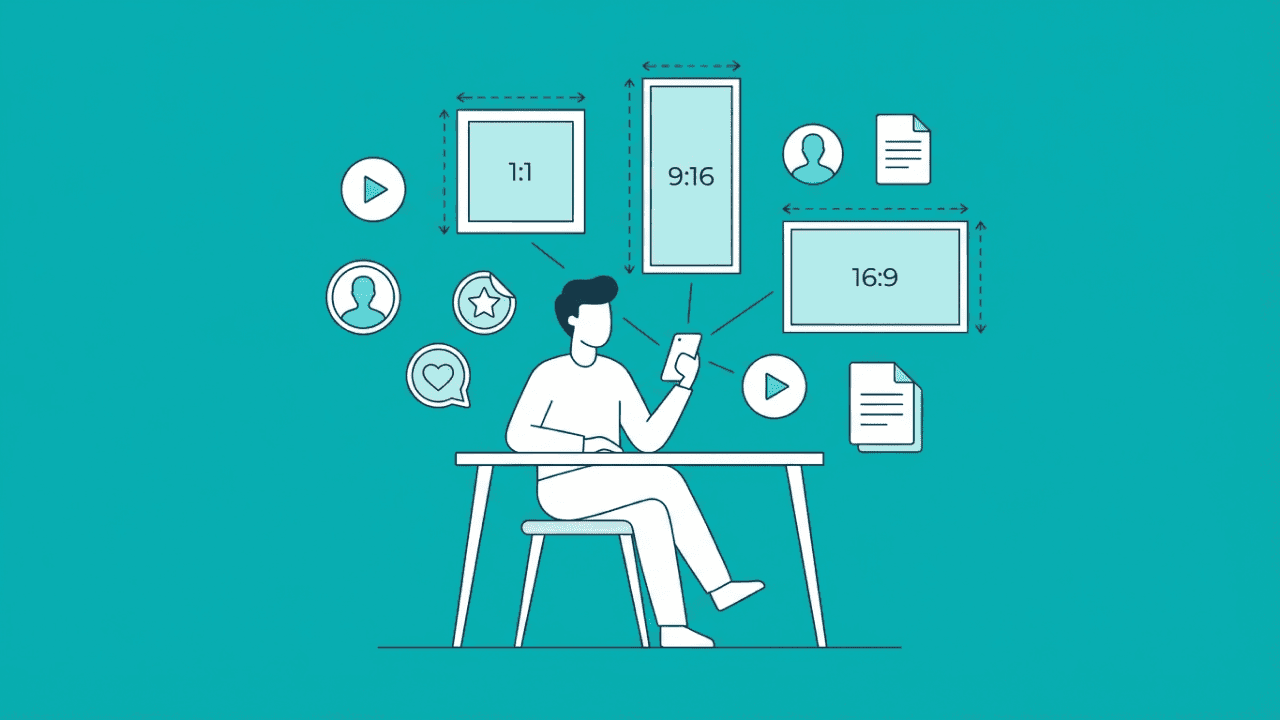
| Media Type | Recommended Size | Aspect Ratio | Max File Size | Notes |
|---|---|---|---|---|
| Profile Picture | 1080 × 1080 px | 1:1 | – | Cropped to circle, min 500×500 px |
| Chat Image (Standard) | 1600 × 1052 px | ~3:2 | 5 MB | Automatic compression active |
| Chat Image (HD) | up to 4096 × 2692 px | variable | 5 MB | Less compression, but not lossless |
| WhatsApp Status | 1080 × 1920 px | 9:16 | 16 MB | Mind the safe zone (approx. 1080 × 1350 px usable) |
| Sticker | 512 × 512 px | 1:1 | 100 KB | WebP format, transparent background possible |
| Animated Sticker | 512 × 512 px | 1:1 | 500 KB | Animated WebP, max 10 second loop |
| Video Note (Instant Video) | circular | 1:1 | – | Max 60 seconds, perfect for personal intros |
| Link Preview (OG Image) | 1200 × 630 px | 1.91:1 | < 600 KB | Pulled from website meta tags |
| Catalog/Product Images | 1080 × 1080 px | 1:1 | 5 MB | Minimum 500×500 px, square for e-commerce |
| Business API Carousel | 1125 × 600 px | 1.91:1 | 5 MB per image | Consistency across all cards |
| Video (Chat) | 1920 × 1080 px | 16:9 or 9:16 | 16 MB | MP4, H.264 codec recommended |
| Status Video | 1080 × 1920 px | 9:16 | 16 MB | Up to 90 seconds length |
| Voice Note (Live) | – | – | – | OGG/OPUS codec, practical limit: < 30 min recommended |
| Audio File (Upload) | – | – | 2 GB | MP3, AAC, WAV – ideal for podcasts/training |
| Document (uncompressed) | Original resolution | any | 2 GB | For 4K videos, print data, high-res assets |
Profile Pictures: Your First Impression Matters
The old recommendation of 192×192 pixels is dead. On modern high-DPI displays, that looks like a Minecraft avatar.
Best Practice 2026:
Optimal: 1080 × 1080 pixels (square)
Minimum: 500 × 500 pixels
Format: JPEG or PNG
Important: WhatsApp crops profile pictures into a circle. So don't place important elements in the corners – logo centered, face in the middle, done.
For businesses that want to use WhatsApp professionally, a sharp, high-resolution profile picture isn't optional – it's mandatory. Cutting corners here means cutting corners in the wrong place. Learn more about setting up WhatsApp as a business channel in our WhatsApp Business API Guide.
WhatsApp Status: Understanding Safe Zones
WhatsApp Status is gold for reach – if you use it correctly. Current rollouts confirm the increase of Status length to up to 90 seconds, giving brands significantly more room for storytelling than the previous 30 or 60 seconds.
But here's the catch that 90% of marketers overlook: Safe Zones.
What Are Safe Zones?
Similar to Instagram Reels, certain areas of your Status are covered by UI elements:
Top: Approx. 250 pixels (name, timestamp)
Bottom: Approx. 400+ pixels (reply field, navigation)
This means: Your important content – logos, CTAs, text messages – must be centered in a safe area of approximately 1080 × 1350 pixels.
Pro Tip: Create a template with marked Safe Zones in Canva or Figma. This prevents your call-to-action from disappearing under the reply field.
HD vs. Standard: The Quality Difference Explained
WhatsApp compresses. Always. But since the introduction of the HD option, you at least have some control.
Standard Quality
Compresses to approx. 1600 × 1052 pixels
Clearly visible quality loss on fine details
Good enough for quick snaps, not for brand content
HD Quality
Allows resolutions up to 4096 × 2692 pixels
Less aggressive compression
Still not completely lossless (chroma subsampling remains active)
When to enable HD? For everything that represents your brand: product photos, infographics, professional visuals.
Document Sharing: 2 GB Without Compression
Here's a feature that many call a "trick" – but it's actually an official WhatsApp feature.
WhatsApp has officially confirmed that the limit for file transfers has been raised to 2 GB to facilitate collaboration and high-res sharing in small businesses and workgroups. When you send images or videos as a document instead of media, you bypass compression completely.
Use Cases:
4K promo videos for partners or influencers
High-resolution print data
Uncompressed product photos for B2B clients
Presentations and PDFs in original quality
The downside: The recipient must download and open the file first – no direct inline preview. Less suitable for marketing broadcasts, but perfect for targeted B2B communication.
If you use automated workflows to intelligently send such files, check out our WhatsApp Flows Guide.
WhatsApp Stickers: The Underrated Branding Tool
Stickers are chronically underestimated in B2B marketing. Yet branded stickers are a powerful tool for recognition and engagement.
Technical Requirements:
Size: Exactly 512 × 512 pixels (no deviation!)
Format: WebP
Max file size: 100 KB
Background: Transparent possible and recommended
Animated Stickers:
Same pixel size: 512 × 512 px
Max 500 KB
Maximum loop length: 10 seconds
Why this matters: A sticker pack with your logo, products, or witty brand elements stays saved in your customers' sticker menu. Every time they send a sticker, they see your brand. Free impressions, every day.
Audio & Video Notes: The Hidden Champions
This area is massively underestimated. Especially in B2B, audio and video messages can make the difference between an anonymous company and a real conversation partner.
Voice Notes (Microphone Button)
These are the classic voice messages you record live:
Codec: OGG/OPUS (internal)
Length: Technically almost unlimited
Practical recommendation: Keep under 30 minutes – anything longer becomes exhausting for the recipient
Voice Notes are perfect for personal follow-ups, quick explanations, or making customer relationships more human.
Audio Files (Upload via Paperclip)
This is where it gets interesting for content creators and coaches:
Formats: MP3, AAC, WAV, M4A
Max file size: Up to 2 GB (as document)
Use cases: Podcast episodes, training audio, daily briefings
So if you want to send a 2-hour workshop as audio – no problem. The 2 GB limit makes it possible.
Video Notes (Instant Video Messages)
These are the circular videos you see when someone taps the camera icon and switches to video mode:
Format: Displayed circular (recorded 1:1)
Max length: 60 seconds
Quality: Compressed, but sufficient for the purpose
B2B Goldmine: Video Notes are perfect for personal intros, quick product demos, or "thanks for your order" messages. They feel approachable and authentic – exactly what's often missing in B2B communication.
Catalog and Product Images for E-Commerce
For e-commerce businesses using the WhatsApp Catalog, specific requirements apply:
Specifications:
Format: Square (1:1)
Recommended: 1080 × 1080 pixels
Minimum: 500 × 500 pixels
File size: Max 5 MB
Best Practices:
Consistent white or neutral background
Product centered, with enough "breathing room" to the edge
Consistent lighting across all product images
No text or watermarks in the image itself
The catalog is often the first visual touchpoint with your products. Invest in professional product photography here – it pays off.
Optimizing Link Previews: Setting OG Tags Right
You share a link and the preview looks like garbage? Tiny image, cut-off text, zero click appeal?
That's because of your Open Graph tags. WhatsApp pulls the preview data directly from your website – you don't upload the image in the chat, WhatsApp crawls your meta tags.
Optimal OG Image Specifications:
Size: 1200 × 630 pixels
Aspect ratio: 1.91:1
File size: Under 600 KB for fast loading
Format: JPEG or PNG
Test your OG tags with the Facebook Sharing Debugger before using links in campaigns. Nothing kills click-through rate faster than a broken preview.
Video Formats: What Actually Works
As published in the Meta Engineering Blog, Meta already uses the highly efficient AV1 codec for over 70% of video content (Reels, Stories, WhatsApp) to save bandwidth and compress up to 30% more efficiently than older codecs.
Problem: Not all devices support AV1 hardware decoding. Especially in B2B, where your clients might still be using a company smartphone from 2021, this can lead to playback issues.
Solution: For uploads, H.264 remains king:
Video codec: H.264
Audio codec: AAC
Container: MP4
This combination guarantees playback on 99% of devices worldwide. No experiments when reach is at stake.
Technical Limits:
Max file size: 16 MB (as video), 2 GB (as document)
No autoplay (user must tap)
First frame = thumbnail (plan accordingly!)
Sending 4K videos? Yes, but only as a document. Standard media sending scales videos down to approximately 720p.
WhatsApp Business API: Using Carousel Templates Correctly
For e-commerce businesses, Carousel Templates are a game-changer: Multiple products in one message, horizontally swipeable, visually appealing.
But this is where it gets technically demanding.
Specifications for Carousel Images:
Size: 1125 × 600 pixels
Aspect ratio: Strictly 1.91:1 (no deviation!)
Max file size: 5 MB per image
Format: JPEG or PNG
Important: Consistency across all cards. Different image sizes or lighting conditions look unprofessional and break the visual flow.
Performance Tip: Even though the technical limit is 5 MB, keep your images under 1 MB. Why? Faster delivery, better performance on weak mobile connections, fewer drop-offs. Especially relevant if you operate internationally.
Not using the WhatsApp Business API yet? Then it's high time. Learn here how to scale your WhatsApp marketing.
View Once: For Sensitive Data
A quick note for B2B use cases involving sensitive information:
The View Once function is suitable for:
Temporary access credentials or passwords
Confidential documents
Time-limited offers
The media is automatically deleted after viewing and screenshot protection is often active. Not a permanent solution for data protection, but an additional barrier.
Pre-Send Checklist
Before you hit "Send" – go through this list:
Correct dimensions for the respective purpose?
File size optimized (not too large, not too compressed)?
For Status: Important elements in the Safe Zone?
For videos: H.264/AAC codec used?
For links: OG tags tested?
For Carousels: Consistent visual language across all cards?
For Stickers: Exactly 512×512 px and under 100 KB?
Preview checked in Chatarmin before the campaign goes out?
Conclusion: Professionalism Starts With the Pixels
WhatsApp marketing isn't a given. The right image sizes and formats aren't a nice-to-have – they're the foundation for everything that follows: engagement, conversions, customer retention.
Pixelated images send a clear message – the wrong one. Invest the 10 minutes to properly prepare your media. Your brand experience will thank you.
Ready to take your WhatsApp marketing to the next level? Then book your demo with Chatarmin and see for yourself how you can deliver professional campaigns with optimized media formats – automated, scalable, and GDPR-compliant.
Frequently Asked Questions About WhatsApp Media Sizes
What size is ideal for WhatsApp profile pictures?
1080 × 1080 pixels is recommended. The image is cropped to a circle, so logos must be placed centrally.
What's the maximum video size for WhatsApp?
When sent as regular media, the limit is 16 MB. When sent as a "document," up to 2 GB (for 4K videos) is possible.
How long can a WhatsApp Status video be?
WhatsApp now allows Status videos up to 90 seconds per slide.
What format do WhatsApp stickers need?
Stickers must be exactly 512 × 512 pixels, use WebP format, and stay under 100 KB.
Why are my WhatsApp images blurry?
WhatsApp compresses images by default to approx. 1600 pixels width. Use the HD option or send the image as a file ("document").
What is the "Safe Zone" in WhatsApp Status?
The safe area is approx. 1080 × 1350 pixels in the center. Top (approx. 250 px) and bottom (approx. 400 px) are covered by UI elements.
What aspect ratio for WhatsApp Carousel Cards?
For Business API Carousels, the ratio 1.91:1 (recommended 1125 × 600 pixels) is mandatory.
What video format is safest for sending?
MP4 with H.264 video codec and AAC audio codec offers the highest playback compatibility worldwide.
What size for link previews (OG Image)?
An Open Graph image should be 1200 × 630 pixels and under 600 KB to load as a large preview.
How long can a WhatsApp voice message be?
Live recordings are technically almost unlimited. Pre-produced audio files (upload) can be up to 2 GB in size.
What format do circular WhatsApp video messages have?
Video Notes (instant video messages) are 60 seconds long and displayed in a circular 1:1 format.
Does WhatsApp support 4K videos?
Yes, but only when sent as a document. Standard media sending usually scales videos down to 720p.