
The WhatsApp Business App is free. For professional use via the WhatsApp Business Platform (API), you pay usage-based Meta fees per delivered message plus the cost of your messaging software. From October 1, 2026, Meta also charges for service messages, which have been free until now.
In this guide you will find:
- the current price list for Germany, Austria and Switzerland
- every cost component of the WhatsApp Business API
- the pricing change from October 1, 2026 in detail
- example calculations for newsletters and customer service
The guide covers professional use via the WhatsApp Business Platform, the technical foundation behind the WhatsApp Business API. Further down, we compare the free WhatsApp Business App directly with the Platform. How the API works technically and which integrations are possible is covered in our guide to the WhatsApp Business API.
What does WhatsApp Business cost?
Your WhatsApp Business costs in 2026 consist of two blocks:
- Meta fees (variable): Meta charges them per delivered template message, based on message category and recipient country.
- Messaging software (fixed or hybrid): The WhatsApp Business Platform is technically an API without its own interface. For e-commerce, you need a software layer for opt-ins, flows, segmentation, campaigns and analytics.
The same cost logic applies if you run your WhatsApp business account via the Platform. If you calculate both blocks together from day one, your first monthly invoice holds no surprises.
WhatsApp Business API costs: every cost component at a glance
Access to the Cloud API costs nothing at Meta. Meta charges for usage. "WhatsApp Business API for free" is therefore only true for technical access. As soon as you send campaigns, order updates or login codes, Meta fees apply.
The table below shows every cost of the WhatsApp Business API, from number registration to ongoing fees.
| Cost component | Type | Charged by | What you need to know |
|---|---|---|---|
| Cloud API access | one-time | Meta | Free |
| Number registration and business portfolio | one-time | Meta | Free at Meta. For higher messaging limits, Meta requires a verified business identity. Many providers handle the setup during onboarding. |
| Template messages (marketing, utility, authentication) | variable | Meta | Per delivered message, based on category and recipient country |
| Service messages | variable from October 1, 2026 | Meta | 1,000 per business number per month for free, then the utility rate of the recipient country |
| Messaging software | ongoing, fixed or hybrid | Provider | Campaigns, segmentation, automations, reporting |
| Business Solution Provider (BSP) fees | ongoing, monthly or volume-based | Provider | Depending on the provider, platform fees or a markup on Meta fees |
| Setup and integration | one-time or as a project | Provider or in-house team | Shop and CRM connection, opt-in processes, flow design, tracking |
For an overview of the software side, see our WhatsApp Marketing Software Comparison.
One cost component surprises shops in our sales calls again and again: Meta fees come on top of the software price. An "unlimited" plan from your software provider only covers the software. If you message 10,000 recipients, you pay Meta fees for 10,000 delivered messages, regardless of your software plan.
Ask every provider whether they pass Meta fees through 1:1 or add a markup per message. At 50,000 messages a month, a markup of just one cent adds €500 to your bill. Chatarmin passes Meta fees through 1:1.
WhatsApp Business prices 2026 in Germany, Austria and Switzerland
For WhatsApp Business prices in 2026: Meta charges by recipient country or pricing region. Germany has its own rates. Austria and Switzerland fall into the "Rest of Western Europe" region on the EUR rate card.
| Category | Germany | Rest of Western Europe (incl. Austria & Switzerland) |
|---|---|---|
| Marketing | €0.1131 | €0.0490 |
| Utility | €0.0456 | €0.0142 |
| Authentication | €0.0456 | €0.0142 |
| Service messages until September 30, 2026 | €0 | €0 |
| Service messages from October 1, 2026 | €0.0456 (1,000 per number per month for free) | €0.0142 (1,000 per number per month for free) |
Source: Meta EUR rate card, effective July 1, 2026. Meta updates its prices at most once per quarter, on January 1, April 1, July 1 or October 1. Meta publishes the current rate cards in its official pricing documentation.
A marketing message to a German number therefore costs more than twice as much as one to Austria or Switzerland. If you sell in all three countries, check how your contact list splits by country before you plan your campaign budget.
How Meta charges: the WhatsApp Business Platform pricing model
Since July 1, 2025, Meta charges per delivered template message. Billing per 24-hour conversation is a thing of the past. Since then, three factors drive your costs:
- Message category: marketing, utility, authentication or service
- Recipient country: the country code of the recipient's phone number decides
- Volume: utility and authentication messages get volume discounts
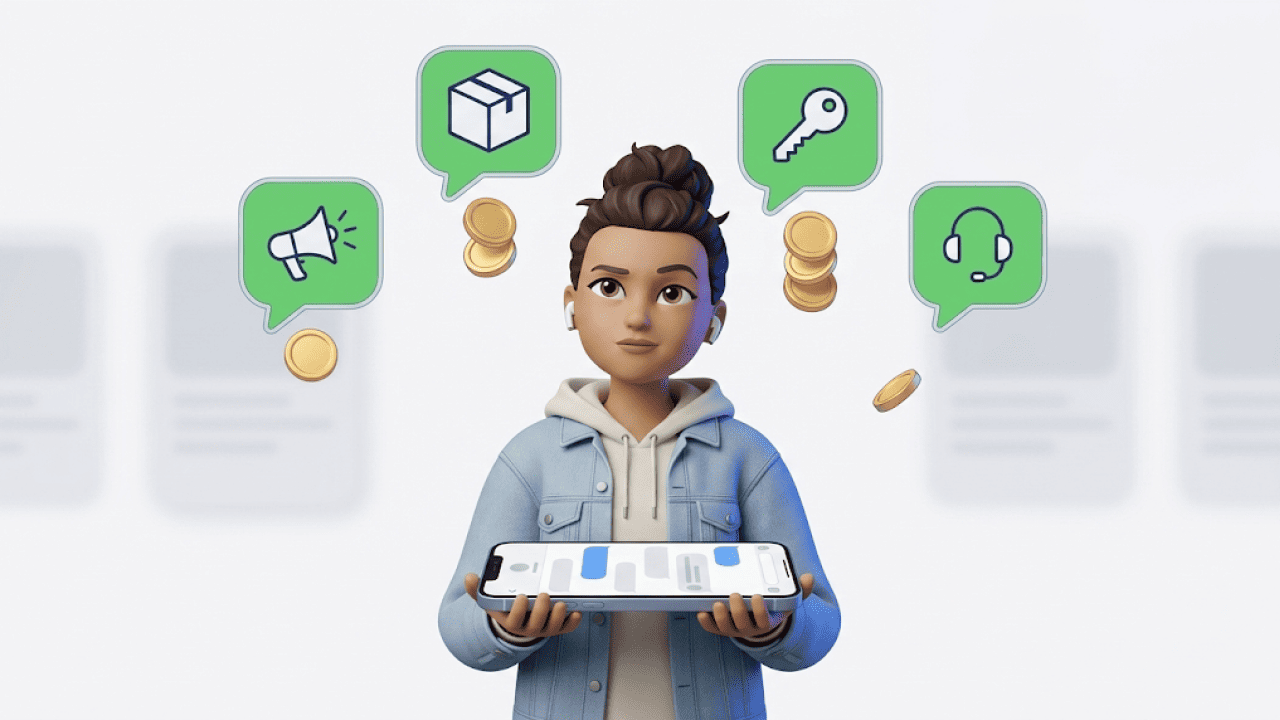
The four message categories at a glance
| Category | Typical messages | Price | Volume discount |
|---|---|---|---|
| Marketing | Newsletters, promotions, product launches, flash sales | Most expensive category | No |
| Utility | Shipping confirmations, order updates, invoices, appointment confirmations | Much cheaper than marketing | Yes |
| Authentication | One-time passwords (OTP), login codes, verification codes | Same as utility in Germany | Yes |
| Service | Free-form replies in the open 24-hour customer service window | Free until September 30, 2026, then the utility rate | No |
- Marketing is the main driver of your WhatsApp marketing costs. In e-commerce, marketing messages still often deliver strong ROI, as long as segmentation and offer logic are right and you send to targeted segments instead of your whole list.
- Utility is transactional and supports the customer journey. For many shops, utility is a predictable cost block that reduces support tickets.
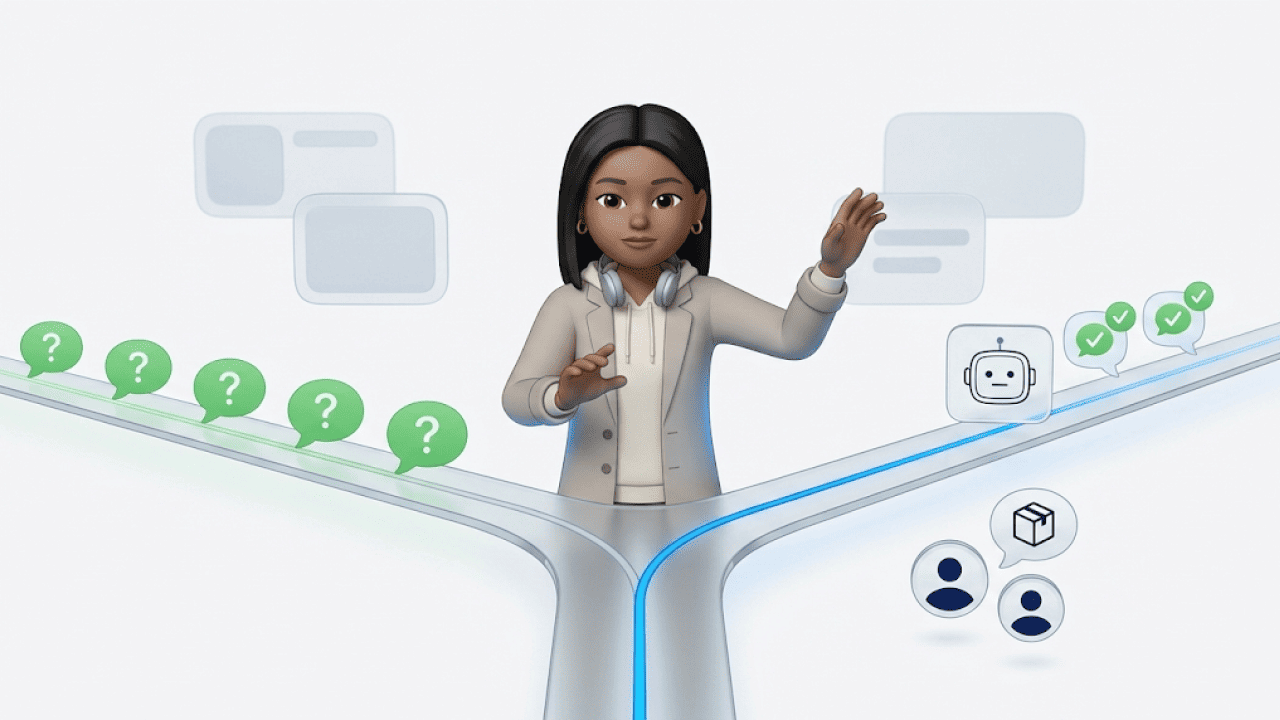
- Service messages happen when a customer writes to you. Their message opens a 24-hour customer service window in which you can reply freely. Outside this window, you can only send template messages.
One point matters for your calculation: Meta charges the category assigned to your template at the time of sending. Check the category of your approved templates regularly. An order update with a discount code can easily end up as marketing instead of utility.
The recipient country sets the price
The country code of the recipient's number decides. If your shop is based in Vienna and you message a customer with a German number, you pay the German rate.
The differences between markets are large. A marketing message to Germany costs €0.1131, one to India €0.0099, just under one cent. If you sell internationally, segment your contact list by country code and plan your budget per market.
Authentication-International: the cost trap for OTPs abroad
In some markets, Meta charges a separate, higher rate for authentication messages when the sender is based in another country. In India, this authentication-international rate is €0.0252 instead of €0.0012 for domestic senders according to the current EUR rate card, 21 times higher.
If you send login or verification codes to customers in affected markets, check Meta's list of authentication-international rates first. Otherwise your OTP costs can climb without you noticing.
Volume discounts (volume tiers)
For utility and authentication, Meta lowers the price per message automatically once you reach certain monthly volumes per market and category. Here is how the volume tiers work:
- Meta adds up the messages of all WhatsApp Business accounts in your business portfolio.
- The counter resets to zero every month.
- In Germany, the utility price drops by 5% to €0.0433 from the 100,001st message per month, for authentication from the 300,001st message.
- The highest tier comes with a 25% discount, which means €0.0342 per message.
Marketing and service messages get no volume discounts. Large newsletter lists therefore get more expensive in a straight line per recipient.
Pricing change from October 1, 2026: service messages cost money
Meta has announced the next change to its pricing model. It affects practically every shop that answers customer inquiries via the API. From October 1, 2026, according to Meta's documentation:
- Service messages become billable. Meta charges every free-form reply in the 24-hour window per delivered message, whether a person or a chatbot replies.
- Every business phone number gets 1,000 free service messages per month. The allowance resets every month, and unused messages expire.
- The price equals the utility and authentication rate of the recipient country. For Germany, that is currently €0.0456 per message, with no volume discounts for service messages.
- Utility templates in the open 24-hour window cost money again. The exception that has applied since July 2025 ends.
Example calculation: what your support costs from October
Your team answers 5,000 customer inquiries a month via the API with one reply each, all to German numbers:
- The first 1,000 service messages are free.
- The remaining 4,000 cost €0.0456 each.
- That adds up to €182.40 per month.
Meta counts messages, not conversations. If you send three replies per inquiry, that is 15,000 service messages and €638.40 per month. The number of messages per conversation becomes the most important lever in WhatsApp customer service.
Calculate your support volume before the change takes effect. The levers are the same as in marketing:
- fewer unnecessary messages per conversation
- correctly categorized templates
- automation that resolves requests with one complete reply
Still free: the 72-hour window via free entry points, all incoming messages from your customers and the WhatsApp Business App. The change only affects the WhatsApp Business Platform. It has nothing to do with the rumor that WhatsApp is becoming paid for private users. Private WhatsApp stays free.
Meta Business Agent: AI replies with their own pricing
Since August 1, 2026, Meta has charged replies from its own AI agent, the Meta Business Agent, per token used. The global rate is $2 per 1 million tokens, which according to Meta typically comes to 4 to 5 US cents per message.
- Replies from people and from third-party AI solutions are still charged as service messages.
- Exactly one Meta fee applies per message.
- In the 72-hour window, Meta still charges the token costs for the Meta Business Agent.
What does a WhatsApp newsletter cost?
On the WhatsApp Business Platform, a WhatsApp newsletter is a marketing message. The cost equals number of recipients per country times Meta's marketing rate, plus the cost of your software for segmentation, sending and tracking. You will find the use case and setup details on our WhatsApp Newsletter page.
Example calculation: cost of a WhatsApp newsletter with 10,000 recipients
Calculation for Germany: 10,000 delivered marketing template messages × €0.1131 = €1,131 in Meta costs. Software costs come on top.
| Cost factor | Amount |
|---|---|
| Meta message costs | €1,131 |
| Messaging software (varies by provider, example value) | €500 |
| Total costs | approx. €1,631 |
The calculation shows the point shops underestimate most often in first calls: costs scale per recipient. A campaign to 1,000 recipients triggers around one tenth of these Meta costs, a campaign to 100,000 recipients ten times as much. That is why tight segmentation beats any discount.
Free entry points into WhatsApp
Free entry points help you start conversations without a marketing fee. They pay off most when you want to grow WhatsApp as a performance and retention channel. Their value stays after the October 2026 pricing change, because the 72-hour window remains free.
Here is how it works:
- A customer starts the chat via a Click-to-WhatsApp ad or the WhatsApp button on your Facebook page, using the WhatsApp app on Android or iOS.
- You reply within 24 hours.
- This opens a 72-hour window in which all messages are free, including marketing templates.
Click-to-WhatsApp ads
Ads on Facebook or Instagram lead directly into a WhatsApp chat. You still pay your ad costs to Meta. The entry itself triggers no message fee. If a campaign brings you 500 chat contacts and you send all of them an offer within the window, you save around €57 in marketing fees in Germany.
Facebook Page button
With the WhatsApp button on your Facebook business page, users start the chat themselves. Here too, your reply opens the free 72-hour window.
Besides these two official entry points, you can use action buttons on websites and landing pages to lead users straight into a WhatsApp chat. These chats open the regular 24-hour window, without a free 72-hour window.
Coexistence: app and API on one number
Since the DACH rollout of WhatsApp Coexistence, you no longer have to choose between app and Platform when you move to the API. Both run on the same number at the same time. Your team keeps writing 1:1 from the WhatsApp Business App, while campaigns and flows run in parallel via the API. During onboarding, Meta syncs the chat history of the last 6 months.
This matters for your cost planning: messages you send directly from the Business App stay free. The October 2026 pricing change only affects the Platform. If you have many 1:1 conversations and deliberately keep them in the app, you send that part of your communication without fees.
Coexistence is first and foremost a migration lever. Its real value is that your number, contacts and chats stay intact when you move to the API. Template messages for marketing and utility still run via the API, including Meta fees. There are trade-offs too:
- The throughput of the number drops from 80 to 20 messages per second.
- Meta requires a minimum volume in the Business App.
- Coexistence is not available in some markets, such as Nigeria and South Africa.
In short: treat Coexistence as a way to move to the API without a hard migration cut while keeping your 1:1 communication free.
WhatsApp Business App vs. WhatsApp Business Platform: costs compared
If you want to settle internally whether WhatsApp is "free", you need to distinguish between the app and the Platform.
| WhatsApp Business App | Meta Verified for the app | WhatsApp Business Platform (API) | |
|---|---|---|---|
| Costs | Free | Monthly subscription | Meta fees per message plus software |
| Devices and users | 1 main device plus up to 4 linked devices | Up to 10 linked devices | Unlimited teams via the software |
| Automation and integrations | Quick replies, catalog | Same as app | Flows, CRM and shop connection, reporting |
| Best for | Small teams, manual communication | Small teams with more devices | Campaigns to thousands of recipients, team support |
Meta Verified is the paid subscription for the Business App, previously searched for as WhatsApp Business Premium. For professional customer service or sales, this option stays limited too.
For growing companies, the WhatsApp Business Platform is therefore the better choice. We explain the technical background in our article on WhatsApp Business API integration. The Platform grows with your volume: teams, automations and integrations run via the API. And with Coexistence, app and Platform can run in parallel on one number if you need both.
Data protection and GDPR compliance
As an EU shop, one thing matters most: documented opt-ins before you send marketing messages. Via the WhatsApp Business Platform, you connect your CRM and manage opt-ins centrally. That way WhatsApp runs GDPR-compliant across marketing, sales and customer service.
How to plan your WhatsApp costs
One sentence comes up again and again in first calls: "We didn't expect it to be this expensive." Almost always, the same three misconceptions are behind it.
- "The messages are included in the plan." The software plan covers the software. Usage-based Meta fees come on top with every provider.
- "A campaign costs money once." Meta charges per delivered recipient. List size is the biggest cost lever you control yourself.
- "Creating a template costs extra." The template itself is free. Meta charges for sending it, based on the category Meta assigns to the message.
Good planning starts when you treat categories, countries and volume as your control levers and view Meta and software costs as one model. These levers have the biggest impact:
- Keep categories apart: Separate marketing, utility and service so you avoid unnecessary fees.
- Factor in country rates: Include the rates per recipient country in segmentation and budget.
- Target tightly: Send fewer, more relevant messages instead of paying for expensive wasted reach.
- Use utility for order updates: That prevents many support requests from happening at all.
- Start chats with Click-to-WhatsApp ads: That way you save the marketing fee within the 72-hour window.
- Budget for support volume: From October 2026, service messages cost money after the first 1,000 per month.
FAQ
What does the WhatsApp Business API cost?
API access itself is free at Meta. You pay usage-based Meta fees per delivered template message by category and recipient country, from October 1, 2026 also for service messages, plus the cost of your messaging software or BSP.
Is the WhatsApp Business API free?
No. Access to the Cloud API costs nothing, but Meta charges for delivered template messages and, from October 2026, for service messages above the free allowance.
Can I test the WhatsApp Business API for free?
It depends. Setting up the API is free, but as soon as you send messages, Meta charges fees by category and country.
What do I need to use the WhatsApp Business API?
You need a Meta business portfolio, a phone number for WhatsApp and software or a Business Solution Provider to use the API. For higher messaging limits, Meta also requires a verified business identity.
What does a WhatsApp message cost?
The price depends on the template category and the recipient country, with marketing being the most expensive. For Germany, the current rates are €0.1131 per marketing message and €0.0456 for utility and authentication.
Will WhatsApp become paid in 2026?
No. WhatsApp stays free for private users. Only business use via the WhatsApp Business Platform is paid.
Are there still 1,000 free conversations?
No. The old allowance for conversations no longer exists, but from October 1, 2026, every business number gets 1,000 free service messages per month.
Is WhatsApp Business free?
It depends. The WhatsApp Business App is free, while professional use via the WhatsApp Business Platform costs Meta fees per delivered message plus messaging software.
How are WhatsApp Business costs calculated?
The WhatsApp Business Platform charges per delivered template message, based on category and recipient country. Service messages in the open 24-hour window are free until September 30, 2026, after that 1,000 messages per number per month stay free.
What changes on October 1, 2026?
Meta starts charging per message for service messages and utility templates in the open 24-hour window, with 1,000 free service messages per number per month. The 72-hour window of free entry points and the WhatsApp Business App stay free.
What does a service message cost from October 2026?
It depends. After the first 1,000 service messages per number per month, the utility rate of the recipient country applies, currently €0.0456 for Germany.
Are there volume discounts for the WhatsApp API?
Yes. Meta automatically lowers the price for utility and authentication messages above certain monthly volumes, while marketing and service messages get no discounts.
Why are WhatsApp OTPs to other countries sometimes so expensive?
In some markets, authentication messages from foreign senders are charged at the higher authentication-international rate. In India, it is 21 times the domestic rate.
Do I pay for incoming WhatsApp messages?
No. Messages your customers send you are always free.
Does WhatsApp Coexistence lower WhatsApp Business costs?
It depends. Messages from the Business App stay free, while template messages still run via the API with Meta fees.
What costs come on top of Meta fees?
You also pay for messaging software or a Business Solution Provider, covering campaign management, automations, CRM integrations, opt-in management and reporting. Depending on provider and features, monthly costs typically range from about €50 to €500.
Which WhatsApp messages are free?
Free are replies in the open 24-hour window (until September 30, 2026, after that the first 1,000 per number per month) and permanently all messages in the 72-hour window of free entry points. Messages from the WhatsApp Business App cost nothing either.
Why do prices differ between Germany, Austria and Switzerland?
Meta charges by recipient country. Germany has its own rates, while Austria and Switzerland belong to the cheaper "Rest of Western Europe" region.
Conclusion: how to read WhatsApp Business costs
In 2026, you can calculate WhatsApp Business costs upfront, as long as you know the current Meta model. The building blocks at a glance:
- billing per delivered message instead of per conversation
- template categories with different prices
- country-specific prices and pricing regions
- the 24-hour customer service window
- free entry points with up to 72 hours
On top of that comes the pricing change on October 1, 2026. From then on, Meta also charges for service messages via the API, with 1,000 free messages per number per month.
For e-commerce, the key is to calculate Meta fees (variable) and software or integration costs (fixed or hybrid) together. Categorize your templates correctly and use free entry points systematically. That way you know upfront what WhatsApp costs you as a retention and revenue channel.
If you want to use WhatsApp professionally for marketing, customer service or sales, the right messaging software matters as much as Meta's pricing model. It brings campaigns, automations, segmentation and CRM integrations together in one place.
More than 500 brands use Chatarmin for WhatsApp marketing and customer service. You manage newsletters, transactional messages and support flows in one place, GDPR-compliant and with a direct connection to Shopify, Klaviyo and your CRM. Chatarmin passes Meta fees through 1:1.
Calculate your WhatsApp costs with us Free and without obligation, with a cost estimate for your shop.