
WhatsApp Channels have become an established part of one-to-many communication. Companies, brands, and agencies use this feature to send targeted updates, affiliate links, ads, and exclusive content to a growing number of subscribers—directly in the “Updates” tab. But not every WhatsApp Channel stays relevant forever. Efficient management requires clear options to delete, deactivate, or hide channels.
In this guide, you’ll learn how to manage WhatsApp Channels professionally, what impact removing a channel has on affiliate links and user data, and how smart tools like Chatarmin help you optimize channel management—GDPR-compliant and up to date with the latest app version.
Basics: What are WhatsApp Channels and how do they work?
WhatsApp Channels are a one-way broadcast solution within the messenger that allows brands, companies, organizations, and creators to distribute content to an unlimited number of followers. Unlike groups or classic chats, only administrators can post updates, while users (= subscribers) can only follow and react via emoji. Channels are bundled centrally in the “Updates” tab and support text, images, videos, and links—including affiliate and advertising links. This makes them an effective tool for support, marketing, and community building. WhatsApp Channels can be subscribed to via invite links shared in chats, emails, or publicly on the web—making clean management and a clear deletion logic even more important.
As the number of channels grows, so does the desire for control: How do I delete, deactivate, or hide a WhatsApp Channel when it’s no longer needed? This guide provides the answer.
Deleting, deactivating, or hiding WhatsApp Channels—the differences
As an administrator, you have three core options when dealing with channels you no longer need:
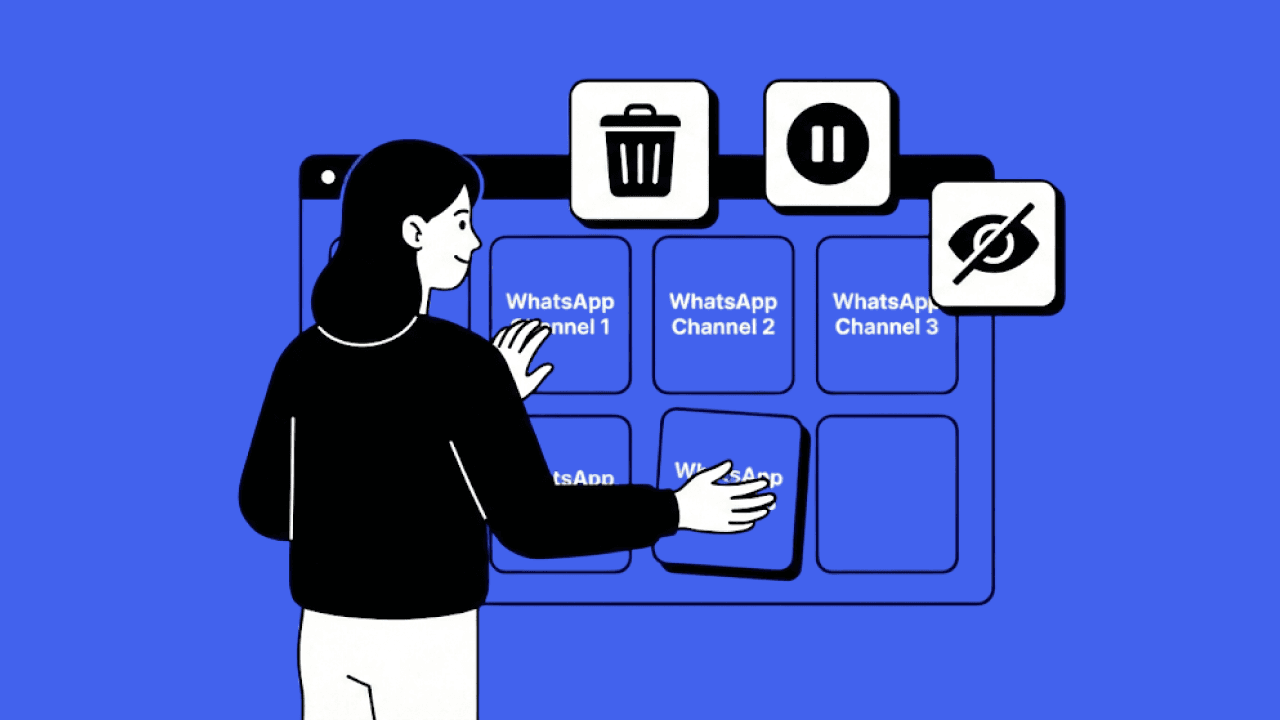
Delete a WhatsApp Channel: Removes the channel including all content, updates, affiliate links, ads, and followers. Once confirmed, this is final—there is no recovery. For the final confirmation, WhatsApp requires you to enter the phone number linked to the channel (without the first digit of the country calling code). Only then is the channel permanently deleted.
Deactivate a channel: Stops publishing, but the channel remains in the overview and can be reactivated if desired. Perfect for breaks or restructurings.
Hide a channel: A user-side option to remove irrelevant channels from the tab—you remain a follower and can receive updates again if needed.
You can access these functions via the three-dot menu in the top right of the respective channel or by pressing and holding the channel name.
Important: Unsubscribing from or hiding someone else’s WhatsApp Channel only removes it from your own view. The channel itself remains active and can still be subscribed to by other users.
Affiliate links, ads & data: What happens when you delete?
Companies in particular use WhatsApp Channels for monetization (commissions via affiliate links, revenue via ads). When deleting a channel, all shared content—including links, ads, and external integrations—is removed. Ongoing commissions, tracking, or affiliate partners should be informed in advance, because after deletion no data can be accessed anymore. Analytics and reporting must be backed up before the final step. This ensures transparency and protects you from unpleasant consequences in affiliate management.
Managing WhatsApp Channels professionally
Structured management of WhatsApp Channels is essential to keep content, access rights, and processes clear, secure, and efficient over the long term.
Create, organize, and keep your own WhatsApp Channel clearly structured
Create a channel: In the “Updates” tab, tap “+” or “Create Channel” and define a meaningful name, a clear description, and a suitable symbol (icon).
Define categories: Select relevant topics and categories to help subscribers clearly understand the channel.
Integrate content: Add links, social media profiles, and affiliate programs directly in the channel and update them regularly.
Roles & permissions: Define clear role allocations, manage access centrally, and limit management to a defined admin team.
Ongoing maintenance: Regularly review, adjust, or remove content, channel posts, and updates to maintain clarity.
Use professional tools: Solutions like Chatarmin support cross-channel support and sales management and provide full control over processes—from availability to automation.
How to: delete, deactivate & hide a WhatsApp Channel
Delete a channel—step by step:
Open the WhatsApp Channel you want to delete in the Updates tab.
Tap the three dots (menu) in the top right.
Select “Delete channel” and confirm with your email address and (if required) your admin access.
Note the warning: Deletion affects all content, messages, updates, images, videos, ads, and followers.
Deactivate a channel:
In the three-dot menu, you can pause the channel. Existing messages remain visible, but new content can no longer be posted.
Ideal for transitional solutions or temporary shutdowns.
Hide a channel:
In the channel, tap the three dots and select “Hide”—the channel disappears from your overview, but can reappear through targeted search or new updates.
Hiding only affects you as a user; the channel remains visible for admins and other followers.
Differences when deleting WhatsApp Channels on iPhone, Android & web
The core functions to delete, deactivate, or hide WhatsApp Channels are largely identical on iOS (iPhone), Android smartphones, and WhatsApp Web. However, the menu navigation may differ slightly depending on the app version and operating system. Important: The “Delete channel” option is only shown to administrators. If it’s missing, that’s usually due to missing admin rights—not the platform or device.
Common problems & misconceptions when deleting WhatsApp Channels
When dealing with WhatsApp Channels, recurring misconceptions often occur:
“I can delete any WhatsApp Channel I’ve subscribed to.”
→ Only the creator or administrator of a WhatsApp Channel can delete it permanently. Subscribers can only unsubscribe from or hide a channel.
“After deleting, the channel disappears everywhere immediately.”
→ After deletion, it may briefly still appear for subscribers. WhatsApp marks it as unavailable first before it fully disappears from view.
“I can see the channel again even though I hid it.”
→ New updates or manual searches can make hidden channels visible again.
“I can’t find the ‘Delete channel’ option.”
→ Only the creator or admin of a channel can delete it permanently. Subscribers can only unsubscribe from channels.
“Why don’t old contents disappear immediately for everyone?”
→ Depending on the app version, temporary cache displays may occur before content is fully removed.
“Why can’t I disable the Updates section?”
→ The section is a fixed part of the WhatsApp app and currently cannot be turned off optionally.
Overview: Who can do what with WhatsApp Channels—and with what effect?
| Action | Who can do it? | Effect on the channel | Visibility for subscribers | Content & data | Typical use case |
|---|---|---|---|---|---|
| Delete channel | Admin only (creator) | Channel is removed completely | Channel disappears for everyone | All content, updates, affiliate links & ads are permanently deleted | Channel is shut down permanently or replaced |
| Deactivate channel | Admin | Channel remains, but no new content | Channel stays visible, but without updates | Existing content remains | Temporary pause, rebranding, strategic repositioning |
| Hide channel | User / subscriber | Channel is hidden locally only | Hidden only for that user | Content remains fully intact | Improve overview in the “Updates” tab |
| Mute channel | User / subscriber | Notifications are disabled | Channel remains visible | Content remains intact | No push notifications desired |
| Unsubscribe from channel | User / subscriber | User leaves the channel | Channel disappears from own overview | No further updates, no access anymore | No longer interested in content |
| Subscribe again to updates | User / subscriber | Channel is added again | Channel appears again in the Updates tab | Access to new content from the moment of subscription | Later renewed interest |
More clarity: tips for user and channel management
Keep a list of all active WhatsApp Channels (channel name, topic, function, status). This helps you stay on top of multiple channels.
Use the filters and sorting options in the “Updates” tab to organize by relevance or recency.
Define administrative roles specifically and review permissions regularly—this protects against misuse and makes updates easier.
Regularly review content (especially ads, affiliate links, external links) to avoid legal pitfalls.
Tip: In WhatsApp “Settings,” you’ll find an overall overview of all channels, exportable for your own documentation.
Security, privacy & new WhatsApp features
Using WhatsApp Channels securely requires regularly reviewing data protection requirements, technical security mechanisms, and new features.
Privacy, user control, and subscriber management
WhatsApp Channels are designed to offer a high level of privacy and security and differ significantly from classic groups, newsletters, or chats. For companies, the data-minimizing architecture is especially relevant.
Subscriber anonymity:
Subscribers remain completely anonymous. Neither administrators nor other users can see names, phone numbers, email addresses, or other personal information of followers.
No public subscriber list:
The subscriber list is not visible. Companies only receive aggregated information such as the total number of followers, but no data on individual people.
Data minimization based on GDPR principles:
WhatsApp Channels follow the principle of data minimization. Only technically necessary information is processed to provide channel updates.
Controlled administrator rights:
In settings, admin roles and permissions can be clearly defined. This determines which people are allowed to publish or manage content—an important protection against misuse or errors in teams.
Recommended communication practice before deletion:
Even though WhatsApp does not automatically inform subscribers, for compliance and trust reasons it’s recommended to publish a final channel update with a reference to alternatives before permanently deleting a channel.
No further use of data after deletion:
After deleting a channel, content, affiliate links, ads, and related interactions are permanently removed and can no longer be accessed.
Keep app versions, security updates & new features in view
Because WhatsApp Channels are continuously being developed and new security and management features are rolled out regularly, it’s important for companies to actively monitor app versions, updates, and changes. This is the only way to avoid security gaps, use features reliably, and operate WhatsApp Channels in a GDPR-compliant manner.
Regular updates:
WhatsApp continuously updates channels and related functions, for example with new management options, improved search functions, or expanded permission controls for administrators.
Use the latest app version:
Always install the newest WhatsApp app on Android and iOS to avoid bugs, display issues, or missing channel functions.
Enable two-factor authentication:
Enable 2FA for admin accounts to additionally protect WhatsApp Channels against unauthorized access and account takeovers.
Take warnings seriously:
When deleting a WhatsApp Channel, the app alerts you if affiliate links, ads, or sensitive content are affected. Back up relevant data and reports before the final step.
Check official sources:
Through WhatsApp Help, the official blog, and in-app notices, you stay up to date on new channel features, security updates, known limitations, and other relevant news.
Why Chatarmin is recommended for managing WhatsApp Channels
Chatarmin helps companies manage WhatsApp Channels and other WhatsApp use cases professionally, securely, and at scale:
Central management:
WhatsApp channels, newsletters, support flows, and campaigns are managed in one interface
GDPR-compliant processes:
Clear roles, permission management, and transparent workflows ensure controlled data processing
API-based integration:
Seamless connection to existing systems such as CRM, marketing automation, or support tools
Professional control:
Full control over content, automations, and cross-channel processes
Scalability for teams:
Suitable for growing businesses, agencies, and organizations with multiple channels
On independent review platforms such as G2, Chatarmin is regularly rated as a professional tool for structured WhatsApp usage in business contexts. Users particularly highlight the user-friendly structure, reliable support, and professional implementation of WhatsApp marketing and channel use cases. Overall, Chatarmin is rated 4.9 out of 5 stars (37 reviews, as of January 2026) and is therefore among the leading solutions in the field of WhatsApp marketing and channel management.
Frequently asked questions (FAQ) about deleting, deactivating WhatsApp Channels & more
How can I delete a WhatsApp Channel on multiple devices?
On each device with admin rights, open the channel in the “Updates” tab, go to “Delete channel” via the three-dot menu, and follow the confirmation process.
Can content be saved beforehand?
Yes. Messages, images, and links can be saved as a file, screenshot, or exported via WhatsApp archiving.
Does deleting a channel affect other channels or WhatsApp chats?
No, only the specific channel is deleted. Other channels, contacts, and chats remain fully intact.
How many channels can a company manage in parallel?
Multiple channels per account are possible; Chatarmin supports efficient, cross-channel management of large numbers of channels.
Can I restore a WhatsApp Channel after deleting it?
No—deletion is final. All messages, followers, and affiliate links are removed and cannot be reactivated.
How do I keep track of many channels?
With lists, filters in the “Updates” tab, regular checks in settings, or external tools like Chatarmin, you can maintain oversight even with a larger number of channels.
Why can’t I remove the Updates tab completely?
The Updates tab is a fixed part of the WhatsApp app and cannot be removed entirely, even if you don’t want to view status updates or subscribe to channels.
Conclusion: Delete WhatsApp Channels efficiently and securely
For modern companies, brands, and agencies, deleting, pausing, or hiding WhatsApp Channels is an important part of a well-thought-out channel management strategy. If you want to combine data protection, user experience, and marketing efficiency, you should rely on structured processes, regular reviews, and tools like Chatarmin—so even many channels can be managed centrally, GDPR-compliantly, and cross-media. The rule always applies: before deleting, inform, back up, and remember that removal is irreversible. If you delete a WhatsApp Channel because goals, content, or strategic direction have changed, you can always create a new WhatsApp Channel and restructure it cleanly.
If a channel is deleted because active message delivery is desired, switching makes sense, because WhatsApp Newsletter vs Channel differ fundamentally in reach, consent logic, and communication model.
Do you want to manage WhatsApp Channels centrally and connect sales, support, and marketing digitally? Test Chatarmin and learn how to manage your social media platforms and messenger channels with maximum clarity, security, and automation—for real e-commerce success.