
WhatsApp Channels now offer their own infrastructure that helps companies discover, compare, and use channels strategically. Anyone who wants to find relevant channels or deliberately increase their own visibility should know and use the official channel directory and its functions. We explain everything you need to know about WhatsApp Channels, how to search them, and how to use them in marketing.
WhatsApp Channels can send information to an unlimited number of subscribers at the same time. Communication is intentionally one-way: followers cannot reply directly, but can only rate content via emoji reactions.
Using WhatsApp Channels is free and therefore clearly differs from the WhatsApp Business API, which is paid for newsletter and dialogue communication. Creating and managing a channel happens directly in the app, takes only a few steps, and is therefore also suitable for small businesses without technical prior knowledge.
Channel directory: where to find it and how it works
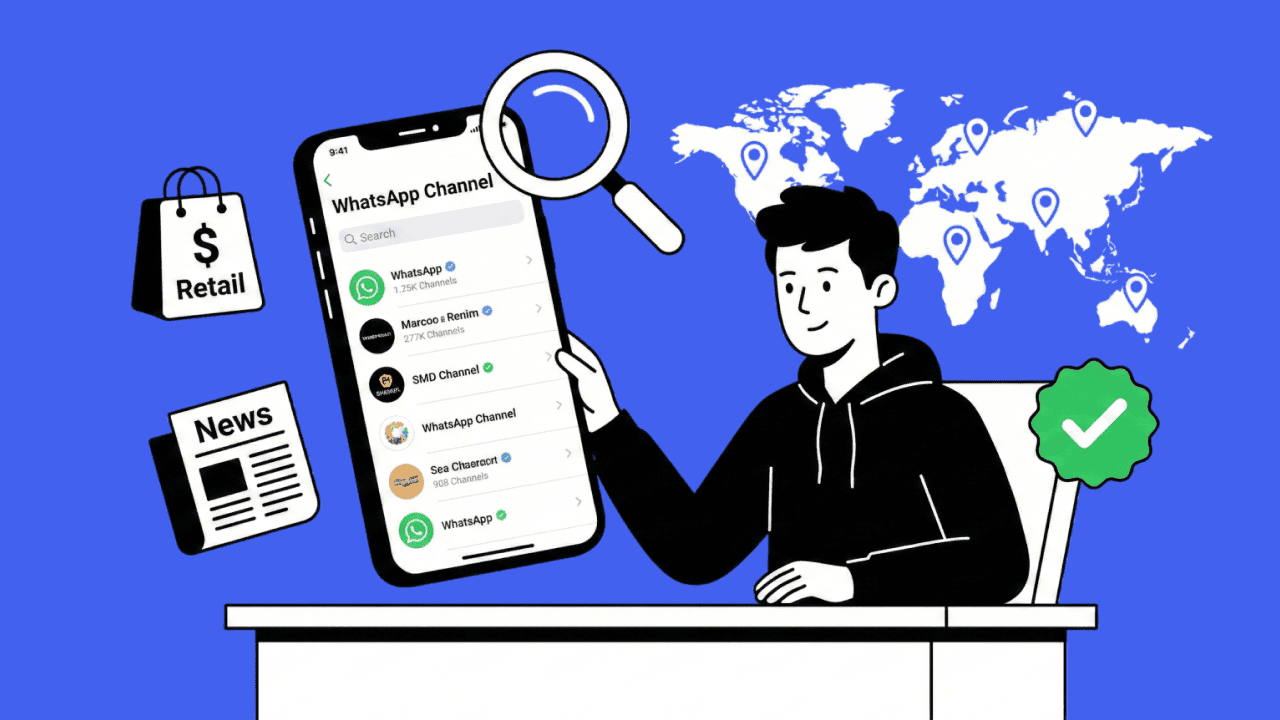
Finding WhatsApp Channels always starts in the app’s official channel directory—on Android & iOS as well as on the web. You can access it via the “Updates” tab—here, the Channels icon leads directly to the overview of all available channels.
The directory offers:
Various categories: Filter specifically by topics such as media, e-commerce, retail, mobility, services, or influencers.
Search function: Find channels specifically by name, people, keywords, industries, or trends.
Country and region filters: Local results for desired markets, e.g., only channels from Germany.
Trends and recommendations: View popular channels, sorted by follower count and engagement rate.
The placement of the Channels icon differs slightly on Android and iOS, but in both cases it’s easy to find. After entering, you’ll see recommendations, trending channels, and directly below that your individually filtered selection.
Filters & search strategies: how to use the channel directory optimally
Your approach:
Open the channel directory via the Channels icon in the “Updates” tab.
Choose a category (e.g., “News,” “Retail,” “Services”).
Set filters for region/country and trends.
Use the search function with keywords that match your audience’s interests, or company names.
Pay attention to the number of followers, posting frequency & engagement rate, which are visible directly in the channel listing.
Pro tip: A channel’s visibility in the directory depends on quality, maintenance, and metadata optimization. A concise description and keyword integration increase both discoverability and conversion.
Practical examples: successful WhatsApp Channels in business use
Find inspiration from concrete examples from Germany and Europe that show how companies get the maximum out of WhatsApp Channels in the messenger:
| Industry | Channel examples | Focus & highlights |
|---|---|---|
| Media companies | Tagesschau, DER SPIEGEL | Daily news, multimedia updates, polls, high posting frequency |
| Retail | ABOUT YOU, REWE | Exclusive offers, discount campaigns, videos, stories, strong visuals |
| E-commerce | HelloFresh, FlixBus | Recipes, service info, promotions, weekly tips, customer surveys |
| Mobility / services | Deutsche Bahn | Disruption info, real-time updates, concise news |
| Associations / organizations | Various industries | Legal news, service updates, resource downloads |
Typical success factors:
Clear content promise: (e.g., “new trends 3x per week”)
Visual branding: consistent emojis, format-ready videos/images, consistent design language
Encouraging interaction: call-to-actions, emoji reactions, regular polls, feedback options for indirect exchange
Fast updates: breaking news, limited offers, exclusive announcements
High usability: easily digestible messages, mobile-optimized, occasional status updates
What can you learn from successful WhatsApp Channels? – The 5-point checklist:
1. Clear content promise: State precisely in the channel what your subscribers can expect. Build trust through transparent content and regular frequency.
2. Continuity & consistency: Plan fixed weekdays or promotional periods for posts. Keep your content promise with consistent updates.
3. Value & relevance: Provide content that truly helps your audience: exclusive tips, special discounts, e-commerce news, how-to videos, status updates.
4. Visual identity: Recurring emojis, a professional channel image, and multimedia content shape your brand image and increase recognition of your channel.
5. Involve & activate subscribers: Add polls, emoji votes, or feedback options and place specific call-to-actions (“Discover now!”, “Vote via emoji”, “Learn more”).
Create your own channel: from search to strategy
Your next step: don’t just consume other people’s content—start your own channel. Use what you’ve learned to create a professional channel yourself—and become visible in the official directory (or share the link or QR code to your channel). This gives you the following benefits:
Organic reach without major advertising effort
Building an engaged community directly in the messenger
Competitive advantages through first-mover positioning in social media communication
A central tool like Chatarmin supports you from content planning to multichannel distribution all the way to support and analytics. This turns WhatsApp into a scalable part of your communication strategy.
Conclusion: find WhatsApp Channels and use them strategically
Finding WhatsApp Channels is only the beginning. A real growth lever emerges when companies adapt proven success principles and apply them themselves with their own content, a clear brand message, and strategic planning. The channel directory is the stage—the visibility depends on execution, value, and interaction.
Frequently asked questions (FAQ) about finding WhatsApp Channels & using them in business
How do I find relevant WhatsApp Channels for my business?
Via the channel directory in the “Updates” tab, by searching by industry, region and keywords, and via the trending and recommended lists in the app.
What should I consider when starting my own channel?
A meaningful channel image, a keyword-based description, a clear content promise, and a consistent posting frequency are essential.
What’s the difference between WhatsApp Channels and groups?
Channels are one-way communication: many subscribers, no visibility of contacts among each other, content goes from the publisher to everyone—ideal for content distribution and reach building.
How do I measure my channel’s success?
The success of a WhatsApp Channel can be measured using several KPIs: follower count, engagement rate (e.g., emoji reactions), reach of individual posts, and click rates on included links.
How do I benefit from Chatarmin for my WhatsApp Channel?
With Chatarmin, you control all channels, messengers, and content centrally, automate communication, and analyze performance—efficient, GDPR-compliant, and ideal for scalable growth.
How are data protection and privacy handled in WhatsApp Channels?
The Channels feature is designed to be data-sparing in terms of privacy and security because subscribers remain anonymous and no personal data is exchanged. However, content in WhatsApp Channels is publicly visible and not end-to-end encrypted. Companies should therefore use channels exclusively for information suitable for public communication.
What distinguishes WhatsApp Channels from social media platforms & WhatsApp groups?
Channels are not dependent on social media algorithms and offer only limited interaction options. Communication remains one-way and does not lead to discussions. Another difference from classic WhatsApp chats is the lack of end-to-end encryption.
Now it’s your turn: start your WhatsApp Channel strategy—find, analyze, and develop your channel with the best practices of other users and tools like Chatarmin. This way you reach your audience where it matters.