DSGVO-konform
5-Min-Setup
ISO 27001
armincx connects directly to your Shopware 6 shop. The AI answers customer inquiries automatically and executes real actions: cancellations, returns, address changes and invoice delivery directly in Shopware.


































Quick check for decision makers
AI customer service directly on your Shopware data
armincx accesses orders, customer data and products from Shopware 6 in real time. Bidirectional sync via the native plugin.
The Shopware plugin syncs orders (status, tracking, payment status), customer data (name, address, email, order history) and product information (catalog, availability, prices). Synchronization happens in real time. When a customer orders in Shopware, armincx sees the order instantly. Changes made by armincx (e.g. address change) are written directly back to Shopware.
The armincx AI answers customer inquiries and executes real actions: cancellations, returns, address changes and invoice delivery directly in Shopware.
The armincx AI recognizes the intent of a message (e.g. cancellation request) and executes the matching workflow. The AI automatically checks conditions: Has the order been shipped? Is payment confirmed? Only after successful validation is the action triggered in Shopware. You configure for each action whether the AI executes it independently or routes it to an agent for approval.
Email, WhatsApp, Instagram, Facebook, live chat and contact forms in one inbox. Every message is assigned to the correct customer profile.
Customers contact you through different channels. The same customer writes an email first, then a WhatsApp message, then an Instagram DM. In separate tools, three separate tickets are created. armincx recognizes the customer across channels and shows all interactions in one profile. Your team sees the entire communication history immediately, without switching between tools.
armincx connects directly to your Shopware 6 shop via a native plugin. The AI accesses your orders, customer data and product information in real time. This means: when a customer asks "Where is my order?", armincx pulls the current status and tracking link directly from Shopware and responds automatically.
The key difference to other helpdesk tools: armincx reads data from Shopware and simultaneously executes real actions. Cancellations, refunds, address changes and invoice delivery happen directly in your Shopware backend. Your support team no longer needs to jump between tabs.
Many Shopware teams know the daily routine: Shopware tab open, ERP tab open, email client open, DHL tracking open. For every single inquiry you copy order numbers from one window to the next. armincx ends this tab chaos and brings all data into one interface.
All channels come together in one central inbox: email, WhatsApp, Instagram, Facebook, live chat and contact forms. Every message is automatically assigned to the correct customer profile, regardless of which channel it comes through. When a customer writes an email first, then a WhatsApp message, then an Instagram DM, other tools create three separate tickets. armincx recognizes the customer across channels and shows the entire communication history in one profile.
armincx recognizes the intent of a customer inquiry and executes the matching action directly in Shopware. These actions run fully automated without any agent intervention:
Each of these actions is configurable. You decide which actions the AI executes independently and which are routed to an agent for approval. For sensitive actions (refunds above a certain amount, complaints on high-value products), the AI can prepare a draft that your team only needs to approve.
Shopware shops in the DACH region have a typical ticket profile. The most frequent inquiries that armincx automates:
Typical Shopware shops in the DACH region handle between 200 and 2,000 tickets per month. armincx reaches an automation rate of 40-60% within the first weeks, with 70-80% realistic long-term.
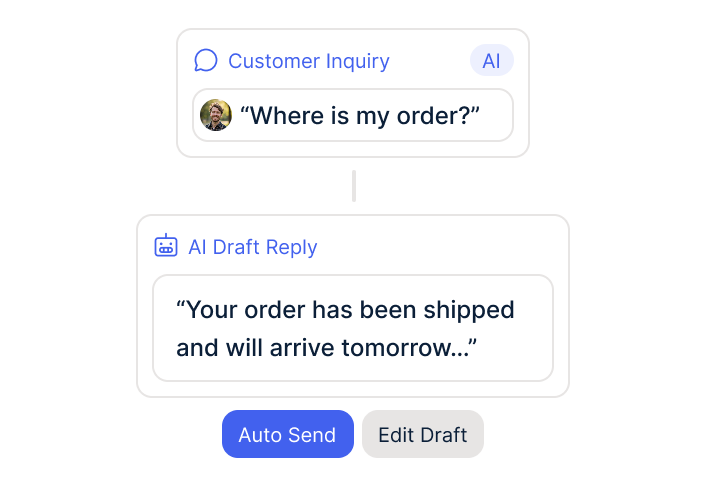
The AI answers "Where is my order?" inquiries automatically with current status and tracking link from Shopware.
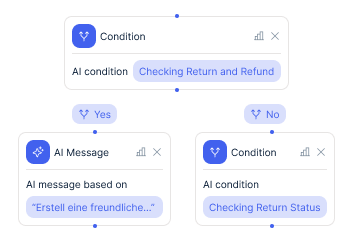
The AI creates returns in Shopware, generates return labels and sends them via email or WhatsApp to the customer.
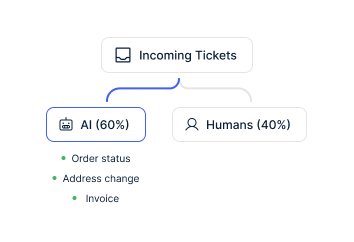
The AI recognizes invoice requests, pulls the invoice from Shopware and sends it directly to the customer.
The armincx Shopware integration is built for mid-sized to large DACH retailers with EUR 5 to 50 million annual revenue. Three typical profiles:
armincx brings all data and all channels into one interface. No more working the same case across three separate tickets because a customer reached out via email, WhatsApp and Instagram.
The most common reason for switching to armincx: your Shopware shop is growing but you do not want to proportionally expand the support team. With armincx you decouple growth from headcount.
The AI answers 70-95% of repetitive inquiries automatically. Your team focuses on escalations, complex complaints and tasks that require real product expertise. Instead of spending all day on routine questions, your team has capacity for the cases that actually matter.
During seasonal peaks (Q4 brings 2-3x the normal ticket volume for many shops), the AI absorbs the extra load. You do not need to train student workers or temporary staff who leave after the peak. And you do not need to close support on Friday afternoon because nobody is left. The AI responds on Sunday evenings too, when customers shop from the couch and purchase intent is highest.
5 to 15x cheaper than a manually handled ticket. That is the benchmark from over 450 e-commerce brands working with Chatarmin.


Disclaimer: All data conducted from over 50+ Sales Calls with DACH Ecom Owners
armincx works on a flat-rate model. You pay no per-agent seat costs and no per-ticket costs. This sets armincx apart from Zendesk (seat costs) and Gorgias (ticket costs). For Shopware shops with growing volume this means: your costs stay predictable even when ticket volume triples in Q4.
Meta costs for WhatsApp messages are 11 cents per marketing message in Germany and around 5 cents in Austria and Switzerland (as of 2026). Service messages within the 24-hour window are free. WhatsApp generates 2 to 3x higher revenue per recipient than email. After deducting the Meta fee, you retain 139% higher net margin than via email.
armincx software pricing is not publicly communicated. In a demo we calculate your individual business case together based on ticket volume, number of channels and desired automation level.
Many Shopware retailers use Zendesk or Freshdesk for customer service. Both are solid ticketing systems. What they lack is the depth of shop integration.
Zendesk displays your Shopware data in a side panel. But every action (cancellation, address change, refund) requires manual clicking in Shopware. The Zendesk AI generates text suggestions but does not execute backend actions. Large Zendesk installations cost an additional EUR 20,000-40,000 in setup through implementation partners like Leafworks.
Freshdesk has the same problem: the Freshdesk AI (Freddy) is a separate, paid add-on and hard to train. Shopware data is displayed, but actions require manual intervention.
armincx was built from the ground up as an AI-first platform. The AI executes actions directly in Shopware. No copying between tabs, no manual clicking. And the onboarding is handled personally by the Chatarmin team, in German, with no external agency.
The AI automatically recognizes when it cannot confidently answer an inquiry. In these cases it escalates to a human agent. The AI delivers a prepared draft and all collected customer data. The agent only needs to review and send.
For incomplete inquiries (e.g. missing order number, no photos for a complaint), the AI first asks for the missing information before escalating. This saves your team the back-and-forth and ensures a complete case arrives at the agent.
You configure the escalation rules yourself. Example: refunds under EUR 50 are handled by the AI independently. Above EUR 50 it creates a draft for approval. Complaints on high-value products go directly to a senior agent. Legal threats are immediately prioritized.
What leading E-Commerce brands from the DACH region say about armincx
Tobias J.
Braun Büffel

“Intuitive to use and quick in support.”
Dominik Englputzeder
myHarry

“To be honest, we are very excited about the tool. It is exactly what we need.”
Braun Büffel
“Intuitive to use and quick in support.”
myHarry
“To be honest, we are very excited about the tool. It is exactly what we need.”

Create your armincx account and install the Shopware plugin.

Establish the API connection and connect channels (email, WhatsApp, social).
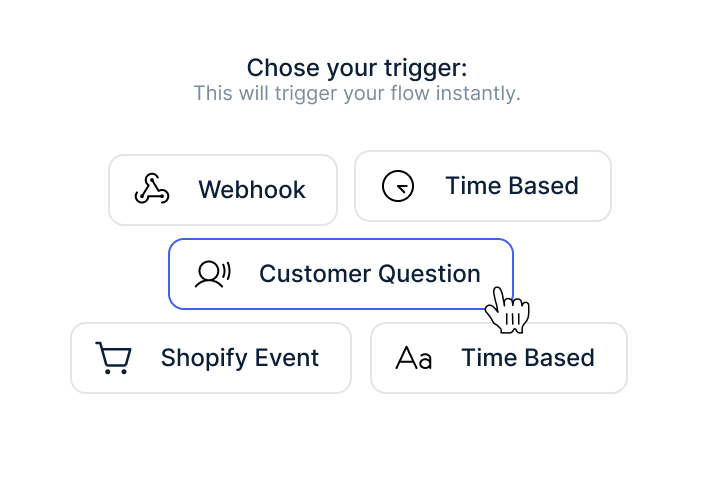
Configure AI workflows and launch your first automated responses.
Create your armincx account and install the Shopware plugin.
Establish the API connection and connect channels (email, WhatsApp, social).
Configure AI workflows and launch your first automated responses.
armincx integrates preferably with Shopware 6. The plugin uses the stable Shopware 6 API for full data access: orders, customers, products, tracking.
Shopware 5 is outdated and no longer actively developed by Shopware. If you are still on Shopware 5, we recommend migrating to Shopware 6 or Shopify long-term. armincx can serve as a companion during the migration phase: you start with armincx on your current system and take the customer service channel with you when you migrate.
Many Shopware customers are currently in exactly this migration phase. armincx works with both versions, but the full depth of integration (automated actions, bidirectional sync) is significantly more stable with Shopware 6.
Onboarding for the Shopware integration runs in four steps:
The entire onboarding is guided personally by the Chatarmin team. No external implementation partner, no EUR 20,000 Leafworks-equivalent setup project. First automated responses go live within days. The full automation rate of 40-60% is reached within the first weeks.
If you have Make.com, Zapier or n8n in your stack, the Chatarmin team sets up the connections during onboarding. For complex multi-system setups (Shopware + JTL + DHL), the solution engineering team coordinates the integration of all systems.
armincx hosts all data on servers in Germany. The AI processes customer data exclusively on EU infrastructure. A data processing agreement (DPA) is standard. The WhatsApp Business API runs GDPR-compliant via the official Meta Cloud API.
The AI accesses Shopware data within the scope of customer service interactions. Data is not used for training purposes. Data separation between armincx and your Shopware shop is technically guaranteed.
Everything you need to know about the Shopware armincx integration.
armincx integrates preferably with Shopware 6 via a native plugin. Shopware 5 is generally supported, though API stability is limited. Long-term we recommend migrating to Shopware 6 or Shopify. armincx can serve as a companion during the migration phase.
The AI executes direct actions in Shopware: querying and communicating order status, processing cancellations, triggering refunds, changing delivery addresses, sending invoices and generating individual discount codes. Each action is configurable. You decide what the AI handles independently and what escalates to an agent.
The Chatarmin team guides the onboarding personally. Plugin installation and API connection are ready within days. First automated responses go live right after. The full automation rate of 40-60% is reached within the first weeks as the knowledge base and workflows are fine-tuned.
The AI automatically recognizes when it cannot confidently answer an inquiry and escalates to a human agent. It delivers a draft response and all collected customer data. The agent only needs to review and send. For incomplete inquiries, the AI first asks for missing information (e.g. order number, photos).
No. The Shopware 6 integration runs via a plugin and an API connection. The Chatarmin team sets up both during onboarding. For complex multi-system setups (e.g. Shopware + JTL + DHL), the solution engineering team coordinates the integration of all systems.
Yes. armincx hosts all data on servers in Germany. A data processing agreement (DPA) is standard. The AI processes customer data exclusively on EU infrastructure. Data is not used for training purposes.
Yes. armincx integrates alongside Shopware with JTL, Xentral, Billbee and other DACH ERPs. In multi-system setups the AI accesses the correct backend. When tracking data sits in the ERP rather than Shopware, armincx pulls it from the ERP.

Automate marketing and support in one platform.