DSGVO-konform
5-Min-Setup
ISO 27001
Connect armincx with Odoo. Open-source ERP data in customer service.


































Quick check for decision makers
Odoo data directly in customer service.
Orders, customers, and shipping status from Odoo in the armincx inbox.
Connection via Odoo REST API or middleware. Order status, returns, cancellations, and invoices automated. All Odoo data available in the armincx inbox.
WISMO, returns, invoices. AI answers automatically based on real data.
Odoo combines CRM, warehouse, and accounting. armincx uses all available data for intelligent support. The AI accesses orders, customer data, shipping status, and invoices.
All channels in one inbox. Order data directly visible.
Odoo is often used in B2B. armincx supports B2B customer service workflows just like B2C. Quotes, order confirmations, and invoices from Odoo directly available in the ticket.
Odoo is an open-source ERP (CRM, warehouse, accounting combined). armincx integrates via the Odoo REST API. Order status, returns, cancellations, and invoices are handled automatically.
In practice: the armincx AI does not just answer customer inquiries with text. It executes real actions. Check order status, initiate returns, send invoices. All based on real data from Odoo. Your support team no longer needs to switch between Odoo and the helpdesk.
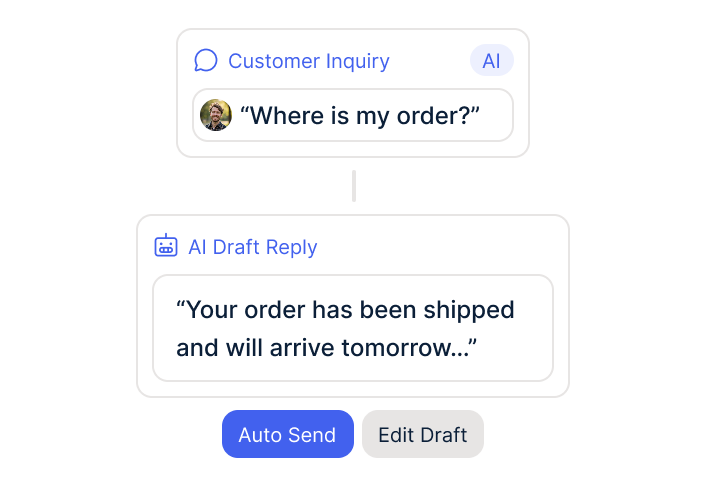
Odoo combines CRM, warehouse management, and accounting in one system. armincx uses all available data for intelligent support. When a customer asks "Where is my order?", the AI pulls the status directly from Odoo and responds automatically.
The armincx AI executes real backend actions based on Odoo data:
These actions run automatically. Your support team only handles cases that require human judgment.
For e-commerce teams using Odoo as their central system that want to automate customer service. Odoo is often used in B2B and by SMBs. armincx supports B2B customer service workflows just like B2C.
Typical setup: Odoo as single source of truth for quotes, order confirmations, shipping, and invoices. armincx as the AI customer service layer that accesses this data directly.
AI pulls status and tracking from Odoo. Responds automatically.
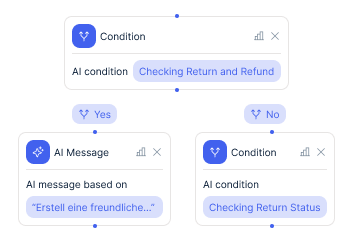
AI initiates return process based on Odoo data.
AI fetches invoice document from Odoo and sends it.
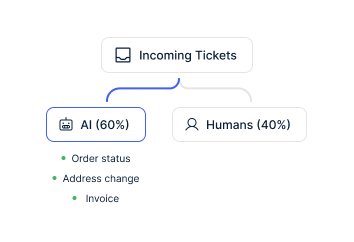
Three concrete scenarios for AI customer service with Odoo data:
The first: automate order status. AI pulls status and tracking from Odoo. Responds automatically. The most common ticket type (WISMO) is fully automated.
The second: automate returns. AI initiates the return process based on Odoo data. Generate return labels and send them to the customer.
The third: send invoices automatically. AI fetches the invoice document from Odoo and sends it. No more manual searching and forwarding.


Disclaimer: All data conducted from over 50+ Sales Calls with DACH Ecom Owners
Zendesk is a solid ticketing system. But Zendesk only displays Odoo data without executing actions. armincx executes real AI actions: cancellation, refund, address change directly from the ticket. Additionally: armincx offers flat-rate pricing without seat costs and a native Odoo integration. Zendesk charges per seat and does not offer a native Odoo connection.
What leading E-Commerce brands from the DACH region say about armincx.
Lukas Haas
myDartpfeil

“A well-thought-out WhatsApp marketing solution with five out of five stars!”
Pauline Broda
emma & noah

“The best value for money!”
Benjamin Porten
Naughty Nuts

“Chatarmin impresses with a transparent cost structure that gives us full control. The “done-for-you” package saves us a huge amount of time and stress, as we benefit from the team’s best practices and experience.”
myDartpfeil
“A well-thought-out WhatsApp marketing solution with five out of five stars!”
emma & noah
“The best value for money!”
Naughty Nuts
“Chatarmin impresses with a transparent cost structure that gives us full control. The “done-for-you” package saves us a huge amount of time and stress, as we benefit from the team’s best practices and experience.”
Sign up for Chatarmin and activate armincx.
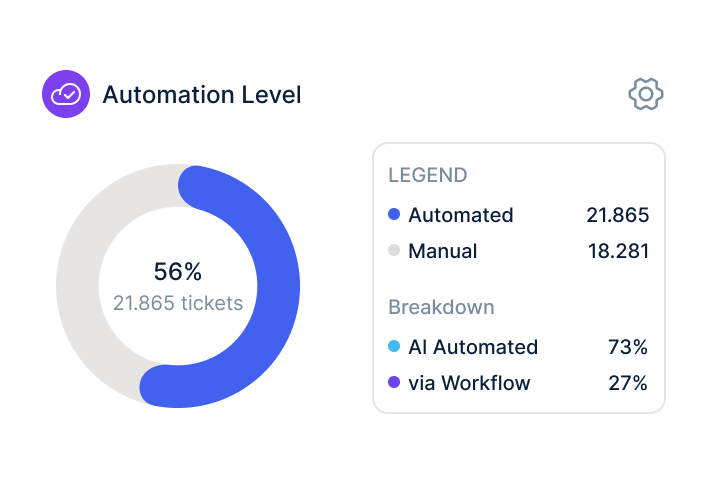
Authorize Odoo in the armincx dashboard. Data flows automatically.
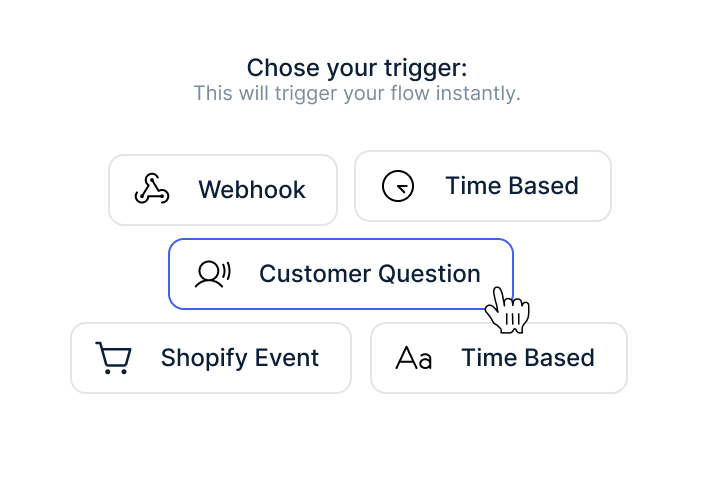
Train AI, build workflows, go live.
Sign up for Chatarmin and activate armincx.
Authorize Odoo in the armincx dashboard. Data flows automatically.
Train AI, build workflows, go live.
armincx offers flat-rate pricing without ticket costs. The Odoo integration is included in the armincx package. Variable AI credits apply per auto-resolved message. No seat-based pricing like Zendesk, no per-ticket costs like Gorgias.
Your dedicated Customer Success Manager configures the integration:
Time to live: days to weeks.
armincx is ISO 27001 certified. Servers in Frankfurt. Official APIs. Channel-specific opt-in. DPA available.
armincx fits right into your existing tools.
Everything you need to know.
armincx connects via the Odoo REST API or middleware. Odoo Community and Enterprise are supported. Your Customer Success Manager checks during onboarding which data is available and configures the integration to match your setup.
armincx offers flat-rate pricing without ticket costs. The Odoo integration is included in the armincx package. Variable AI credits apply per auto-resolved message. No seat-based pricing like Zendesk, no per-ticket costs like Gorgias.
Your Customer Success Manager configures the integration, builds workflows, and trains the AI. Time to live: days to weeks, depending on the complexity of your Odoo setup and the volume of training data.
armincx is ISO 27001 certified and stores all data on servers in Frankfurt. Official APIs. DPA available. Odoo itself offers flexible hosting options for GDPR compliance as an open-source system.
Existing ticket histories are not imported 1:1. Customer history remains in Odoo. armincx trains the AI on your existing FAQ data and macros. Order history is available via the Odoo API at all times.