
Your store is growing, your support volume is growing with it, and Kustomer is on your shortlist. The question behind the search term Kustomer pricing is rarely just "what does one seat cost." It's whether this platform fits an e-commerce setup like yours, and what the bill adds up to by the time you handle your first real ticket.
For context: Capterra puts the average help desk budget for smaller companies at around $63 per seat. Kustomer starts at $89, and that's only the list price. The full bill has more line items.
We'll look at the tool through the lens of a DACH e-commerce operator (DACH being Germany, Austria and Switzerland): what it does really well, where it tips over for smaller teams, and what ends up on the invoice.
What Kustomer is and who it was built for
Most support tools work with tickets. A request comes in, gets a number, gets worked through. Kustomer flips that model. The core concept is the Conversation Timeline.
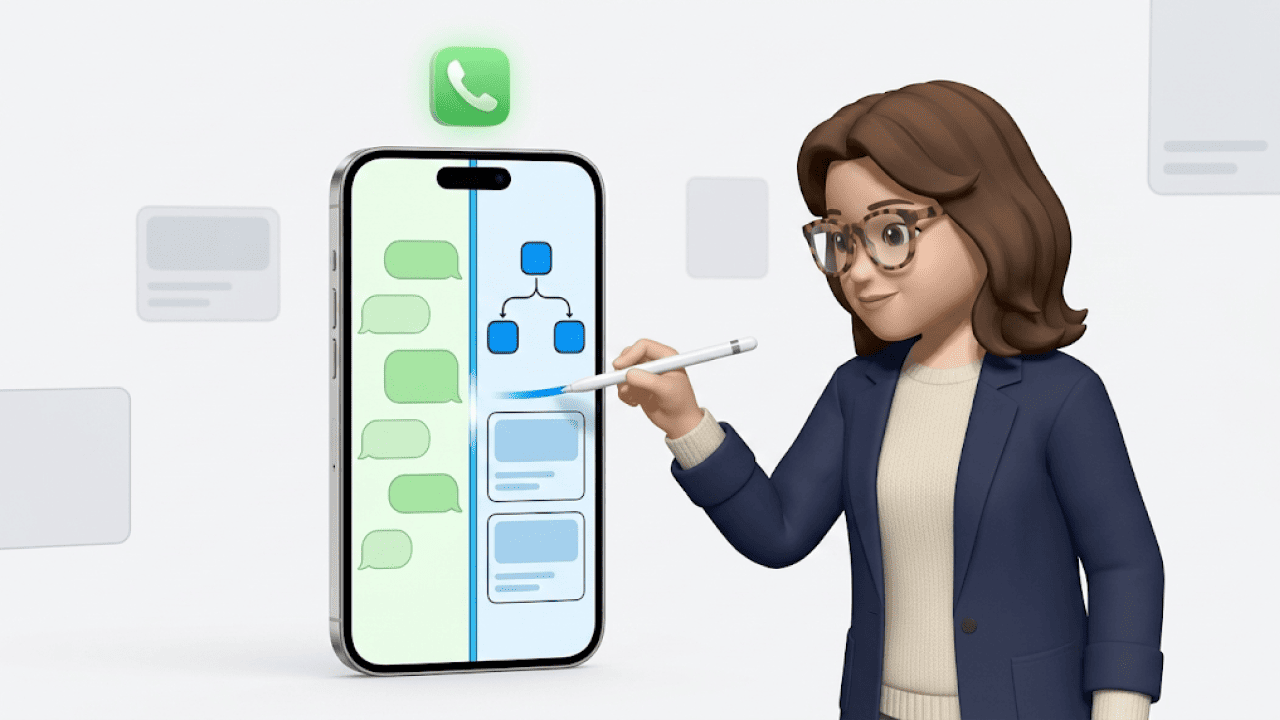
A customer emails, calls, sends a WhatsApp and later shows up in chat. In a classic ticketing system that's four separate records. In Kustomer it all lands on one timeline, together with order history, past conversations and CRM data on a single screen. That sits closer to a CRM than to a pure ticketing system.
Who it's built for shows in Kustomer's own case study with US furniture retailer Jerome's Furniture: duplicate requests dropped from 42% to 8%, and cost per contact fell by 40%, because agents no longer had to jump between channels. That lever only kicks in above a certain channel and volume level, though. If your team mostly answers email on a single channel, most of that depth goes unused. Kustomer is an enterprise B2C tool for retail, fintech, travel and larger D2C brands.
Kustomer pricing 2026: Enterprise and Ultimate
Kustomer has two self-service plans. Both run on an annual contract, and there's no monthly billing option.
The Enterprise plan costs $89 per seat per month (approx. €77). It includes the Conversation Timeline, omnichannel messaging across chat, email, SMS and voice, standard reporting and up to three routing queues per team. On top of that: 25 brands, 20 languages and an API limit of 1,000 requests per minute.
The Ultimate plan costs $139 per seat per month (approx. €120). This adds skills-based routing, real-time dashboards (Team Pulse), a sandbox, unlimited collaboration users and ten queues per team. API limits double to 2,000 RPM, and you get 300 brands and all languages.
My take: For a team of 8 to 15 without skills-based routing, Enterprise is enough. Without AI add-ons it's essentially a tidy inbox with a CRM attached. Ultimate only pays off once you genuinely need the sandbox and skills-based routing. For a 10-person team without complex routing logic, the $50 per-seat premium is hard to justify.
| Feature | Enterprise ($89) | Ultimate ($139) |
|---|---|---|
| Routing queues | 3 per team | 10 per team |
| Skills-based routing | No | Yes |
| Team Pulse (real-time) | No | Yes |
| Sandbox | paid add-on | 1 included |
| Collaboration users | 1 per licence | unlimited |
| API rate limit | 1,000 RPM | 2,000 RPM |
| WhatsApp Business accounts | 3 | 5 |
| Brands | 25 | 300 |
| Business rules | 100 | 200 |
Voice, SMS and WhatsApp are available as channels on both plans, but usage runs pay-as-you-go via carrier fees. Kustomer confirms this on its own pricing page but doesn't quote the rates there.
The 8-seat minimum: the sticking point for smaller stores
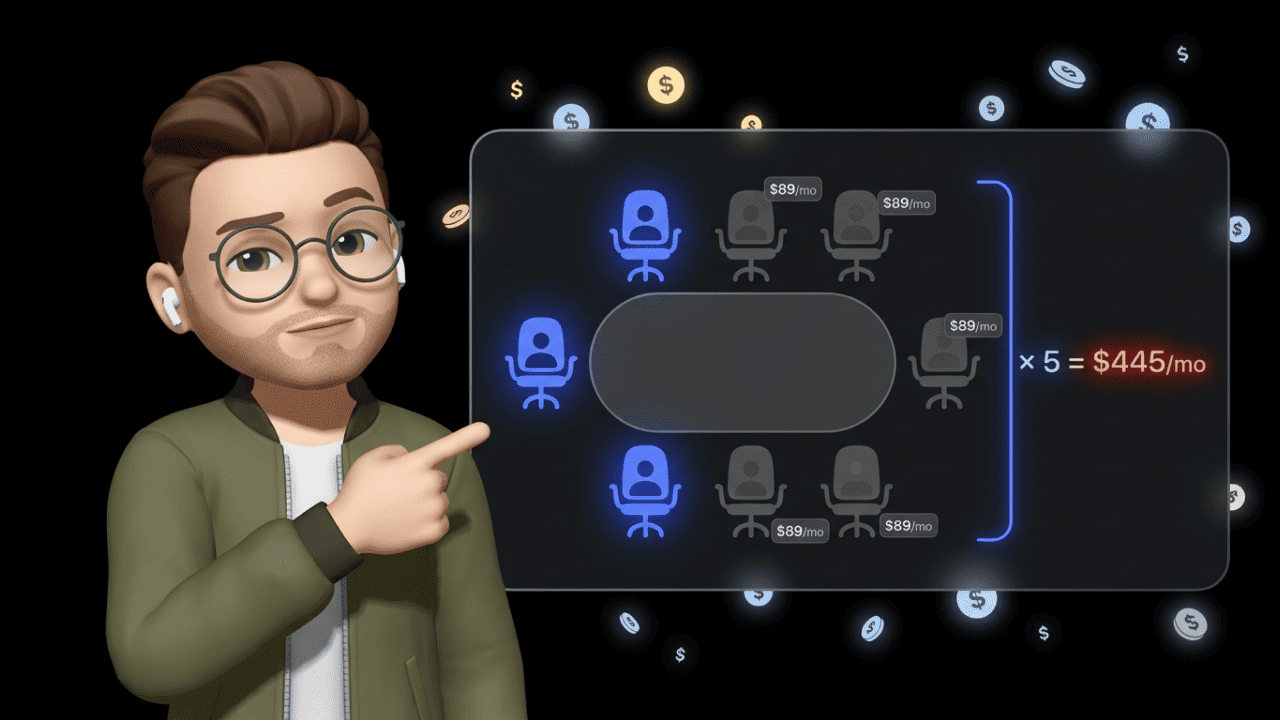
Kustomer requires at least eight licences. That floor is hard, and it's the point where the tool tips over for many DACH stores.
The math is simple: eight seats times $89 times twelve months comes to $8,544 per year (approx. €7,400) on Enterprise. On Ultimate it's $13,344 (approx. €11,500). A three-person support team pays for five seats nobody uses. In other words: you're funding empty licences. For a bootstrapped D2C setup, that's a structural barrier.
The pricing page says "contact sales for smaller teams." According to buyer data documented on Vendr, Kustomer grants around a 10% discount on a two-year contract, which does little about the eight-seat base problem. Startup or growth discounts are negotiable in principle, but Kustomer doesn't quote them publicly. If you want to go that route, you have to ask sales directly.
For context: Zendesk lets you start with one seat, Freshdesk has a free plan, Gorgias bills per conversation. The eight-seat minimum is Kustomer's toughest entry barrier, especially for small and mid-sized stores.
What AI costs at Kustomer
The $89 or $139 is the base. AI costs extra, and that affects every team that wants to automate more than a few hundred inquiries a month. The AI rates come from Kustomer's pricing information and several market sources.
AI Agents for Customers (the customer-facing bot) cost from $0.60 per "engaged conversation." The word "engaged" matters: the fee applies the moment the bot steps into a conversation, even if it immediately escalates to a human. At 2,000 bot conversations a month that's $1,200 extra. Per-unit pricing drops through volume tiers at higher levels, which is worth negotiating.
AI Agents for Reps (the agent copilot) cost $40 per user per month. For a 10-person team that's $400 a month or $4,800 a year. A third tier, AI Agents for Leaders, is listed by Kustomer as "coming soon."
Instead of individual add-ons, Kustomer offers bundles with AI included: the Enterprise Bundle at $129 per user and the Ultimate Bundle at $179. For teams using AI across the board, bundles are usually cheaper than the base plan plus individual add-ons.
| Line item (10 agents) | À la carte | Enterprise Bundle |
|---|---|---|
| Seat cost/month | 10 × $89 = $890 | 10 × $129 = $1,290 |
| AI for Reps ($40/user) | $400 | included |
| 2,000 bot conversations | $1,200 | negotiated |
| Total per month | $2,490 | from $1,290 |
| Effective per agent | $249 | from $129 |
My take: Even $129 per agent is no bargain, and bot conversations land on top depending on the contract. Anyone budgeting with $89 is kidding themselves about the entry cost.
Implementation and time
Kustomer isn't a tool you buy on Friday and use on Monday. The platform needs professional setup, and Kustomer states on its own pricing page that "some configuration may require a statement of work and an implementation fee."
Kustomer doesn't put a figure on that. A solid reference point is the Gartner benchmark for CRM projects: in the first year, companies typically spend 1.5 to 2 times the licence cost on implementation and onboarding. At an Enterprise minimum of $8,544 that lands you roughly in five figures, and higher for larger teams. Data migration, integrations and team training realistically stretch over several weeks to months.
One plus over Zendesk: Kustomer uses a visual workflow builder. Many automations can be configured without a developer team. That saves on staffing long term, but raises the effort during the initial setup phase. If you want Kustomer live before your next peak season, plan for it early.
The conversation-based model as an alternative
Alongside the seat-based plans, Kustomer offers per-conversation billing. Instead of fixed seat costs you pay only for actual customer conversations, from $0.35 per conversation on Enterprise and from $0.50 on Ultimate. Kustomer markets the model as unlimited seats, unlimited AI and unlimited platform usage in one price per conversation.
It makes sense with strong seasonal swings. If your November volume is three times your February volume, the seat model has you paying for peak capacity twelve months a year. The risk is obvious: one unexpected support spike can blow the monthly budget in a single week. The exact rates are also negotiable and not publicly fixed. If you choose this model, you need a reliable history of your conversation volumes.
Kustomer in the e-commerce stack: Shopify and the DACH reality
On Shopify, Kustomer plays to its strengths. Agents can trigger refunds, cancellations and order changes straight from the timeline without switching tabs. In the Shopify App Store the app sits at 5.0 out of 5, though on a small base of 24 reviews. Across platforms the picture is more mixed: Capterra at 4.6 (79 reviews), Gartner Peer Insights at 3.5, Trustpilot at 2.4. A recurring criticism in reviews is the learning curve on the backend.
For DACH stores, three points matter. First, depth beyond Shopify: if you run on JTL, Shopware, Xentral or Billbee, US tools rarely offer a native connection with write access. For setups with multiple brands and stores, that quickly becomes a bottleneck. Second, data protection: Kustomer offers SOC 2 Type 2 and GDPR tooling such as data masking (on Ultimate) and configurable data deletion. For the DACH market, EU hosting, a data processing agreement and the specifics of data handling belong explicitly in the contract rather than being assumed.
Third, currency. Kustomer bills in US dollars. With a fluctuating exchange rate your real monthly bill in euros moves with it, and USD billing brings exchange-rate and fee surcharges depending on your payment method. The euro figures in this article are approximations at a rate of around 0.86 euros per dollar (as of June 2026).
Which stores Kustomer fits and which it doesn't
Kustomer fits if you're a B2C company with at least eight support agents, manage high volume across several channels at once, and need a central customer view with CRM depth. It pays off in practice. Cookware brand HexClad turns support into a revenue driver through the customer data in Kustomer: according to Kustomer's case study, over 27,000 customers made a purchase after a support contact, 11% of them a second time the same day, 31% within a week. For that profile, the price is justified.
Kustomer becomes a problem if your team is under eight agents, you mainly work one channel, or you're a budget-conscious SMB. The minimum alone disqualifies most small stores, and a setup running several weeks to months is no quick tool swap.
You're in the grey zone with 8+ agents but modest volume. Then it's worth a close look at the conversation-based model, or at a leaner omnichannel solution that starts without a seat minimum.
What we take from this for armincx
We build armincx ourselves, an AI support tool for e-commerce, and Kustomer is a good place to see what works and where it pinches. The Conversation Timeline is conceptually strong, and so is the CRM foundation. That single, unified customer view is the right approach for us too.
Three things we deliberately do differently, because they're decisive in DACH e-commerce. armincx bills per AI message and works without a seat minimum, so small and seasonal stores stay predictable. The AI agents carry out real backend actions, meaning cancellations, address changes and returns across Shopify and JTL, instead of just serving up text snippets. And onboarding is handled by a German-speaking customer success manager who sets up the workflows and trains the AI. More than 450 brands use Chatarmin today (as of March 2026). That's a different league from enterprise B2C, and that's exactly the point.
Conclusion
Kustomer is a strong product for enterprise B2C with complex support requirements. The timeline beats classic ticketing systems conceptually, the CRM integration runs deep, and the case studies back up real results.
Between the $89 list price and the real total cost with AI, implementation and add-ons, though, there's often a factor of two to three. The eight-seat minimum structurally locks out small and mid-sized teams, and the setup is a strategic decision. Anyone pricing Kustomer should budget for the full package, not the entry price. The bundles from $129 per user are usually the better deal than the base plan plus individual add-ons.
If your focus is e-commerce in the DACH region, fast setup and AI that performs real actions in Shopify and JTL, take a look at how armincx solves this for your store. See AI support for your store live in a demo call. 20 minutes. Free. Concrete numbers for your setup.
Frequently asked questions about Kustomer pricing
How much does Kustomer cost per month?
The Enterprise plan costs $89 per seat per month, the Ultimate plan $139. Both bill annually and require a minimum of eight seats.
Does Kustomer offer monthly billing?
No. Kustomer only offers annual contracts. Flexible monthly cancellation isn't available on the standard plans.
What are the minimum costs for Kustomer?
Because of the eight-seat minimum, annual entry costs start at $8,544 on Enterprise and $13,344 on Ultimate.
Is Kustomer's AI included in the price?
No. AI Agents for Customers cost from $0.60 per conversation, the agent copilot $40 per user per month. The bundles from $129 per user include the AI.
How good is Kustomer's Shopify integration?
Very good. Agents handle refunds, cancellations and order changes straight from the customer timeline. In the Shopify App Store the app has a 5.0 rating across 24 reviews.
Is Kustomer worth it for small stores and startups?
Rarely. The eight-seat minimum and implementation costs make Kustomer uneconomical for small teams in most cases. Leaner alternatives start without a seat minimum.
What hidden costs does Kustomer have?
The most common are AI add-ons, implementation fees via a statement of work, HIPAA compliance ($25 per user per month), storage overages, and pay-as-you-go fees for voice, SMS and WhatsApp.
How long does Kustomer take to set up?
A full enterprise implementation usually runs several weeks to months, including technical configuration, data migration and team training.
What's the difference between Kustomer and Zendesk?
Zendesk is built on tickets, Kustomer on a chronological customer timeline. Kustomer fits complex B2C scenarios with many channels better, while Zendesk is more broadly applicable and starts without an eight-seat minimum.
What is conversation-based pricing at Kustomer?
A billing model where you pay per customer conversation instead of per seat, from $0.35 (Enterprise) or $0.50 (Ultimate). Seats, AI and platform are included. Good for strong seasonal swings, risky with unexpected spikes.
Is Kustomer GDPR-compliant?
It depends. Kustomer offers SOC 2 Type 2 and GDPR tooling such as data masking and configurable data deletion. For the DACH market, EU hosting, a data processing agreement and data-handling details belong explicitly in the contract.
Can I try Kustomer first?
No. Kustomer offers no free plan and no public trial. Access runs through a sales conversation and demo.