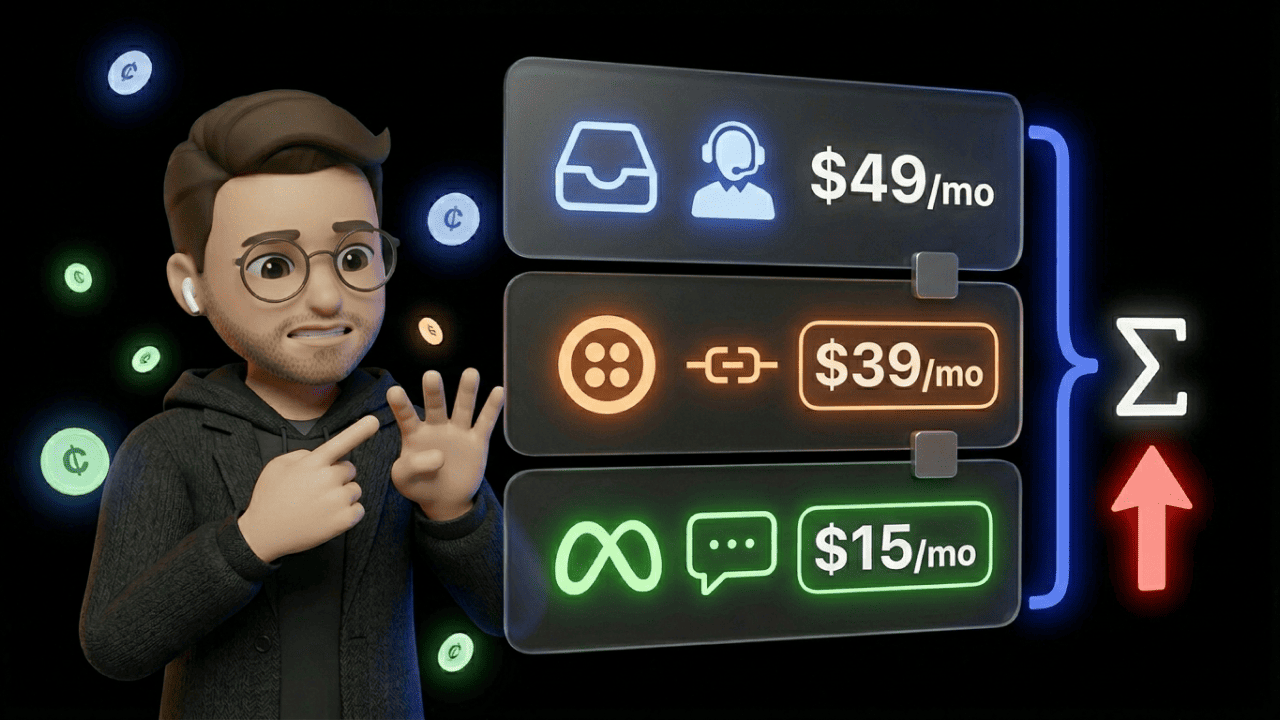

Your 5-person support team wants to add Instagram. You're on the Small plan at $15 per agent per month. The add-on bill afterward: $73 per agent. Not because you need a pricier package — but because Facebook is a prerequisite for Instagram at $39. Plus $19 for Instagram itself. Five times $15 becomes five times $73. Your monthly budget has nearly quintupled before you've answered a single Instagram message.
That's the core of LiveAgent: The entry is cheap. The expansion isn't. And that's exactly what we'll break down here.
What LiveAgent Costs Per Agent Per Month
LiveAgent charges per seat per month — not per contact, not per conversation. Annual billing saves roughly 20%.
| Plan | Annual/Agent/Month | Monthly/Agent/Month | What's Included? |
|---|---|---|---|
| Small | $15 | $19 | Ticketing, Live Chat, Knowledge Base, AI Chatbot. Only 3 email accounts. |
| Medium | $29 | $35 | + Call Center, IVR, SLA management, 10 email accounts |
| Large | $49 | $59 | + Social media, WhatsApp, SSO, Custom Roles, 150 email accounts |
| Enterprise | $69 | $85 | + Ded. Account Manager, Priority Support, branding removed, custom billing |
Where the Small Plan Hits Its Limits
3 email accounts. Sounds like "enough to get started." But a typical e-commerce store quickly has support@, info@, returns@, and wholesale@ — four addresses. You're already over the limit. The jump to Medium costs $14 more per agent per month — not dramatic, but an upgrade you didn't plan for.
No proactive chat invitations. Your live chat sits passively, waiting for someone to click. For stores running conversion optimization through chat, that's a dealbreaker.
Why the Medium Plan Is the Real Starting Point
Call center with IVR, agent ratings, SLA management — this is where LiveAgent becomes a proper helpdesk. 10 email accounts and 5 chat buttons give significantly more room to operate. For teams that don't need social media support, Medium is the sweet spot.
Large: The Plan the Add-Ons Push You Toward
Facebook, Instagram, Twitter, Viber, WhatsApp — all included. Plus SSO, Custom Roles, Time Tracking, and up to 150 email accounts. At $49/agent/month, that's fair. The issue: most teams don't land here by choice — they land here because the social media add-ons on smaller plans cost more than the Large plan itself.
Enterprise: When $69/Agent Makes Sense
Dedicated Account Manager, Priority Support, branding removal included, custom billing. If you want to remove the "Powered by LiveAgent" badge from your chat widget, every other plan charges $19/month extra. With 10 agents, that's $190/month — at that point, Enterprise pays for itself through branding alone.
The Social Media Surcharge: How $15 Becomes $73
This is where the real sticker shock happens. Channel add-on costs on Small and Medium plans:
| Channel | Add-On Cost/Month |
|---|---|
| $39 | |
| $39 | |
| Viber | $39 |
| $19 — requires Facebook add-on |
Example: Small plan + Instagram support.
| Item | Cost/Month |
|---|---|
| Small Plan (1 agent) | $15 |
| Facebook Add-on (required for Instagram) | $39 |
| Instagram Add-on | $19 |
| Total per agent | $73 |
That's more than the Large plan ($49), which includes all social media channels. The pricing structure pushes you into the Large plan the moment you need a single social media channel. Whether that's intentional? The math speaks for itself.
WhatsApp on LiveAgent: The Shell Without the Engine
"WhatsApp included" is what the Large plan's pricing page says. What it doesn't say: the integration runs exclusively through third-party providers — Twilio or 360dialog.
In practice, that means three separate cost layers:
- LiveAgent Large Plan: $49/agent/month
- Provider fees: Twilio or 360dialog charge their own monthly fees and per-message costs
- Meta Conversation Fees: Meta charges per conversation — rates vary by category (marketing, service, utility)
For a team with 5 agents and 2,000 WhatsApp conversations per month, this quickly adds up to a three-figure sum — on top of the LiveAgent costs.
And the critical point: you get messaging only. No WhatsApp broadcasts. No campaign flows. No conversion tracking. No opt-in management. If you want WhatsApp as both a marketing and support channel, you'll hit a hard limit here. LiveAgent is a helpdesk — not a WhatsApp marketing platform.
AI: The "Bring Your Own Key" Model
While Zendesk, Freshdesk, and Intercom charge for AI through flat fees or per resolved ticket, LiveAgent takes a different approach: you plug in your own OpenAI API key and pay for consumed tokens directly to OpenAI.
What that means in practice:
At high ticket volumes, BYOK can be cheaper than competitors' AI flat rates. With 5,000 simple inquiries per month, you might pay $20–$40 to OpenAI — Zendesk would charge multiples of that for a comparable AI solution. At low volumes, you skip the AI fee entirely when you're not using it.
The catch: You need someone on your team to set up the API key and monitor token costs. It's not rocket science — but it's an admin overhead that other providers handle for you.
What a Realistic Setup Actually Costs
Scenario: Mid-size e-commerce team, 8 agents, social media + WhatsApp
| Item | Cost/Month |
|---|---|
| Large Plan (8 agents × $49) | $392 |
| Branding removal | $19 |
| VoIP provider (Twilio, estimated) | ~$50 |
| WhatsApp provider (360dialog/Twilio) | ~$50–$100 |
| Meta Conversation Fees (2,000 conversations) | ~$40–$80 |
| OpenAI tokens (AI agent, moderate usage) | ~$30 |
| Total | ~$581–$671 |
For comparison: the pricing page advertises the Large plan at "$49 per agent." The actual monthly bill for a functioning setup runs three to four times the listed price per agent.
Setup, Onboarding, and Migration
Credit where it's due: LiveAgent is faster to deploy than most competitors. Where Zendesk implementations tend to take weeks and cost consultant fees, Capterra users report that LiveAgent is up and running within days.
Free data migration — a real selling point. LiveAgent offers ready-made migration plugins for switching from Zendesk, Help Scout, Freshdesk, Intercom, and about a dozen other providers. Tickets, contacts, tags, attachments — all transferred via API key. If you'd rather not do it yourself, LiveAgent's support team handles the migration for you. No extra charge.
That applies to standard setups. Complex IVR trees, multi-brand portals, or a Twilio-based WhatsApp integration require technical expertise. White-glove setup is only available in the Enterprise plan.
Support itself is a plus: 24/7 availability via chat and email. In reviews, response time and helpfulness are praised more often than average.
The Mobile App: A Weak Spot That Costs You
A point the pricing page doesn't show, but one that keeps surfacing in user reviews on Capterra and G2: LiveAgent's mobile app is outdated.
Ticket management features are partially missing. Links in emails aren't clickable. Push notifications don't arrive reliably. LiveAgent confirms in review responses that the app is intended as a supplement to the web application — not a full replacement.
For e-commerce teams that provide support on the go or from the warehouse floor, this is a real problem. It's not on the invoice — but it shows up in productivity.
LiveAgent vs. Zendesk: Is Switching Worth It?
To match the feature set of LiveAgent's Large plan ($49/agent/month), you'd need Zendesk's Suite Professional — $115/agent/month. That's more than double.
Zendesk brings more mature reporting, more native integrations, and a broader app marketplace in return. If you have a 5-person support team and primarily need ticketing, chat, and social media, LiveAgent is significantly cheaper. If you have 50 agents, complex workflows, and enterprise reporting needs, LiveAgent will start showing its limits.
LiveAgent also wins on switching costs: free migration plugins, faster start, no consultant budget required. For a broader comparison, check this overview of Zendesk alternatives.
Discounts That Don't Appear on the Pricing Page
Startup Program: LiveAgent offers startups 6 months free, followed by a discounted rate. Apply via a form on the LiveAgent website. Crypto, casino, and adult brands are excluded.
Non-Profit Discounts: Dedicated page for NGOs and educational institutions. Specific discount levels aren't publicly listed, but industry standard is around 20%. You have to ask for it.
Annual Billing: Roughly 20% savings versus monthly billing. On the Large plan, that's $10/agent/month — with 10 agents, $1,200 per year.
The Free Plan: Fine for Testing, Not for Staying
LiveAgent advertises a free version. The catch: ticket history is limited to 7 days. Older tickets aren't deleted — they're hidden. You accumulate data you can no longer see, unless you pay.
Only 1 email account. No automations. No call center. As a test environment, the free plan works. As a long-term solution, it's a lock-in with a ticking clock.
Who LiveAgent Works For — and Who It Doesn't
Good fit:
- E-commerce teams with 2–15 agents who want ticketing, chat, and phone in one tool
- Companies looking to switch from Zendesk or Freshdesk and want a cheaper alternative
- Teams that prefer controlling AI costs themselves rather than paying flat fees
- Support teams focused on desktop work
Not a good fit:
- Companies that use WhatsApp as their primary customer channel — the third-party integration delivers messaging but no WhatsApp flows, broadcasts, or campaign tracking
- Teams that rely on mobile support — the mobile app is a productivity bottleneck according to reviews
- Large organizations with 50+ agents and complex multi-brand setups
- E-commerce brands that want WhatsApp newsletters and AI chatbots working together on one channel
Frequently Asked Questions About LiveAgent Pricing
Is there a permanently free plan on LiveAgent?
Yes — but with severe limitations. Ticket history is hidden after 7 days, only 1 email account, no automations, no call center. Not suitable for production use.
How much does it cost to remove LiveAgent branding?
On all plans except Enterprise: $19/month extra. Only the Enterprise plan ($69/agent/month) includes branding removal.
Are social media channels like Instagram included in the price?
Only in the Large and Enterprise plans. On Small and Medium, Facebook, Twitter, and Viber cost $39/month each as add-ons. Instagram additionally requires the Facebook integration and costs another $19/month on top.
How many email addresses can I connect on the Small plan?
3 incoming and 3 outgoing. If you need more: Medium plan ($29/agent/month) with 10 email accounts.
Is annual billing worth it on LiveAgent?
Yes. Roughly 20% savings. On the Large plan, that's $10/agent/month — with 10 agents, $1,200 per year.
Does the WhatsApp integration on LiveAgent cost extra?
WhatsApp is included from the Large plan ($49/agent/month) — but only the LiveAgent side. Provider fees (Twilio/360dialog) and Meta Conversation Fees come on top.
Do I need my own phone provider for LiveAgent?
Yes. LiveAgent provides the call center software (from the Medium plan), but you need an external VoIP provider like Twilio. Per-minute rates vary by provider and destination.
Does LiveAgent offer discounts for startups or non-profits?
Yes. Startups: 6 months free, then a discounted rate. Non-profits and educational institutions: discounts available upon review. In both cases, you have to actively ask for it.
What happens to my ticket data on the free plan after 7 days?
Tickets aren't deleted but hidden. Access to historical data is only restored after upgrading to a paid plan.
Is LiveAgent support really available 24/7?
Yes. 24/7 via live chat and email. Capterra reviews consistently highlight fast response times.
Is switching from Zendesk to LiveAgent complicated?
No. LiveAgent offers a free migration plugin for Zendesk. Tickets, contacts, tags, and attachments are transferred via API key. Alternatively, LiveAgent's support team handles the migration — at no extra charge.
Are there additional costs for LiveAgent's AI features?
Not from LiveAgent directly. You plug in your own OpenAI API key and pay token costs to OpenAI. No AI flat fee — actual costs depend on your ticket volume.
Verdict: A Fair Helpdesk With Clear Boundaries
LiveAgent is one of the most affordable helpdesk solutions on the market. The 24/7 support, fast onboarding, and free migration plugins are genuine selling points. For teams that need email, chat, and phone — without social media, without WhatsApp marketing — the Medium plan at $29/agent/month is hard to beat.
The limits are in the details: social media add-ons on the smaller plans push costs above the Large plan. WhatsApp remains a third-party setup without marketing capabilities. The mobile app is outdated. And the free plan is a lock-in that hides your historical data after 7 days.
If you calculate upfront which channels and how many email accounts you actually need, LiveAgent delivers a solid tool at a fair price. If you don't calculate, you'll pay the list price — and then triple it on top.