GDPR-Compliant
ISO 27001
Approved by Your Team
With armincx by Chatarmin, the AI agent looks up order status, tracking and returns in Zenfulfillment, instead of your team checking with the warehouse. It corrects delivery addresses, creates return labels and records returns, and by default each of these changes only goes ahead after your approval.


































Quick check for decision makers
Check an order, correct an address, start a return: with Zenfulfillment in armincx, the AI agent handles it in the ticket instead of your team checking with the warehouse.
The AI agent sees an order's status, delivery address and items, plus the carrier, tracking number, tracking link and delivery date. For returns, it sees how far along they are and what comes next, such as a refund or reshipment.
The agent searches by your shop's order number, for example as it appears in Shopify. If the order's email doesn't match the contact in the ticket, it gets "not found" instead of another customer's order.
For a delivered order, the AI agent creates a prepaid return shipping label. The customer gets a link to download and print it.
If the customer has already sent the item back themselves, the agent records the return with the tracking number, carrier and a reason for each item. The same tracking number on the same order doesn't create a second return.
The agent only changes the delivery address fields it's given, such as a wrong postcode. Before shipping, it can also cancel an order.
Once the order has left the earliest stage of processing, Zenfulfillment rejects address changes. If a cancellation is rejected, the order has probably already shipped. In both cases, a return is the next step to offer the customer.
Zenfulfillment is a German e-commerce fulfilment and shipping provider. With the integration in armincx, the AI agent answers questions about orders, tracking and returns in the ticket and carries out changes your team approves.
You need a Zenfulfillment account with API access, meaning a Client ID, Client Secret and API Key. If you don't have these values, ask your contact at Zenfulfillment.
Under Integrations, select Zenfulfillment, click Connect and enter the three values. armincx uses them to sign in to Zenfulfillment before saving, so invalid values are rejected straight away. To test, add the "Get order" action to an AI agent and check a known order number.
| Action | What happens | Approval |
|---|---|---|
| Get order | status, delivery address and items | not needed |
| Get tracking | carrier, tracking number, tracking link, delivery date | not needed |
| Get return status | progress of the return and next step | not needed |
| Update shipping address | only the fields passed on, while the order is in the earliest stage of processing | ask every time by default |
| Create return label | prepaid label as a download link, only for delivered orders | ask every time by default |
| Create return | a return the customer sent themselves, with tracking number and reason | ask every time by default |
| Cancel order | cancellation before shipping | test in test mode first |
On the agent, you choose which connected Zenfulfillment accounts it may use.
Zenfulfillment can't trigger refunds through this integration. They go through your payment provider or your shop system.
You'll find the step-by-step guide in our documentation.
A customer asks about their order. The AI agent checks that the email matches and replies with the carrier, tracking link and delivery date.

The order has been delivered and the customer wants to send it back. The agent prepares a prepaid label, your team approves it, and the customer downloads it via a link.

The postcode is wrong. After your approval, the agent changes only that field. If it's too late, Zenfulfillment rejects the change and a return is the alternative.

Once an order has been delivered, the agent creates a prepaid return shipping label and sends the customer a link to download and print it. Creating it can take a few seconds; if the label isn't ready yet, the agent tries again shortly afterwards.
Beforehand, an admin sets the warehouse's return address in the action's settings: first and last name, street, house number, town, postcode, country and phone number.
| What happens | Likely reason | Next step |
|---|---|---|
| Cancellation is rejected | the order has probably already shipped | Offer a return |
| Address change is rejected | the earliest stage of processing is over | Offer a return |
| No return label possible | order not delivered yet or return address missing | Wait for delivery or add the return address |
Test actions that make changes in test mode first and check the simulated result before you approve. Make the first real change on a test order and check it in Zenfulfillment: an address change with only one field changed on an order that hasn't shipped yet, and a return label on a delivered order.
The workflow with armincx compared with the workflow where your team checks with the warehouse.

Disclaimer: All data conducted from over 50+ Sales Calls with DACH Ecom Owners
The integration is built for shops that ship via Zenfulfillment and handle customer service with armincx.
The agent looks up order status, tracking and return progress directly. Instead of an email to the warehouse, the answer is in the ticket.
Creating labels, recording returns customers sent themselves: the agent prepares both in the ticket, and your team approves.
As long as the order is still at the very start of processing, the agent corrects exactly the field that's wrong.
What leading e-commerce brands from the DACH region say about armincx.
Tobias J.
Braun Büffel

“Intuitive to use and quick in support.”
Dominik Englputzeder
myHarry

“To be honest, we are very excited about the tool. It is exactly what we need.”
Matthias Leibitz
T1TAN

“Top tool. Integrates into our entire tech stack.”
Eren Karacabay
vitabay

“Finally, an AI that doesn’t hallucinate.”
Braun Büffel
“Intuitive to use and quick in support.”
myHarry
“To be honest, we are very excited about the tool. It is exactly what we need.”
T1TAN
“Top tool. Integrates into our entire tech stack.”
vitabay
“Finally, an AI that doesn’t hallucinate.”

You need a Client ID, Client Secret and API Key from Zenfulfillment. If you don't have them, your contact there can help.

Under Integrations, select Zenfulfillment, click Connect and enter the values. armincx checks them straight away.
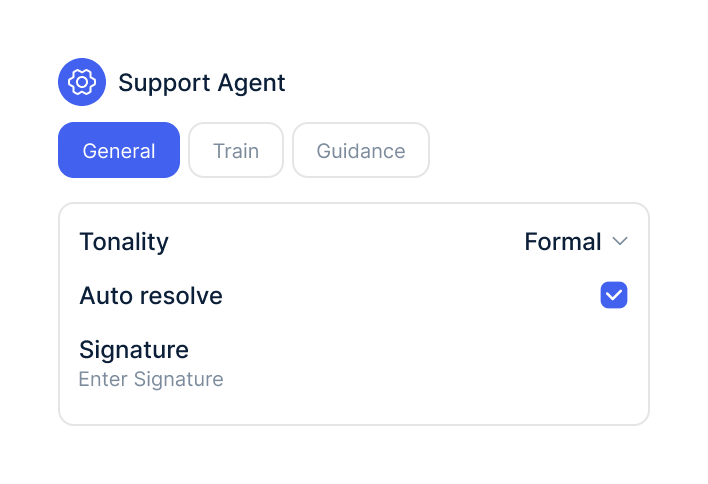
Add the actions to the agent, enter the return address and test changes in test mode first.
You need a Client ID, Client Secret and API Key from Zenfulfillment. If you don't have them, your contact there can help.
Under Integrations, select Zenfulfillment, click Connect and enter the values. armincx checks them straight away.
Add the actions to the agent, enter the return address and test changes in test mode first.
The Zenfulfillment integration is part of armincx. To connect, you need a Zenfulfillment account with API access.
What armincx costs for your team depends on your ticket volume and the channels you use. In a call, we'll work through your setup with you.
These tools complement Zenfulfillment in customer service.
Everything you need to know about the integration.
A Zenfulfillment account with API access: Client ID, Client Secret and API Key. If you don't have them, ask your contact at Zenfulfillment.
Via your shop's order number. It only gets the order if the order's email matches the contact in the ticket.
No. Refunds go through your payment provider or your shop system.
Until the order has left the earliest stage of processing. After that, Zenfulfillment rejects the change.
Only delivered orders. Beforehand, an admin sets the warehouse's return address.
Yes, with tracking number, carrier and a reason for each item. The same tracking number on the same order doesn't create a duplicate return.
By default, yes: changing the address, creating a return label and recording a return need your approval every time.
Yes. In test mode, the agent simulates actions that make changes, and you check the result before you approve.
Yes. On the AI agent, you choose which connected accounts it may use.

In 15 minutes we'll show you how the AI agent handles tracking questions and return labels in the ticket.