GDPR-Compliant
ISO 27001
Read-Only Access
armincx by Chatarmin shows a GLS card with the current status and history in every ticket. The tracking number comes from the customer's latest order, and the AI agent looks up the status itself. For GLS shipments in Germany and Austria.


































Quick check for decision makers
See the status, check the number, answer the customer: with GLS in armincx it's all in the ticket instead of on the tracking page.
Once GLS is connected, a GLS card appears in the customer panel of every ticket, even if the contact has no email address. It shows the tracking number, the current status with its timestamp and the history, newest first.
If the customer has a shop order with a tracking number, armincx takes the number from the latest order without checking the carrier. If it belongs to a different carrier, the card shows that GLS doesn't recognise the number.
You can replace the number in the card and look it up with "Check status" or Enter. Parcel Number, Track ID and the number from the notification card (Notification Card ID) all work.
armincx shows the status in your app language. The descriptions in the history come from GLS in English.
The connection only reads data. Nothing is changed at GLS, and no tickets or notifications are created.
For each lookup, armincx sends only the tracking number to GLS. armincx stores the API Key and API Secret encrypted and uses them only for tracking lookups.
The armincx GLS integration connects your GLS app to the inbox via the Track And Trace V1 API: your team sees the parcel status in every ticket, and the AI agent looks it up itself. It covers GLS shipments in Germany and Austria.
You need a GLS app with access to the Track And Trace V1 API. You create the app in the GLS developer portal, which is where the API Key and API Secret come from.
Under Integrations, select GLS, click Connect and enter both values. armincx checks them with GLS before saving. If GLS rejects them, you see the reason and nothing is saved. If GLS hasn't fully approved your app yet, armincx saves the connection, but lookups fail until GLS completes the approval.
| What | How |
|---|---|
| Tracking number | from the latest shop order or entered manually, replaceable at any time |
| Status | current state with the time of the last change, in your app language |
| History | parcel history with time and place, newest first |
| No number | a prompt to enter a number |
| Unknown number | a note that GLS has no parcel for this number |
Your AI agents get the Track shipment action. It looks up a tracking number and returns the status and history. Because it only reads, it needs no approval.
You'll find the step-by-step guide in our documentation.
A customer asks about their parcel. The GLS card already shows the number from their latest order, the current status and the history with time and location.

A customer sends the number from their GLS notification card. Your team enters it in the card and immediately sees where the parcel is.

The AI agent looks up the status with Track shipment. If GLS doesn't recognise the number, it says so openly instead of making something up.

Not every number belongs to GLS, and not every customer has an order with a tracking number. Either way, the card says clearly what's going on:
Track shipment looks up one number per request and only reads. Word your instruction so that the agent takes the number from the customer's order and says so openly when GLS doesn't recognise the number, rather than guessing.
| Problem | What to check |
|---|---|
| Connection won't save | Were the key and secret copied in full and without spaces, and do they belong to the app with Track And Trace V1? |
| Every lookup fails | Has GLS completed the approval, or have the credentials been renewed? |
| "GLS doesn't recognise the parcel" | Any typos, is it really a GLS number, and is it a shipment in Germany or Austria? |
The workflow with armincx compared with the workflow via the GLS tracking page.

Disclaimer: All data conducted from over 50+ Sales Calls with DACH Ecom Owners
The integration is built for shops that ship with GLS in Germany or Austria and handle customer service with armincx.
Instead of copying the number and opening the tracking page, the status is already in the ticket.
If a parcel is ready for collection or couldn't be delivered, your team sees it in the history and can explain it to the customer directly.
GLS complements DHL and GoKarla. So your team answers GLS, DHL and GoKarla shipping questions in one inbox.
What leading e-commerce brands from the DACH region say about armincx.
Tobias J.
Braun Büffel

“Intuitive to use and quick in support.”
Dominik Englputzeder
myHarry

“To be honest, we are very excited about the tool. It is exactly what we need.”
Matthias Leibitz
T1TAN

“Top tool. Integrates into our entire tech stack.”
Eren Karacabay
vitabay

“Finally, an AI that doesn’t hallucinate.”
Braun Büffel
“Intuitive to use and quick in support.”
myHarry
“To be honest, we are very excited about the tool. It is exactly what we need.”
T1TAN
“Top tool. Integrates into our entire tech stack.”
vitabay
“Finally, an AI that doesn’t hallucinate.”

In the GLS developer portal, create an app with access to Track And Trace V1 and copy the API Key and API Secret.

Under Integrations, select GLS, click Connect and enter the credentials. armincx checks them directly with GLS.
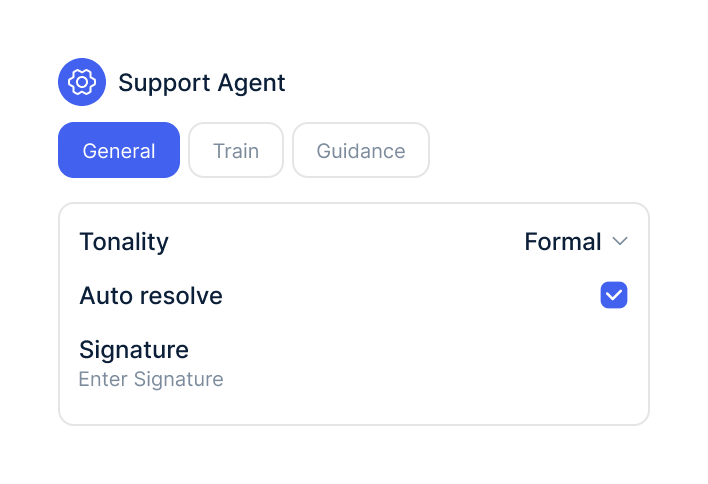
Add the Track shipment action to your AI agent and choose the GLS connection it's allowed to use.
In the GLS developer portal, create an app with access to Track And Trace V1 and copy the API Key and API Secret.
Under Integrations, select GLS, click Connect and enter the credentials. armincx checks them directly with GLS.
Add the Track shipment action to your AI agent and choose the GLS connection it's allowed to use.
The GLS integration is part of armincx. To connect, you need a GLS app with access to the Track And Trace V1 API.
What armincx costs for your team depends on your ticket volume and the channels you use. In a call, we'll work through your setup with you.
These tools complement GLS in customer service.
Everything you need to know about the integration.
A GLS app with access to the Track And Trace V1 API. It provides the API Key and API Secret.
For GLS shipments in Germany and Austria.
From the customer's latest shop order, if it has a tracking number. Otherwise, your team enters the number in the GLS card.
Parcel Number, Track ID and the number from the GLS notification card (Notification Card ID).
No. Track shipment only reads data, so it never needs human approval.
No. The integration is read-only, so nothing is changed at GLS.
No. It shows the status in existing tickets and passes it to the AI agent.
GLS has probably not yet completed the approval of your app. Until then, armincx saves the connection, but lookups fail.
Only the tracking number for each lookup. armincx stores the API Key and API Secret encrypted.

In 15 minutes we'll show you how GLS status, history and the AI agent come together in one inbox.