GDPR-Compliant
ISO 27001
Read-Only Access
With armincx by Chatarmin, the AI agent looks up returns in PostCo: status, return shipment, shipping fee and refund. It finds returns by order number, return ID or email address and changes nothing in PostCo.


































Quick check for decision makers
Find the return, explain the return shipment, name the refund correctly: with PostCo in armincx, the AI agent handles it all in the ticket.
The AI agent searches for returns by order number, PostCo return ID or the customer's email address. It sees the status, return method and carrier, the items with their reasons, and the refund status.
In a ticket, the agent only sees returns whose customer email matches the contact. If an order has many returns, armincx also checks older ones for the contact's return. If it still can't tell, the answer counts as inconclusive and the agent doesn't claim there is no return.
For the return shipment, the agent sees the status, carrier, tracking number, shipping fee and who pays it. If there is no parcel, for example with an in-store return, it reports exactly that.
A dedicated query shows whether an order already has a return and what it contains. An order without a return is a valid answer.
The agent only says the money is back when the status is "processed" and it is a refund. It describes store credit as store credit, not as money back.
PostCo doesn't share your return policy or return window with armincx, so the agent is instructed not to say whether someone can still return an item; your rules belong in its instructions.
The armincx PostCo integration gives your AI agent read access to your returns in PostCo: it answers whether a return has arrived, where the return shipment is and whether the refund has gone through. The integration is read-only, and no query needs approval.
You need an API key from your PostCo merchant account. You create it in PostCo under Account Settings, Manage API Keys, for example with the name "Chatarmin CX". PostCo shows the key only once, and each key only reads the returns of its own shop.
Under Integrations, select PostCo and paste the key. armincx checks it with PostCo and stores it encrypted. Then activate the PostCo actions for your AI agents and choose the connected account.
| Query | What it's for |
|---|---|
| Get return | find a return by order number or PostCo return ID |
| Find returns by email | find a customer's returns via their email address |
| Get return shipment | status, carrier, tracking number, shipping fee and who pays |
| Check existing returns | see whether an order already has a return and what it contains |
Searches return up to 25 returns, newest first. If there are more, the agent knows the list is incomplete and doesn't present it as complete.
You'll find the step-by-step guide in our documentation.
A customer doesn't have her order number to hand. The AI agent finds her return via the email address and gives the status and refund status.

A customer is puzzled by the amount. The return shipment shows that the shipping fee is deducted from the refund, and the agent explains exactly that.

The return was closed with store credit. The agent says so, instead of promising a refund to the customer's account.

For every return shipment, the agent gets a status showing who pays the shipping fee:
| Status | Meaning |
|---|---|
| free | the customer pays nothing |
| paid | the customer has already paid the shipping fee |
| pending | the customer still has to pay the shipping fee |
| deduct_from_refund | the shipping fee is deducted from the refund |
| process_after_resolve | the fee is settled once an exchange is completed |
| not_applicable | no payment applies to this shipping method |
PostCo has no single refund status, so armincx derives it from the items: processed, pending, not_issued, no_refund or unknown. The agent only says "money back" for processed and a genuine refund. It calls store credit store credit. With unknown, it makes no promises; with an escalation rule in its instructions, it hands the ticket to your team.
Take a test return from your own order, not a real customer's, and, in a test run, ask the agent about it once with the order number and once with just the email address. Compare the answers with PostCo. Nothing changes in PostCo in the process.
The workflow with armincx compared with the workflow via the PostCo dashboard.

Disclaimer: All data conducted from over 50+ Sales Calls with DACH Ecom Owners
The integration is built for shops that handle returns with PostCo and run customer service with armincx.
The agent then searches by email address. It doesn't need an order number for that.
The agent sees who pays for the return shipment and explains deductions from the refund. So your team doesn't have to check the PostCo dashboard first.
PostCo is read-only. The AI agent can't change anything, and no approval is needed.
What leading e-commerce brands from the DACH region say about armincx.
Tobias J.
Braun Büffel

“Intuitive to use and quick in support.”
Dominik Englputzeder
myHarry

“To be honest, we are very excited about the tool. It is exactly what we need.”
Matthias Leibitz
T1TAN

“Top tool. Integrates into our entire tech stack.”
Eren Karacabay
vitabay

“Finally, an AI that doesn’t hallucinate.”
Braun Büffel
“Intuitive to use and quick in support.”
myHarry
“To be honest, we are very excited about the tool. It is exactly what we need.”
T1TAN
“Top tool. Integrates into our entire tech stack.”
vitabay
“Finally, an AI that doesn’t hallucinate.”

In PostCo, create a key under Account Settings, Manage API Keys. PostCo only shows it once, so copy it straight away.

Under Integrations, select PostCo and paste the key. armincx checks it and stores it encrypted.
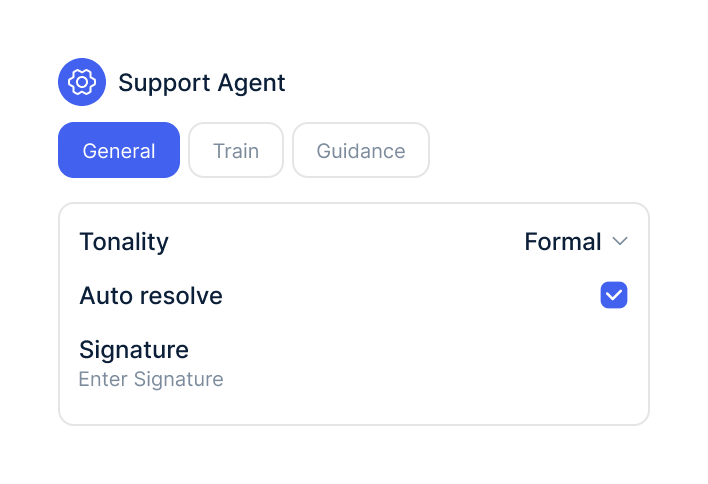
Activate the PostCo queries for your AI agent, choose the account and write your return rules into its instructions.
In PostCo, create a key under Account Settings, Manage API Keys. PostCo only shows it once, so copy it straight away.
Under Integrations, select PostCo and paste the key. armincx checks it and stores it encrypted.
Activate the PostCo queries for your AI agent, choose the account and write your return rules into its instructions.
The PostCo integration is part of armincx. To connect, you need a PostCo merchant account with an API key.
What armincx costs for your team depends on your ticket volume and the channels you use. In a call, we'll work through your setup with you.
These tools complement PostCo in customer service.
Everything you need to know about the integration.
An API key from your PostCo merchant account. PostCo only shows the key once, so copy it straight away.
No. The integration is read-only.
No. All four queries are read-only and need no approval.
Yes. As well as the order number and PostCo return ID, it also searches by email address.
No. PostCo doesn't share your return policy or return window, so the agent is instructed not to judge it; your rules belong in its instructions.
It calls store credit store credit. It only says the money is back for status processed and a genuine refund.
Up to 25, newest first. If there are more, the agent knows the list is incomplete.
Then the query reports that there is no parcel, for example with an in-store return. That isn't an error.
armincx deletes the stored key, and your agents can no longer look up returns.

In 15 minutes we'll show you how the AI agent answers return questions with data from PostCo.