GDPR-Compliant
ISO 27001
Approved by Your Team
With armincx by Chatarmin, the AI agent looks up the status, label and refund of a return in Loop Returns. When needed, it flags it for review, adds an internal note or cancels it, each only after your approval by default.


































Quick check for decision makers
Find the return, explain the refund, flag exceptions: with Loop Returns in armincx, the AI agent handles it in the ticket and your team approves changes.
The AI agent finds a return via the order number or the Loop return ID. It sees the status, return method, label and tracking status, the items with their reasons, and the refund amount and status.
In a ticket, the agent only sees returns whose customer email matches one of the contact's email addresses. If a number belongs to someone else, the answer is "not found" and nothing is changed.
When the AI agent flags a return for review, Loop stops automatic processing until someone reviews it in Loop Admin. Instruct the agent to tell the customer only "flagged for review", never "approved" or "refunded".
The AI agent can attach an internal note of up to 255 characters to the return. It's only visible to your team in Loop Admin, never to the customer.
If the AI agent cancels a return, the customer can then start a new return for the same items. Only use this when the customer wants it or the return was created by mistake.
Only once the cancellation has succeeded. You set this in the agent's instructions. Flagging, notes and cancelling require approval by default, which you can switch off per action.
The armincx Loop Returns integration gives your AI agent access to your returns in Loop Returns: it answers questions about status, label and refund in the ticket and prepares changes for your team to approve. A lookup on its own never changes anything in Loop.
Loop Returns is the returns and exchange platform. For the subscription app, there's the separate Loop Subscriptions integration. The two use separate API keys.
You need a Loop Returns API key with the "Returns" scope. You create it in Loop Admin under Returns Management, Tools & integrations, Developer Tools. Without this scope, the key can't read returns, and armincx won't save it.
Under Integrations, select Loop Returns and paste in the key. armincx checks it before saving and stores it encrypted. Then activate the Loop Returns actions you need for your AI agents and choose the connected account.
| Action | What happens | Approval |
|---|---|---|
| Get return | status, return method, label and tracking, items with reasons, refund | not required |
| Flag for review | Loop stops automatic processing until the review | yes, by default |
| Add note | internal note of up to 255 characters, visible only to your team | yes, by default |
| Cancel return | the return is cancelled, the customer can start a new one | yes, by default |
You'll find the step-by-step guide in our documentation.
A customer asks about their refund. The AI agent finds the return via the order number and explains that a refund is expected but hasn't been paid out yet.

The return needs a second look. The AI agent suggests flagging it for review, your team approves, and Loop pauses automatic processing.

The customer wants to keep the item. The AI agent prepares the cancellation of the return and, as instructed, only confirms it once it has succeeded.

The AI agent gets a refund status for every return. It only promises what Loop has actually paid out.
| Status | Meaning |
|---|---|
| processed | Loop has a refund on record, the money has gone out |
| pending | a refund is expected but doesn't exist yet |
| not_issued | the return was cancelled or has expired, no refund |
| no_refund | the refund amount is zero |
| unknown | armincx can't say for certain |
With unknown, the agent doesn't promise a refund. Instruct it to hand the ticket to your team.
Loop Returns can't be searched by email. So the agent needs the order number (with or without "#") or the Loop return ID. If it's missing, have the agent ask the customer or look it up, for example via your Shopify integration.
Test runs only simulate actions that make changes. For the first check, use a test return from your own order, ask the agent about it in a test run using its order number and compare status, tracking, items and refund with Loop Admin. To test a real change, use a live ticket with that test return, approve the action and check the result in Loop Admin.
The workflow with armincx compared with the workflow via Loop Admin.

Disclaimer: All data conducted from over 50+ Sales Calls with DACH Ecom Owners
The integration is built for shops that handle returns and exchanges with Loop Returns and run customer service with armincx.
The AI agent answers questions about status, label and refund in the ticket. And it only promises what Loop has actually paid out.
If the agent notices something, it flags the return for review. Loop then waits until your team has looked at it.
With the Loop Subscriptions integration, you see subscriptions in the ticket. Loop Returns adds the returns, with its own API key.
What leading e-commerce brands from the DACH region say about armincx.
Tobias J.
Braun Büffel

“Intuitive to use and quick in support.”
Dominik Englputzeder
myHarry

“To be honest, we are very excited about the tool. It is exactly what we need.”
Matthias Leibitz
T1TAN

“Top tool. Integrates into our entire tech stack.”
Eren Karacabay
vitabay

“Finally, an AI that doesn’t hallucinate.”
Braun Büffel
“Intuitive to use and quick in support.”
myHarry
“To be honest, we are very excited about the tool. It is exactly what we need.”
T1TAN
“Top tool. Integrates into our entire tech stack.”
vitabay
“Finally, an AI that doesn’t hallucinate.”

In Loop Admin under Developer Tools, create an API key with the "Returns" scope and copy it.

Under Integrations, select Loop Returns and paste in the key. armincx checks it and stores it encrypted.
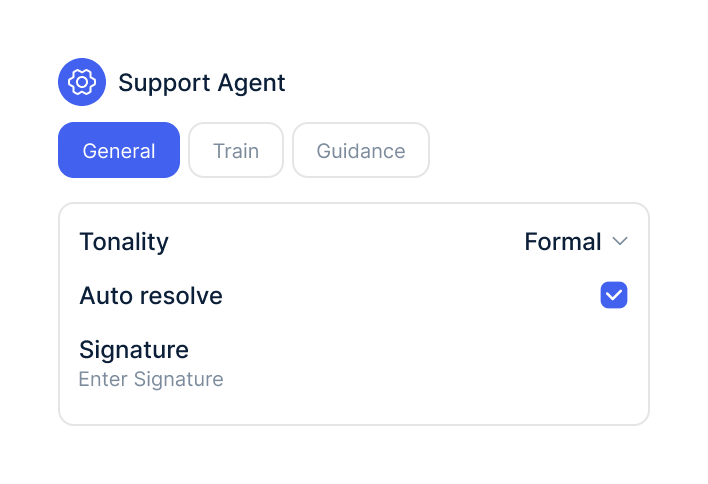
Activate the Loop Returns actions you need for your AI agent and choose the connected account.
In Loop Admin under Developer Tools, create an API key with the "Returns" scope and copy it.
Under Integrations, select Loop Returns and paste in the key. armincx checks it and stores it encrypted.
Activate the Loop Returns actions you need for your AI agent and choose the connected account.
The Loop Returns integration is part of armincx. To connect, you need a Loop Returns account and an API key with the "Returns" scope.
What armincx costs for your team depends on your ticket volume and the channels you use. In a call, we'll work through your setup with you.
These tools complement Loop Returns in customer service.
Everything you need to know about the integration.
No. Loop Returns is the returns and exchange platform and uses its own API key.
A Loop Returns API key with the "Returns" scope. Without this scope, armincx won't save the key.
No. Loop Returns can't be searched by email, so the agent needs the order number or the Loop return ID.
No. Only flagging, notes and cancelling change the return.
Yes, all three by default. You can switch off approval per action.
Loop stops automatic processing until someone reviews the return in Loop Admin.
No. Notes of up to 255 characters are only visible to your team in Loop Admin.
Yes. They can start a new return for the same items.
Then the agent doesn't promise a refund. With the right instruction, it hands the ticket to your team.

In 15 minutes we'll show you how the AI agent answers return questions with Loop Returns in the ticket and flags returns for your team to review.