GDPR-Compliant
ISO 27001
Approved by Your Team
armincx by Chatarmin shows the status, items and tracking of every 8returns return right in the ticket. The AI agent registers new returns including the shipping label, and your team approves first.


































Quick check for decision makers
Look up the status, create the return, request the label: with 8returns in armincx it all runs from the ticket, and the AI agent takes over the routine.
armincx looks up a customer's returns by their email address and shows them in the customer panel: order number, status, items with quantities, return reasons, plus carrier and tracking number.
The card shows three returns at first, and you load more with a click. If a shipping label exists, clicking the tracking number opens the label directly. The card is read-only: creating returns or labels runs through the AI agent.
With the "Create 8returns return" action, the AI agent registers a return in 8returns: with the order number, every item by SKU and quantity and, if you like, a shipping label and tracking number.
For a label, you add the return method ID from your 8returns dashboard to the action and tell the agent when it may request a label. Without a label, only the return is registered. The agent sends all items in one step, because with an existing open return, missing items would otherwise be marked as missing.
Creating a return requires approval by a person by default. Simply looking up a return runs without approval.
The action neither checks your return window nor triggers a refund. That's why you give the agent your returns policy and clear rules on when to escalate. Approval can be adjusted in the action. While you're testing your returns process, it's best to leave it switched on.
The armincx 8returns integration brings return status, items and shipping data from 8returns into the ticket and lets the AI agent create returns. Your team answers return questions right in customer service, and the agent registers simple returns on its own.
Under Integrations, select 8returns and enter the API key and password from the 8returns public API. armincx checks the credentials against 8returns before saving the connection. The integration then shows as Connected.
armincx looks up returns via the contact's email address. In the 8returns card in the customer panel you see:
Returns without tracking still show status and items. If a contact has no email address, the card prompts you to add one.
You enable two actions for your AI agents:
You'll find the step-by-step guide in our documentation.
Status, items and tracking number are in the ticket. Your team or the AI agent replies straight away, without checking 8returns.
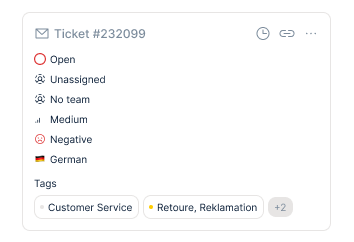
The customer names the items they want to send back. The agent prepares the return by SKU in 8returns, your team checks and confirms.

If a label exists, clicking the tracking number opens it. The agent only shares the tracking number and label once the result is confirmed.
Questions about order status, returns and invoices make up 30 to 80 percent of ticket volume in e-commerce teams, according to more than 1,700 of our sales calls. With returns, it's mostly about the status. If the data only lives in 8returns, your team switches tools for every reply or asks the customer for an order number. With the integration, everything is in the ticket, and the AI agent answers simple status questions on its own.
The agent sends all items of a return in one step. If an order already has an open return, items missing from the request would otherwise be marked as missing. Before approving, your team therefore checks the order number, SKUs, quantities and the complete item list.
A return can be registered even if the label failed. The agent checks the result before writing to the customer, and only then confirms that the return or label is ready. If there's no usable label, it hands the ticket over to your team.
When creating a return, armincx suppresses the automatic 8returns notification email. The confirmation to the customer comes from the ticket, with exactly the information that's actually available. That way the customer doesn't get a second, conflicting message.
The action shows no label price and doesn't collect return shipping costs. Clarify beforehand what a label costs and who pays for it, and give the agent clear rules on when it may request a label.
The workflow with armincx compared with the workflow via the 8returns dashboard.

Disclaimer: All data conducted from over 50+ Sales Calls with DACH Ecom Owners
The integration is built for stores that handle their returns through 8returns and run their customer service with armincx.
In fashion, footwear or sporting goods, returns are part of everyday business. The more status questions come in, the more you save when the AI agent answers them straight from 8returns.
Not every customer finds the returns portal. In the chat, they name the items and the agent registers the return for them. Your team approves, and the customer gets the confirmation in the same conversation.
You can start with the read-only action and enable creating returns later. Approval by your team stays on by default until you're confident in your returns process.
What leading e-commerce brands from the DACH region say about armincx.
Tobias J.
Braun Büffel

“Intuitive to use and quick in support.”
Dominik Englputzeder
myHarry

“To be honest, we are very excited about the tool. It is exactly what we need.”
Matthias Leibitz
T1TAN

“Top tool. Integrates into our entire tech stack.”
Eren Karacabay
vitabay

“Finally, an AI that doesn’t hallucinate.”
Braun Büffel
“Intuitive to use and quick in support.”
myHarry
“To be honest, we are very excited about the tool. It is exactly what we need.”
T1TAN
“Top tool. Integrates into our entire tech stack.”
vitabay
“Finally, an AI that doesn’t hallucinate.”
Under Integrations, select 8returns and enter the API key and password from the 8returns API.

Open a ticket from a customer with an existing return and check the 8returns card in the customer panel.
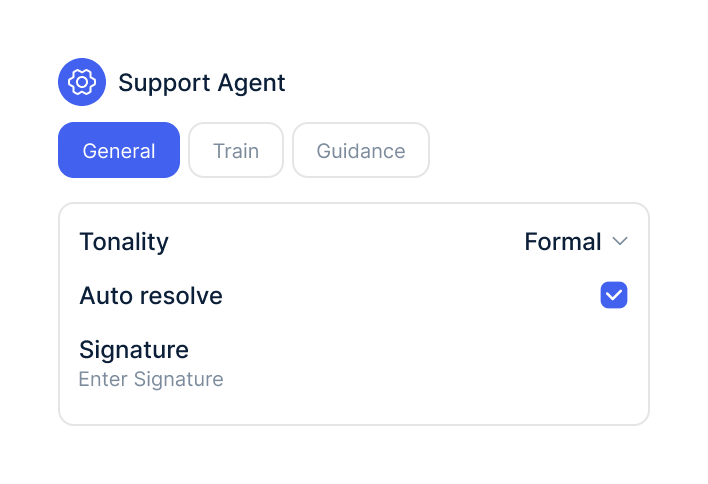
In your AI agents, switch on the 8returns actions and decide when approval is required.
Under Integrations, select 8returns and enter the API key and password from the 8returns API.
Open a ticket from a customer with an existing return and check the 8returns card in the customer panel.
In your AI agents, switch on the 8returns actions and decide when approval is required.
The 8returns integration is part of armincx. To connect, you need an 8returns account with access to the public API.
Shipping labels are billed by 8returns, and armincx shows no label price. What armincx costs for your team depends on your ticket volume and the channels you use. In a call, we'll work through your setup with you.
These tools complement the returns flow.
Everything you need to know.
The API key and password from the 8returns public API. You'll find both in the 8returns dashboard under Integrations → Public API.
Via the contact's email address in the ticket. The AI agent can also search by order number.
No. The 8returns card is read-only, returns are created through the AI agent.
No. By default, creating a return requires approval by your team, which you can adjust in the action.
No. armincx suppresses the 8returns notification, and the agent or your team sends the confirmation from the ticket.
No. The action neither checks return deadlines nor triggers refunds, which is why you give the agent your returns policy.
That depends on your contract with 8returns. armincx shows no label price and doesn't collect return shipping costs.
Usually the contact's email address doesn't match the return, or a different 8returns account is connected. The AI agent can look it up directly by order number.
The return may still be registered. Check it in 8returns before trying again, so you don't create a duplicate return.

In 15 minutes we'll show you how return status, labels and the AI agent come together in one inbox.