GDPR-Compliant
ISO 27001
Approved by Your Team
armincx by Chatarmin shows every Loop subscription in the customer panel. Your team or the AI agent pauses, skips or reschedules the next delivery without opening the Loop dashboard.


































Quick check for decision makers
Look up, pause, skip: with Loop in armincx your team handles subscription requests in the ticket, and the AI agent takes over the routine.
armincx looks up a customer's subscriptions by their email address and shows them in the customer panel: status, products and quantities, next order date and billing interval.
Besides status and products, you see the delivery price, shipping address, payment method, discounts and any order note. If a customer has no subscription in Loop, the section stays hidden. Loop doesn't create tickets or notifications of its own: subscriptions only appear in the context of an existing ticket.
With the actions on the subscription, your team pauses, resumes, cancels or reactivates it, reschedules or skips the next order and changes the quantity of individual products.
Rescheduling and skipping only affect the next order, all later ones keep their existing schedule. A pause has no end date, as Loop doesn't support pausing for a fixed number of days. A cancellation can carry a comment and can be undone with "Reactivate".
Before every action, armincx checks that the subscription really belongs to the ticket contact's email address. That way, nobody changes someone else's subscription by mistake.
All of the AI agent's write actions require approval by your team by default. The agent looks up the subscription first and only works with the ID it receives, never a guessed one. Approval can be adjusted per action.
The armincx Loop integration brings subscriptions from Loop Subscriptions into the ticket and lets your team and the AI agent change them directly. Loop is a subscription app for Shopify. With the integration, subscription management stays in customer service instead of the Loop dashboard.
Under Integrations, select Loop, click Connect and paste the Admin API token from your Loop dashboard. armincx checks the token against Loop before saving the connection.
If you run Loop on several Shopify stores, connect each store separately. That way your team and the AI agent can clearly match subscriptions to the right store.
armincx looks up subscriptions via the contact's email address. In the customer panel you see for each subscription:
Your AI agents get one read action and seven write actions:
During setup you decide which connected stores the agent may access.
You'll find the step-by-step guide in our documentation.
Next order date, products and quantities are in the ticket. Your team or the AI agent replies straight away, without checking the Loop dashboard.

If a customer wants to cancel because they have too much stock at home, your team offers to skip or reschedule the next delivery. The subscription stays in place.

When a former subscriber comes back, your team reactivates the cancelled subscription right from the ticket, without setting up a new one.
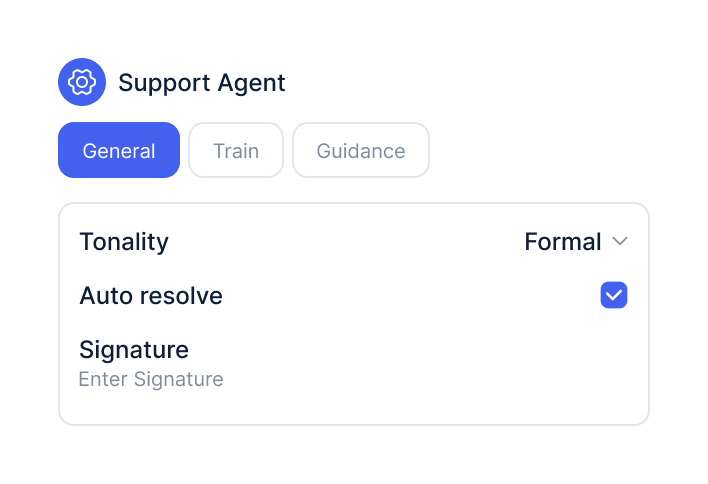
People who want to cancel often have a simple reason: too much stock at home, a holiday, a tight budget. Without a conversation, such a request quickly ends in a cancellation. In the ticket, your team can offer alternatives in the same conversation and put them into effect with one click: skip the next delivery, reschedule the order, reduce the quantity or pause the subscription.
| Action | What happens | Fits when the customer … |
|---|---|---|
| Skip next delivery | Only the next delivery is dropped, then the subscription continues as normal | wants to pause once, for example due to stock at home or a holiday |
| Reschedule next order | Only the next order gets a new date, later ones keep their schedule | needs the delivery a little later |
| Update quantity | The quantity of one product in the subscription changes | wants less or more of a product |
| Pause | The subscription rests without an end date until it's resumed | wants a longer break without cancelling |
| Cancel | The subscription ends, optionally with a comment | has made a final decision |
| Reactivate | A cancelled subscription runs again | wants to come back |
Skipping and rescheduling only ever affect the next order. That's easier for customers to understand than a pause, because they know exactly when the next delivery arrives. Loop doesn't support pausing for a fixed number of days.
Before every action, armincx checks that the subscription belongs to the ticket contact's email address. If a customer writes from a different address than the one they used to order on Shopify, armincx won't find their subscription. Your team then updates the email on the contact. That way only subscriptions that really belong to the customer in the ticket can be changed.
All write actions require approval by default. It's best to keep cancellation subject to approval until you trust the agent's process, because it ends the subscription. For skipping and rescheduling, you can weigh up whether to relax approval earlier, since both only affect a single delivery.
The workflow with armincx compared with the workflow via the Loop dashboard.

Disclaimer: All data conducted from over 50+ Sales Calls with DACH Ecom Owners
The integration is built for Shopify stores that run their subscriptions through Loop Subscriptions and handle customer service with armincx.
With coffee, supplements, pet food or skincare, a lot depends on recurring revenue. Every subscription that gets a skipped delivery instead of a cancellation stays alive.
"When is my next delivery?" and "Can I skip this month?" come up every day. The AI agent answers status questions on its own and prepares changes for approval.
If several brands or country stores run on Loop, you connect each store separately. Your team and the agent always see which store a subscription belongs to.
What leading e-commerce brands from the DACH region say about armincx.
Tobias J.
Braun Büffel

“Intuitive to use and quick in support.”
Dominik Englputzeder
myHarry

“To be honest, we are very excited about the tool. It is exactly what we need.”
Matthias Leibitz
T1TAN

“Top tool. Integrates into our entire tech stack.”
Eren Karacabay
vitabay

“Finally, an AI that doesn’t hallucinate.”
Braun Büffel
“Intuitive to use and quick in support.”
myHarry
“To be honest, we are very excited about the tool. It is exactly what we need.”
T1TAN
“Top tool. Integrates into our entire tech stack.”
vitabay
“Finally, an AI that doesn’t hallucinate.”

In the Loop dashboard, create an Admin API token for the Shopify store you want to connect.

Under Integrations, select Loop, paste the token and connect further stores if needed.
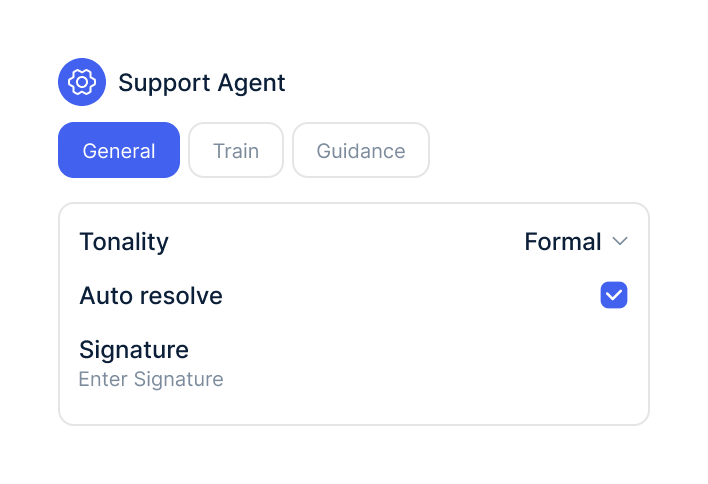
In your AI agents, switch on the Loop actions, choose the stores and decide when approval is required.
In the Loop dashboard, create an Admin API token for the Shopify store you want to connect.
Under Integrations, select Loop, paste the token and connect further stores if needed.
In your AI agents, switch on the Loop actions, choose the stores and decide when approval is required.
The Loop integration is part of armincx. To connect, you need a Loop account with access to the Admin API for your Shopify store.
What armincx costs for your team depends on your ticket volume and the channels you use. In a call, we'll work through your setup with you.
These tools complement Loop in customer service.
Everything you need to know.
An Admin API token from the Loop dashboard for the Shopify store you want to connect. armincx checks the token before saving.
Yes. You connect each store running Loop separately, so your team and the AI agent match subscriptions to the right store.
Via the ticket contact's email address. It has to match the email the customer used to order on Shopify.
No. Subscriptions only appear in the customer panel of an existing ticket, and Loop sends no notifications of its own to the inbox.
No. Loop pauses subscriptions without an end date, so for a few weeks off, skipping or rescheduling the next order works better.
No. Both actions only apply to the next order, and all later deliveries keep their existing schedule.
No. By default, all write actions require approval by your team, which you can adjust per action.
Yes. With "Reactivate" you bring a cancelled subscription back.
Usually the contact's email address doesn't match the subscription in Loop, or the subscription belongs to a store that isn't connected.

In 15 minutes we'll show you how subscription requests, changes and the AI agent come together in one inbox.