GDPR-Compliant
ISO 27001
Approved by Your Team
armincx by Chatarmin automatically creates a ticket for every Klarna dispute, with the response deadline and order reference. Your team or the AI agent submits evidence right from the inbox. When the AI agent proposes Accept claim or a partial refund, it waits for your approval by default.


































Quick check for decision makers
See the deadline, submit evidence, keep the customer informed: with Klarna in armincx it all runs in the ticket instead of the Merchant Portal.
As soon as armincx picks up a new dispute, a ticket appears automatically in the Klarna channel. The detail view shows the reason, stage, amount, response deadline, activity, order references and evidence requests.
armincx matches the ticket to a contact via the buyer's email address or creates a new one. If Klarna doesn't include a buyer email, a connected Shopify integration helps with the match. When Klarna marks the dispute as resolved, the ticket is resolved automatically too.
Depending on the reason, Klarna asks whether the order shipped, for tracking details or whether a return was received. armincx only shows the fields Klarna requires for that case.
The required details, PDF proof with a short description and, if you like, a partial refund. Up to 10 PDFs per submission, each up to 7 MB.
Accept claim is irreversible and may debit your account. For the AI agent, it requires approval by default, as does any proposed partial refund.
Klarna has no in-dispute messaging, settlements or escalation. So you keep the customer informed with a regular reply in the ticket.
The armincx Klarna integration brings your Klarna disputes into the inbox: every dispute becomes a ticket, and your team or the AI agent responds to it there, without switching to the Merchant Portal. This covers chargebacks, disputes and evidence requests from customers who paid with Klarna.
You need Klarna Disputes API credentials, meaning an API username and password, for each merchant account. Your Klarna account must be enabled for dispute management.
Under Integrations, select Klarna, add a display name if you like and enter the credentials. Use "Test connection" to check them. For several merchant accounts, for example one per shop or region, repeat this step.
| What | How |
|---|---|
| Channel | a dedicated Klarna channel, separate from other conversations |
| Contact | found or created via the buyer's email address |
| Subject | reason and amount of the dispute |
| Tags | dispute and klarna, usable for views, routing rules and AI agent triggers |
| Status | open, or resolved automatically once Klarna marks the dispute as resolved |
Disputes also appear in the customer panel of every ticket from that contact, alongside regular conversations.
If Klarna has enabled webhooks for your merchant account, armincx registers them automatically when you connect, and new disputes arrive in near real time. Without webhooks, armincx syncs on a periodic background schedule, so updates take longer. The first sync of a new connection can take a few hours.
Your AI agents get read and write actions:
Accept claim requires approval by your team by default. If the agent proposes a partial refund with the evidence, that waits for approval too.
You'll find the step-by-step guide in our documentation.
A buyer tells Klarna their goods never arrived. In armincx, a ticket appears with the reason, amount, order reference and response deadline.

Klarna wants to know whether the order shipped and with which tracking number. Your team fills in exactly those fields and attaches the proof of delivery as a PDF.

The item arrived faulty. The AI agent submits the evidence with a partial refund that only goes out after your approval.

Klarna sets a precise framework for evidence. armincx only shows the form fields Klarna requires for that particular dispute.
Have the usual documents ready beforehand: invoice, delivery confirmation and your return policy.
Which action is allowed right now depends on the stage of the dispute.
| Action | What it's for |
|---|---|
| Provide evidence | send the required details, PDF proof and an optional partial refund to Klarna |
| Accept claim | accept the loss, irreversibly and with a possible debit to your account |
| Appeal | a text-only appeal during pre-arbitration, when Klarna allows it |
Klarna has no in-dispute messaging, settlements or escalation. You reach the customer with a regular reply in the ticket.
Give the agent clear instructions: load the current state from Klarna before any write action, fill tracking fields with order data from Shopify or your fulfilment integration, and send customer updates as a regular ticket reply. Keep Accept claim always subject to approval.
To get the agent going straight away, start it with the "Dispute indexed" trigger, filtered by Klarna and statuses such as "Needs your response".
The workflow with armincx compared with the workflow via the Klarna Merchant Portal.

Disclaimer: All data conducted from over 50+ Sales Calls with DACH Ecom Owners
The integration is built for shops that use Klarna as a payment method and handle customer service with armincx.
If you only open the Merchant Portal now and then, you risk missing the deadline. With armincx, the dispute sits as a ticket in the inbox your team works through every day.
Depending on the reason, Klarna asks about shipping and tracking. Instruct the AI agent to fill these fields with order data from Shopify or your fulfilment integration.
With the PayPal integration, PayPal disputes also land in armincx as tickets. Both carry the dispute tag, so one view shows you every open dispute at a glance.
What leading e-commerce brands from the DACH region say about armincx.
Tobias J.
Braun Büffel

“Intuitive to use and quick in support.”
Dominik Englputzeder
myHarry

“To be honest, we are very excited about the tool. It is exactly what we need.”
Matthias Leibitz
T1TAN

“Top tool. Integrates into our entire tech stack.”
Eren Karacabay
vitabay

“Finally, an AI that doesn’t hallucinate.”
Braun Büffel
“Intuitive to use and quick in support.”
myHarry
“To be honest, we are very excited about the tool. It is exactly what we need.”
T1TAN
“Top tool. Integrates into our entire tech stack.”
vitabay
“Finally, an AI that doesn’t hallucinate.”

Get your Klarna Disputes API credentials and have your account enabled for dispute management, ideally with webhook access too.

Under Integrations, select Klarna, add a display name, enter the credentials and check them with "Test connection".
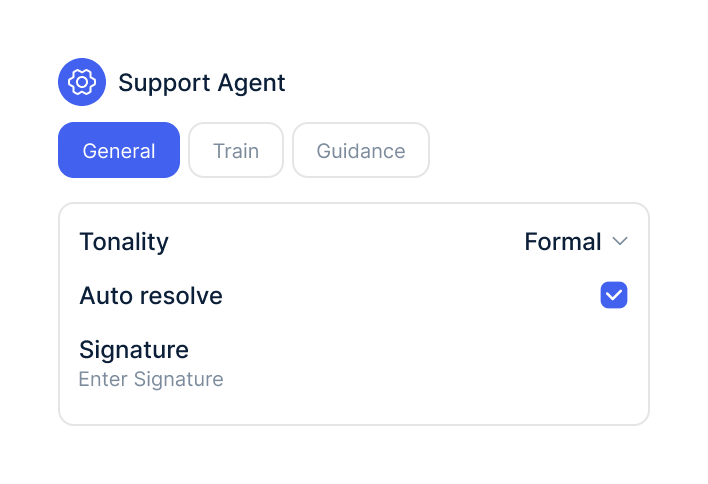
Switch on the Klarna actions, choose the accounts and start the agent with the "Dispute indexed" trigger.
Get your Klarna Disputes API credentials and have your account enabled for dispute management, ideally with webhook access too.
Under Integrations, select Klarna, add a display name, enter the credentials and check them with "Test connection".
Switch on the Klarna actions, choose the accounts and start the agent with the "Dispute indexed" trigger.
The Klarna integration is part of armincx. To connect, you need a Klarna merchant account with Disputes API access and dispute management enabled.
What armincx costs for your team depends on your ticket volume and the channels you use. In a call, we'll work through your setup with you.
These tools complement Klarna in customer service.
Everything you need to know.
Klarna Disputes API credentials, meaning an API username and password, for each merchant account. Your Klarna account also needs to be enabled for dispute management.
Yes, as soon as the dispute has a buyer email. If it's missing, a connected Shopify integration helps with the match.
It depends. With webhook access from Klarna in near real time, otherwise with the periodic background sync.
No. Klarna has no in-dispute messaging, so you reach the customer with a regular reply in the ticket.
No. When you provide evidence, you can optionally include a partial refund instead.
PDF only, up to 7 MB per file and up to 10 files per submission. Each file needs a short description.
Yes, but only with approval from your team by default. Accepting is irreversible and may debit your account.
It depends. Klarna allows a text-only appeal during pre-arbitration if the dispute permits it.
Yes, for example one per shop or region. Clear display names help your team keep track.

In 15 minutes we'll show you how disputes, evidence and the AI agent come together in one inbox.