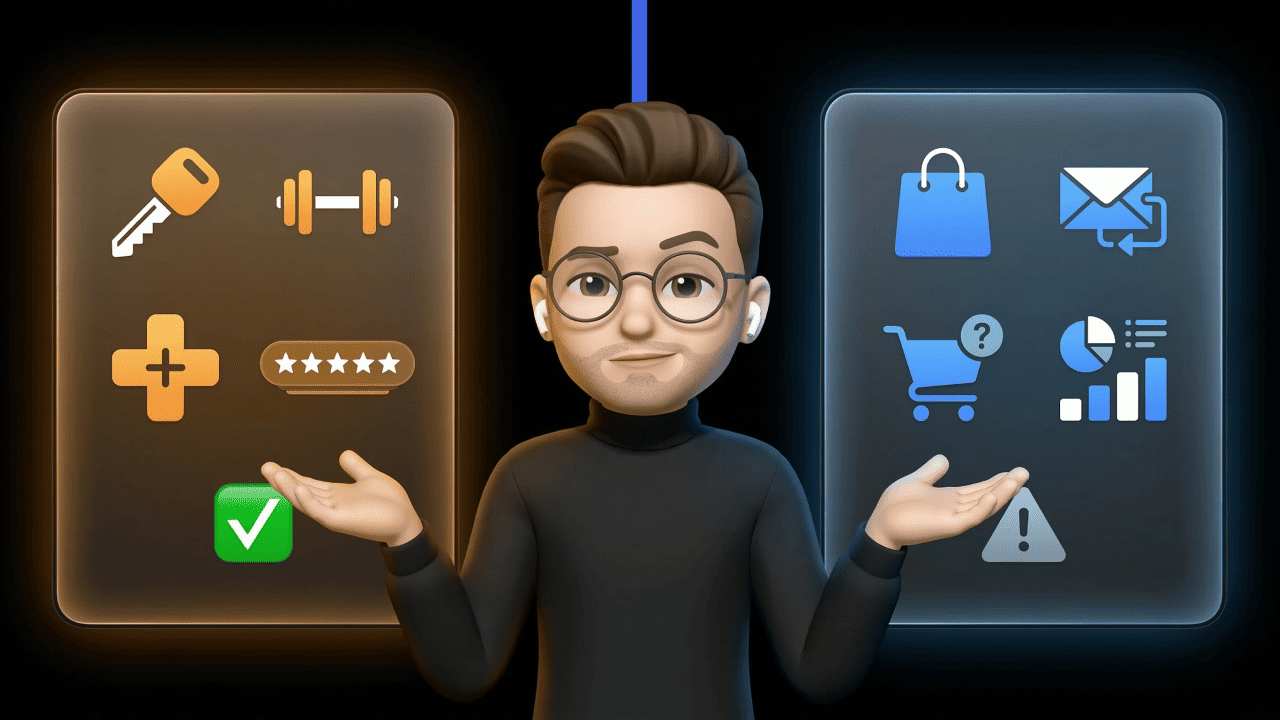

You're looking for a helpdesk for your Shopify, Shopware, or JTL store, and Zoho Desk shows up in every second comparison. Cheap, huge ecosystem, permanently free starter plan. Sounds like a no-brainer at first. But Zoho Desk is a generic helpdesk — not an e-commerce tool. And that makes a difference both in pricing and in feature scope. We'll walk through it plan by plan, show where Zoho Desk fits in the e-commerce stack and where it falls short.
Zoho Desk Pricing 2026 at a Glance
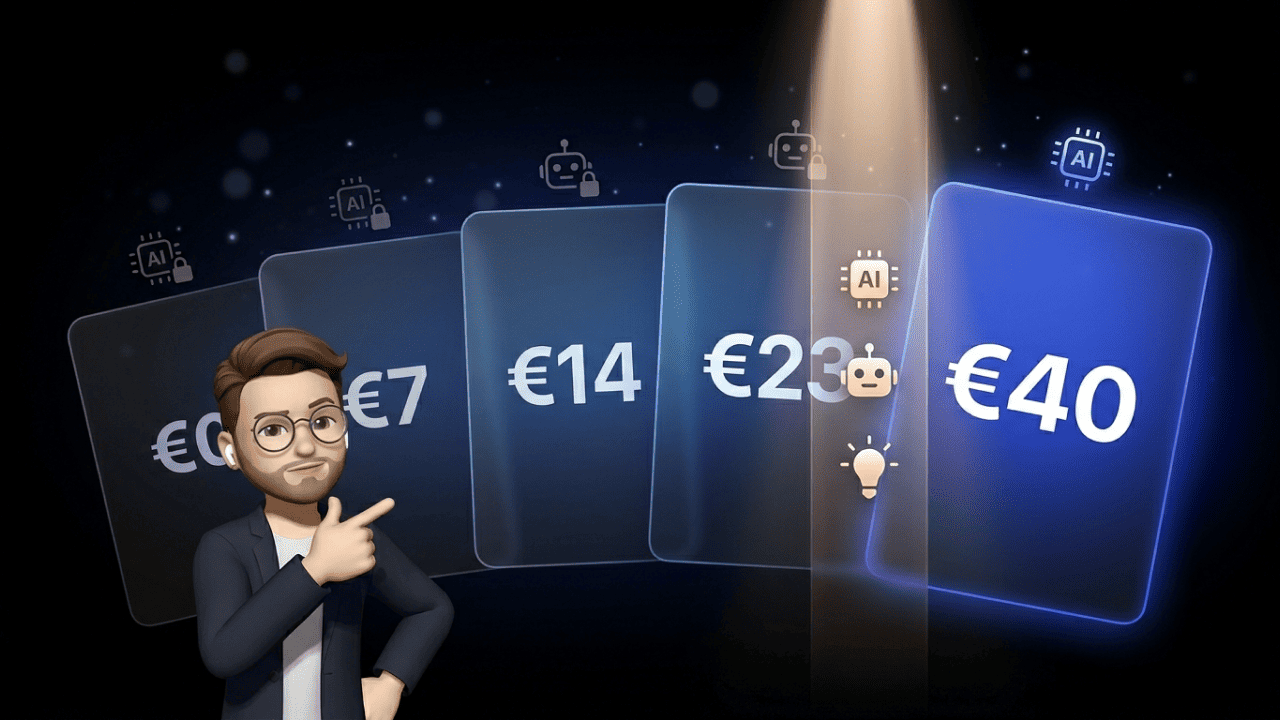
Zoho Desk has five plans. From the free starter to Enterprise with Zia AI. Here are the prices per agent per month with annual billing:
| Plan | Price/Agent/Month | Main Features |
|---|---|---|
| Free | €0 | 3 agents, email ticketing only |
| Express | from €7 | + Social media, simple workflows |
| Standard | from €14 | + WhatsApp/Instant Messaging, live chat widget, knowledge base |
| Professional | from €23 | + Telephony, Blueprints, multiple departments |
| Enterprise | from €40 | + Zia AI, live chat (SalesIQ), multi-brand |
Three things the table doesn't show:
Monthly billing costs about 34 % more. Anyone who wants to stay flexible pays a hefty surcharge. For a 10-person team on Professional, that adds up to a few hundred euros per year.
VAT comes on top. 19 % on all plans in Germany. €14 becomes €16.66 per agent.
Prices change. What you're reading here is the status as of mid-2026 — Zoho has adjusted its plans multiple times in the past two years. Before buying, always double-check on the official pricing page: zoho.com/desk/pricing.
A 15-day trial is available for every plan. No credit card required.
What's in the Free Plan — and What's Missing for E-Commerce?
Three agents permanently free. Sounds tempting. What you actually get is fairly limited: email ticketing, a simple help center page, predefined SLAs, and tags. That's it.
What's not in the Free plan hits hard for e-commerce:
- No live chat widget for your shop
- No WhatsApp or instant messaging integration
- No social media tickets (Instagram, Facebook, X)
- No workflow rules or automations
- No telephony
- No AI functions
In practice: you can manage email inquiries. Nothing more. When your customer reaches out on Instagram, in a WhatsApp chat, or through the contact form on your product page, it doesn't land in Zoho Desk. Unless you forward manually — which defeats the whole purpose of a helpdesk.
Who the Free plan still works for: one-person shops in the startup phase with low inquiry volumes that only handle email. Maybe a small Etsy or eBay shop. As soon as you're active on Instagram or want a live chat on the product page, you need at least the Express or Standard plan.
A realistic counterpoint: the Free plan is good for getting to know the tool. You can test Zoho Desk at your own pace without pulling out your credit card. For productive use in a serious D2C shop, it falls short.
Express, Standard, Professional, Enterprise: Which Plan Fits Your Shop?
The plan choice depends less on team size than on which channels you serve and how much automation you need.
Express (€7): For small teams with email and social media. If you want to centralize Instagram DMs and X mentions but don't need WhatsApp or live chat, this plan covers it. Minimum: 5 agents.
Standard (€14): The sweet spot for many small to mid-sized shops. WhatsApp, Instagram DMs, Facebook Messenger, and Telegram come in via the Instant Messaging module. Plus a live chat widget and the knowledge base for self-service. If you want multi-channel support without needing AI features, Standard is the honest entry point.
Professional (€23): Worth it if you want to integrate telephony, need multiple departments (shipping, complaints, invoicing), or want to build visual workflows with Blueprints. Round-robin ticket assignment also shows up here.
Enterprise (€40): This is where the AI features (Zia, Answer Bot) live, along with the full live chat via Zoho SalesIQ and multi-brand setups. Anyone running multiple shops in parallel or wanting AI automation without DIY work lands here.
Sample calculation for a mid-sized Shopify shop with 5 service agents on the Standard plan: 5 × €14 = €70/month, so €840/year. Plus VAT = roughly €1,000/year. A fair helpdesk budget for a team this size.
If you add AI features to the same team (Enterprise): 5 × €40 = €200/month = €2,400/year. Plus VAT = around €2,860/year. That gets noticeable.
The Hidden Costs of Zoho Desk
The list prices aren't the whole story. Here's what often gets overlooked with Zoho Desk:
Telephony is not included. Even though the Professional plan promises "telephony" — that only means integration with external providers. Native telephony runs through the separate product Zoho Voice (edition "Enterprise Telephony"). Two plans matter for Zoho Desk users: BASIC from $34/user/month, or a Zoho-Friendly Standard plan with $49 per admin plus 10 telephony agents (each billed annually). Both include 1,000 free inbound and 250 outbound minutes per license per month — after that, call charges plus the cost of number rental apply. If you seriously plan to handle inbound calls through Zoho Desk, run the per-minute math first.
Light agents only from Professional. Light agents are users who can view and comment on tickets — like supervisors or staff from other departments who check in occasionally. Standard doesn't include them. In Professional they cost extra (around €4 per light agent per month). Enterprise includes 50 free light agent licenses.
Generative AI in Standard only with your own OpenAI key. Fine print on the pricing page: anyone wanting to use sentiment analysis, reply suggestions, or conversation summaries in Standard needs their own OpenAI API key. That means: additional setup work, monthly OpenAI costs on top, and the legal responsibility for the data transfer lies with you.
Implementation, migration, training. When switching from another helpdesk, one-time costs apply: data migration, workflow adjustments, agent training. Zoho offers free migration support — saves work, doesn't replace internal onboarding time.
Monthly billing costs up to 34 % more. Anyone who skips the annual prepayment pays significantly more. For a 10-person Standard team, that's €1,680/year billed annually vs. roughly €2,250/year monthly — nearly €600 difference per year.
Zoho Desk and Shopify: How Deep Does the Integration Go?
This is where it gets interesting for e-commerce shops. On paper, Zoho Desk has a Shopify integration. In practice, you need to look closer.
There are essentially three routes:
Route 1: The official Shopify extension via Zoho Flow. It automatically creates tickets from Shopify orders and shows order data in the ticket. What it can't do: edit, cancel, or refund orders directly from Zoho Desk. Inventory sync, shipping updates, or returns workflows aren't included either.
Route 2: Third parties like ChannelReply. An additional layer that lets you cancel orders from Zoho Desk, trigger refunds, edit customer data, and see a customer's last orders in the ticket. Anyone using only Shopify is fine with the free Shopify-Only plan. Anyone who also wants to connect Amazon, eBay, or Walmart pays from $31/month (annual, 200 messages) up to $159/month (4,000 messages). Prerequisite: Zoho Desk at least in the Standard plan.
Route 3: DIY via Zoho Flow, Make.com, or Zapier. You build the workflows yourself — order status sync, shipping tracking notifications, returns automation. Works, but takes setup time and depending on the platform monthly fees.
What this means in practice: if your service team has to edit, cancel, or refund orders daily — and that's the rule in e-commerce — you either need a paid third party or you build the workflows yourself. Specialized e-commerce helpdesks like Gorgias have that natively. Zoho Desk doesn't.
WhatsApp in Zoho Desk: What Works, What Doesn't
WhatsApp is the dominant messenger in the DACH region — according to Statista Consumer Insights, around three-quarters of Germans use WhatsApp, more than 50 million people daily. Higher engagement than email, faster response times. For e-commerce shops, the question isn't whether but how you integrate WhatsApp.
Zoho Desk has migrated its Instant Messaging module to the WhatsApp Cloud API. That's relevant: it means Zoho Desk is technically up to date and you don't need to run your own server for the WhatsApp connection.
What you get in the Standard plan (€14):
- WhatsApp messages as tickets in Zoho Desk
- Agents respond directly from the helpdesk
- Instagram, Facebook Messenger, Telegram, WeChat, and Line all run through the same module
- Up to 80 messages per second according to Zoho documentation
What you don't get:
- No WhatsApp Marketing. Newsletters, campaigns, or opt-in collection through Zoho Desk are not included. WhatsApp is purely a service channel here.
- No prebuilt e-commerce templates. Order confirmation, tracking update, returns notification, review request — anything you want to automate via WhatsApp in e-commerce, you have to build yourself.
- No conversion tracking. WhatsApp as a service tool, not a revenue tool.
Important context: since July 2025, Meta charges WhatsApp Business per message, no longer per 24-hour conversation. That's a Meta rule, applies regardless of the helpdesk tool, and should be part of your budget planning.
For pure 1:1 service conversations via WhatsApp, Zoho Desk in the Standard plan is a solid choice. Anyone who wants to use WhatsApp as a marketing channel — abandoned cart reminders, product launches, VIP newsletters — needs a separate WhatsApp marketing platform alongside.
AI Features in Zoho Desk: Zia, Answer Bot, and Agents
Zoho has invested heavily in AI over the last two years. The marketing around Zia, Answer Bot, and AI agents is loud. Here's what it looks like in detail:
Zia (sentiment analysis, auto-tagging, anomaly detection): Only in the Enterprise plan (€40/agent). Available in data centers in the US, EU, Australia, India, and Canada. So usable for DACH shops — but at €40 per agent per month.
Answer Bot (AI reply assistant from the knowledge base): Also Enterprise. Draws on your existing help articles and suggests answers. Only as good as your knowledge base is maintained.
AI agents (autonomous bots that execute support tasks): Currently only available in US and India data centers. For DACH customers who host in the EU data center for GDPR reasons, this feature isn't usable right now.
Generative AI in the Standard plan: Only with your own OpenAI API key. That means: you book Zoho Desk Standard for €14, sign up for OpenAI API use, integrate it yourself — and take on the legal responsibility for the data transfer to OpenAI. For many GDPR-cautious shops, that's not a trivial decision.
Live chat (Zoho SalesIQ): Also Enterprise only. Anyone who wants a full live chat with visitor tracking, bot routing, and lead classification has to go for the most expensive plan.
Realistic take: if AI automation is central — and for e-commerce with high ticket volume it often is — you quickly land in the Enterprise plan with Zoho Desk. €14/agent becomes €40/agent. For a team of 5 agents, that's €1,560 more per year.
What E-Commerce Shops Want from a Helpdesk — and Where Zoho Desk Falls Short
What service teams in German-speaking e-commerce actually need is similar across the board. Seven points that come up in nearly every conversation with Shopify, Shopware, and JTL shop operators:
- Deep shop integration: view, edit, cancel, refund orders — directly from the ticket. Zoho Desk: only via third parties or DIY.
- WhatsApp as service AND marketing channel: one platform, one opt-in, both use cases. Zoho Desk: service only.
- AI from day one: self-service bot for standard questions (Where's my order? How do I cancel? When will my package arrive?). Zoho Desk: only from Enterprise (€40/agent).
- Order status lookup directly in the chat: customer asks about tracking, bot replies instantly. Zoho Desk: possible, but requires DIY.
- Shipping carrier integrations (DHL, DPD, GLS, Hermes): automatic tracking updates. Zoho Desk: only via Make/Zapier or your own API integration.
- Returns workflows: standard templates for returns requests, label dispatch, status updates. Zoho Desk: no native e-commerce templates.
- Multi-brand for setups with multiple shops: one helpdesk, multiple shop URLs. Zoho Desk: only in Enterprise.
This isn't criticism of Zoho Desk. Zoho Desk is a generic helpdesk and built for exactly that. It works well for SaaS companies, agencies, B2B service providers, or classic service centers. In e-commerce, the profile is different: high order context, many standard questions, heavy WhatsApp usage, clear ROI between service and revenue.
E-commerce needs a helpdesk that speaks Shopify, Shopware, and WhatsApp from day one — not one you have to configure into the role.
Who Zoho Desk Works For (and Who It Doesn't)
Let's be honest. Zoho Desk is not bad. It's just not the right fit for every shop.
Zoho Desk works well if:
- You already use Zoho CRM, Zoho Books, or Zoho Analytics. The integration is deep and saves you setup time.
- You primarily handle email and web form inquiries (classic helpdesk workflow).
- You have a tight budget and the price-performance ratio in the Standard plan matters.
- You're a B2B or SaaS company with support cases that have little to do with orders.
- You want to test in the Free plan before deciding.
Zoho Desk works less well if:
- You run a pure e-commerce shop where service tickets are 70 % order-related (shipping, returns, cancellations).
- You want to use WhatsApp as BOTH a marketing and a service channel — on one platform, with one opt-in.
- You need AI automation from day one without jumping to the most expensive plan.
- You have a multi-channel D2C setup with Instagram, TikTok, WhatsApp, and live chat in parallel and want native support for all channels.
- You depend on Shopify operations (cancel, refund, edit) from the ticket.
On G2, users rate Zoho Desk on average 4.4 out of 5 stars across several thousand reviews — solid. Three criticisms come up repeatedly: a mobile app with limited functionality, navigation that takes getting used to, and varying experiences with support response times. None of those are deal breakers — but things worth checking yourself during the trial.
Zoho Desk or armincx: Which One Fits When?
We built armincx as an AI helpdesk specifically for e-commerce shops. Zoho Desk was developed for a broader market. That makes a difference in practice.
Zoho Desk is your pick if:
- You're at home in the Zoho ecosystem
- Classic ticket workflows are enough
- Email and web forms are your main channels
- You need a generic helpdesk for a broad range of use cases
armincx is your pick if:
- You run a Shopify, Shopware, or JTL shop
- You want AI-first — not AI as an Enterprise add-on
- You want to manage WhatsApp, email, Instagram, TikTok, and live chat centrally
- You want e-commerce-specific use cases from day one: order status lookup, returns automation, shipping updates, cancellation workflows
- You want measurable service output — armincx typically handles a large share of incoming tickets fully automatically
If you want to find out whether armincx fits your shop, book a demo at chatarmin.com/demo. 45 minutes, you show us your shop and your tickets, we show you specifically what we'd automate and what we wouldn't. No pitch deck. No "please reach out to us."
Frequently Asked Questions about Zoho Desk Pricing
What does Zoho Desk cost per agent per month?
Zoho Desk costs between €0 (Free) and €40 (Enterprise) per agent per month with annual billing. The Standard plan at €14 is the most sensible entry point for most small and mid-sized shops. Monthly billing adds about 34 % on top, plus VAT.
Is Zoho Desk really permanently free?
Yes. The Free plan isn't a trial but permanently free. It includes three agents, basic email ticketing, and a simple help center. Live chat, WhatsApp, social media, automation, and AI are missing — for serious e-commerce use, the Free plan falls short.
What's the difference between Zoho Desk Standard and Professional?
Standard (€14) brings multi-channel support including WhatsApp, instant messaging, and a live chat widget. Professional (€23) adds telephony integration, Blueprints (visual workflow builder), multiple departments, and round-robin ticket assignment. Anyone who needs telephony and complex workflows goes for Professional.
What hidden costs come with Zoho Desk?
Four are relevant in practice: Zoho Voice for native telephony (from around $34/user/month extra), light agents in Professional cost extra, generative AI in Standard requires your own OpenAI API key (additional cost), and monthly billing raises the price by about 34 %. Plus VAT on all plans.
Is Zoho Desk GDPR compliant?
Yes. Zoho offers an EU data center in the Netherlands, is ISO 27001 certified, and states that it doesn't use third-party tracking software. Important: not all AI features are available in the EU data center — AI agents currently only run in US and India data centers.
Does Zoho Desk have a Shopify integration?
Yes, there's an official extension via Zoho Flow that shows order data in the ticket and automatically creates tickets from orders. For more advanced features like order cancellation or refunds from the ticket, you'll need third parties like ChannelReply (free for Shopify-only shops, from $31/month for multi-marketplace) or DIY via Make.com or Zapier.
Can I do WhatsApp marketing through Zoho Desk?
No. Zoho Desk integrates WhatsApp as a service channel from the Standard plan — you can manage incoming WhatsApp messages as tickets. Newsletters, campaigns, abandoned cart reminders, or VIP marketing via WhatsApp are not included. You need a separate WhatsApp marketing platform for that.
What AI features does Zoho Desk offer?
Zia (sentiment analysis, auto-tagging, anomaly detection), Answer Bot (AI replies from the knowledge base), and AI agents are available in the Enterprise plan (€40/agent). Generative AI in Standard only works with your own OpenAI API key. AI agents are currently only available in US and India data centers, not in the EU data center.
What's the best Zoho Desk alternative for e-commerce?
It depends on what matters to you. For e-commerce-specific workflows with native Shopify integration, Gorgias, Re:amaze, or eDesk are candidates. Anyone who wants AI-first with a WhatsApp focus for e-commerce should look at armincx by Chatarmin. For a classic helpdesk with a large ecosystem, Zendesk and Freshdesk remain the established players — usually significantly pricier than Zoho Desk.