GDPR-compliant
Servers in Frankfurt
ISO 27001
Amazon messages and order data flow into the armincx inbox via SP-API. Your team sees every order right inside the ticket, the AI prepares replies and Amazon's 24-hour deadline stays under control. More than 35 brands have already connected Amazon Seller Central.


































A quick check for decision makers.
Amazon in the armincx ecosystem.
Every Amazon message lands as a ticket in the armincx inbox. Your team answers Amazon inquiries right where it already handles emails, WhatsApp and Instagram DMs.
Buyer messages from Seller Central flow into the inbox automatically. Customer name, order number and message history are visible right away. Your team replies from one system and the answer goes back to Amazon.
The Amazon widget shows the order, shipping status and history right inside the ticket. Your team stays in armincx.
armincx pulls order data from your Seller Central account via SP-API. With every inquiry you instantly see what the customer ordered and where the shipment is. Digging through Seller Central becomes unnecessary.
The AI prepares reply drafts with order context for your Amazon tickets. Your team reviews, clicks, sends.
The draft uses data from Amazon and your shop system. You edit or approve, and the finished reply goes back to the buyer. That way your team meets the 24-hour deadline even at high ticket volume.
The Amazon integration connects your Seller Central account directly with the AI customer service of armincx. The connection runs on the official Amazon SP-API and is set up via OAuth in minutes. As soon as a buyer sends a message, it appears automatically as a ticket in the armincx inbox. With customer name, order number and the full message history.
For every ticket, the Amazon widget shows the related order. Your team sees items, shipping status and order history right next to the customer inquiry and answers the ticket with full context. The constant switching between helpdesk and Seller Central becomes a thing of the past.
For every Amazon inquiry, the AI generates a reply draft that already contains the order context. Your team reviews the draft, adjusts it and sends it back to Amazon. At high volume, armincx prioritizes Amazon tickets by time received so Amazon's 24-hour deadline is met. That protects your seller performance and your account health.
You control per channel which team handles Amazon tickets. Multi-shop and multi-brand setups keep their entity context, so the responsible team only sees the relevant tickets. International Amazon shops run through the same inbox as well.
The Amazon integration pays off for brands that sell on Amazon alongside their own shop and automate their customer service with armincx. It closes the gap between Seller Central and your support inbox.
This integration is for you if:
In our sales calls, the missing Amazon connection was long the fifth most common objection against AI customer service tools. Many merchants generate most of their tickets through Amazon. The integration has been live since March 2026 and more than 35 brands have connected their Seller Central account.
A brand sells several thousand extra orders on Amazon during Prime Day. In the days that follow, buyer messages triple. With the integration, all Amazon tickets land prioritized in the armincx inbox, the AI delivers drafts with order context and your team works through the wave before the first deadline slips.
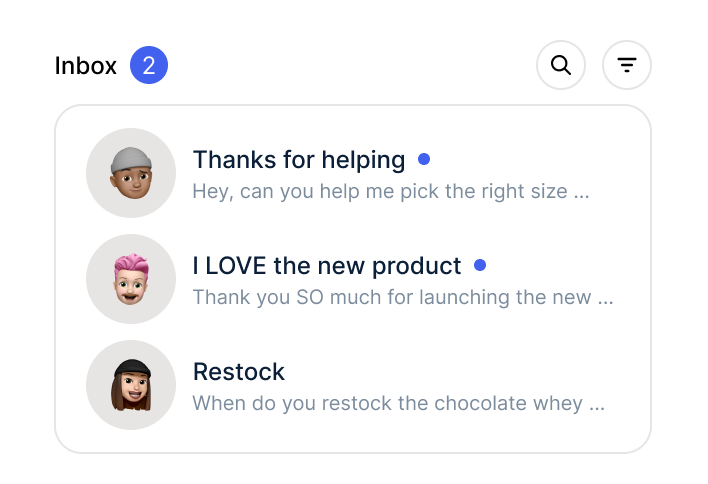
Amazon expects a reply to buyer messages within 24 hours. Saturdays and Sundays included. Without an integration, a Saturday evening message sits in Seller Central until Monday morning. With armincx it lands in the inbox immediately as a prioritized ticket, the AI prepares the reply and the weekend shift sends it with two clicks.

A customer writes through your shop but has also ordered on Amazon and cancelled there. Without a marketplace connection, your support only sees half the story. With the integration, armincx shows both events on the customer profile and your team replies based on the complete order history. The result is precise answers instead of follow-up questions.
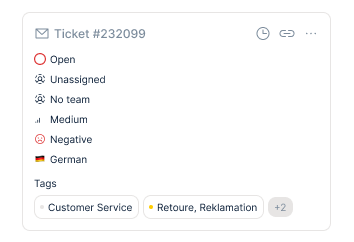
Without armincx, your team checks buyer messages directly in Seller Central. Amazon inquiries run separately from emails, WhatsApp and social. Someone looks up the order manually for every reply, the inbox often goes unwatched on weekends and the 24-hour deadline decides your seller performance.
With armincx, Amazon tickets run into the same inbox as every other channel. Order data sits in the widget via SP-API, the AI delivers reply drafts with context and prioritization makes sure Amazon tickets get answered on time. A brand with 15,000 to 25,000 orders per month is currently moving 80 percent of its tickets into one central inbox through this connection.
Three steps to the integration.

Set up your account, invite your team, prepare the inbox. Your personal Customer Success Manager guides the setup.

Authorize your Seller Central account via OAuth. The connection runs on the official Amazon SP-API and is live in minutes.
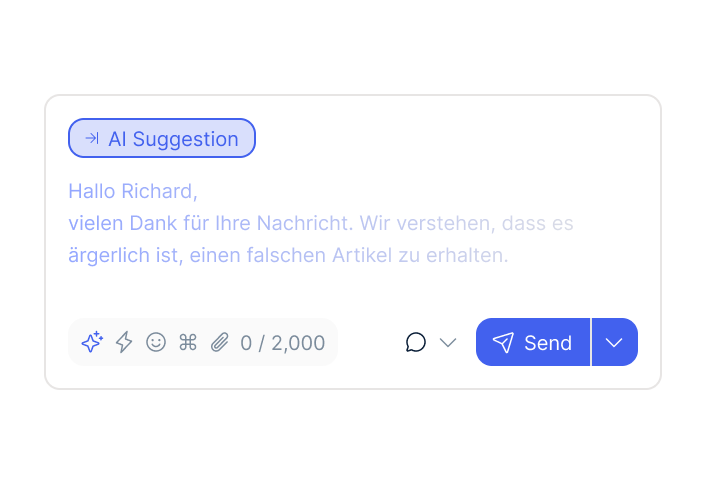
Buyer messages flow into the inbox as tickets. Your CSM sets up prioritization and reply style, you review drafts and send them back to Amazon.
Set up your account, invite your team, prepare the inbox. Your personal Customer Success Manager guides the setup.
Authorize your Seller Central account via OAuth. The connection runs on the official Amazon SP-API and is live in minutes.
Buyer messages flow into the inbox as tickets. Your CSM sets up prioritization and reply style, you review drafts and send them back to Amazon.
The Amazon integration is included in the armincx package. There are no separate integration costs and no setup fees for the connection. armincx runs on flat-rate pricing without seat or ticket costs. Variable costs only apply to AI actions, meaning whenever the AI generates a draft or prepares a reply. You pay for what you use. That keeps costs predictable even as your Amazon volume grows.
Your personal Customer Success Manager guides the complete setup:
Train the AI on your reply style: The AI learns your brand tone from historical tickets. Your CSM guides the training and fine-tunes draft quality.
Go-live: a few days to weeks, depending on the complexity of your setup.
armincx is ISO 27001 certified and runs its servers exclusively in Frankfurt am Main. The Amazon integration uses the official Amazon Selling Partner API (SP-API). Only the data needed for ticket handling is transferred: buyer message, order reference and shipping status. Data processing agreement (DPA) available. Data processing exclusively in the EU.
NEOH

“Chatarmin helps our company tremendously to deliver our news and promotions to customers better and faster.”
Finn Fleischer
FarbenLöwe

“POV: How to scale an e-commerce business to 20M with 2.5 FTE in customer service.”
Florian Wimmer
Purora

“Efficient tool with versatile features, fast integration, and a competent team.”
Joshua Vedder
Smilodox

“We love and use Chatarmin at Smilodox.”
André Jonker
Mozart Bett

“Impressive software and strong team!”
NEOH
“Chatarmin helps our company tremendously to deliver our news and promotions to customers better and faster.”
FarbenLöwe
“POV: How to scale an e-commerce business to 20M with 2.5 FTE in customer service.”
Purora
“Efficient tool with versatile features, fast integration, and a competent team.”
Smilodox
“We love and use Chatarmin at Smilodox.”
Mozart Bett
“Impressive software and strong team!”
armincx fits into your tech stack.

Order data and customer context in the ticket. Works with all Shopify plans, including Plus.

Multichannel tool that brings orders from multiple shops and marketplaces into your armincx ticket.

Shipping status right inside the ticket. Answers the most common question in e-commerce support.
Everything you need to know about the integration.
The Amazon integration is included in the armincx package. Variable costs only apply when the AI actually generates drafts. You pay for what the AI concretely does.
Amazon expects a reply to buyer messages within 24 hours, weekends and holidays included. armincx prioritizes Amazon tickets by time received and the AI prepares reply drafts. Your team sees at a glance which tickets need to go out first.
The Amazon widget shows the related order with items, shipping status and order history. The data comes via SP-API directly from your Seller Central account.
Yes. The integration runs on the official Amazon SP-API and replies go back to the buyer through Amazon's designated channels. Your team keeps control over every outgoing message.
The connection to Amazon is live via OAuth in minutes. The complete setup with routing, prioritization and AI training takes a few days to weeks, depending on complexity.
Yes. International Amazon shops run through the same armincx inbox. Multi-brand and multi-shop setups keep their entity context, so every team only sees the relevant tickets.

Connect Amazon Seller Central with armincx. Order context in the ticket, AI drafts included, all channels in one inbox.