GDPR-Compliant
ISO 27001
Approved by Your Team
armincx by Chatarmin shows the fulfilment status, items and shipping address of every Hive order in the ticket. Your team puts orders on hold and fixes addresses, and the AI agent can also cancel them as long as the parcel hasn't shipped.


































Quick check for decision makers
Check status, hold, fix the address: with Hive in armincx it all runs from the ticket while the parcel is still in the warehouse.
If the ticket contact matches a customer with Shopify orders fulfilled through Hive, the customer panel shows those orders with fulfilment status, shop and items.
Each order shows the order number, status, shop, total and shipping address. Clicking the order number opens it in the Hive merchant portal when a link is available.
While an order is still waiting for picking, your team pauses it with "Put on Hold". Once the customer has confirmed, "Release Hold" lets it continue.
Holding tags the linked Shopify order with cx-on-hold, which pauses fulfilment. That's why Shopify has to be connected on the same workspace. Once an order is shipped, cancelled or ignored, it can no longer be put on hold.
As long as an order hasn't shipped, your team corrects the shipping address right from the ticket. The AI agent can also cancel orders that haven't shipped yet.
Shipped, cancelled and ignored are final states. Hold, release and address changes are no longer available then. For these cases, tell the AI agent to hand the ticket over to your team.
The armincx Hive integration brings orders from the Hive warehouse into the ticket with their fulfilment status and lets your team put them on hold and correct addresses. The AI agent can also cancel them. Hive is a fulfilment provider that stores, packs and ships your shop's orders.
You need two things on the same workspace:
You can connect several Hive accounts. Give them clear names, for example per shop or brand.
| Status | What's possible |
|---|---|
| Waiting for picking | hold, change the address, cancel via AI agent |
| On hold | release once the customer has confirmed |
| Shipped, cancelled, ignored | no more changes, explain or hand over the ticket |
Your AI agents get read and write actions:
We recommend approval by your team for the write actions until test runs look safe.
You'll find the step-by-step guide in our documentation.
The customer wants to change something, but the order is still waiting for picking. Your team puts it on hold from the ticket and releases it once confirmed.

Wrong house number, old address: as long as the parcel hasn't shipped, your team corrects the shipping address right from the ticket.

The AI agent finds the order via the email address, pulls the shipments with tracking and replies straight away.

With fulfilment, timing is everything. While an order is waiting for picking, it can be put on hold, redirected or cancelled. Once the parcel has shipped, nothing more can be changed via Hive. With Hive in the ticket, your team sees the status straight away and can act before the window closes.
Typical cases:
Holding is a tool for the time the customer needs to confirm something. Your team puts the order on hold, clears up the change and then releases it. If an order stays on hold longer than necessary, shipping is delayed. So it's worth releasing held orders again at the end of the conversation.
Give the agent a clear order of steps: look up the customer's orders first, use the shipments for tracking questions, and explain when an order has already shipped or been cancelled. Keep the write actions subject to approval until you trust the process.
With a very high number of lookups, Hive may throttle API calls. Tell the agent to wait briefly and try again, or to hand over to your team, in that case.
The workflow with armincx compared with the workflow via the Hive portal.

Disclaimer: All data conducted from over 50+ Sales Calls with DACH Ecom Owners
The integration is built for Shopify stores that run their fulfilment through Hive and handle customer service with armincx.
A wrong address quickly costs a return or a reshipment. The earlier your team corrects it, the cheaper it gets.
"Can I still change something?" only gets a reliable answer if you know the fulfilment status. With the status in the ticket, your team knows straight away whether that's still possible.
Several Hive accounts can be connected separately. With clear names, your team and the agent always use the right account.
What leading e-commerce brands from the DACH region say about armincx.
Tobias J.
Braun Büffel

“Intuitive to use and quick in support.”
Dominik Englputzeder
myHarry

“To be honest, we are very excited about the tool. It is exactly what we need.”
Matthias Leibitz
T1TAN

“Top tool. Integrates into our entire tech stack.”
Eren Karacabay
vitabay

“Finally, an AI that doesn’t hallucinate.”
Braun Büffel
“Intuitive to use and quick in support.”
myHarry
“To be honest, we are very excited about the tool. It is exactly what we need.”
T1TAN
“Top tool. Integrates into our entire tech stack.”
vitabay
“Finally, an AI that doesn’t hallucinate.”

Connect Shopify on the same workspace first, so armincx can match Hive orders.

Under Integrations, select Hive, give it a name and paste the API key from your Hive account.
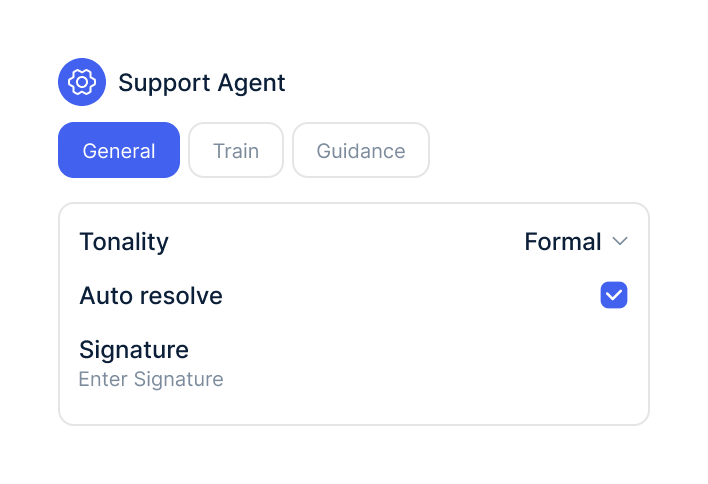
In your AI agents, switch on the Hive actions and decide which ones need approval.
Connect Shopify on the same workspace first, so armincx can match Hive orders.
Under Integrations, select Hive, give it a name and paste the API key from your Hive account.
In your AI agents, switch on the Hive actions and decide which ones need approval.
The Hive integration is part of armincx. To connect, you need a Hive account with an API key and a connected Shopify store.
What armincx costs for your team depends on your ticket volume and the channels you use. In a call, we'll work through your setup with you.
These tools complement Hive in customer service.
Everything you need to know.
Yes. armincx matches Hive orders via the Shopify order ID, so Shopify has to be connected on the same workspace.
An API key from your Hive account and a display name for the account.
While it's waiting for picking and hasn't been shipped, cancelled or ignored.
Holding adds the tag cx-on-hold to the linked Shopify order. That's how armincx pauses fulfilment, including when the AI agent puts an order on hold.
It depends. As long as the order hasn't been shipped, cancelled or ignored, the change goes straight to Hive.
Yes, as long as they haven't shipped. We recommend keeping cancellation subject to approval.
Via the email address or phone number. Shopify has to be connected on the same workspace for this.
Yes. Give each account a clear name, for example per shop or brand.
With many lookups on one shop, Hive may throttle. Waiting briefly and retrying helps, or your team completes the action directly in Hive.

In 15 minutes we'll show you how fulfilment status, changes and the AI agent come together in one inbox.