GDPR-Compliant
ISO 27001
Approved by Your Team
armincx by Chatarmin doesn't need a separate integration for JTL FFN Connect. The AI agent cancels or corrects the order in Shopify, and FFN Connect picks up the latest version at the next import. A short import delay gives you the time to do it.


































Quick check for decision makers
Spot the cancellation request, change the order in Shopify, the warehouse gets the latest version: that's how it works with armincx and FFN Connect.
The AI agent changes the order in Shopify. FFN doesn't import a cancelled order, and it picks up a corrected address at import.
This connection is for orders that flow from Shopify into FFN Connect. A connected JTL-Wawi is something else and has its own actions in armincx.
FFN Connect pulls orders from Shopify on a schedule. With a short import delay, starting at around 10 minutes, there's time left for cancellation and address requests.
Once the order is on a pick list or has shipped, cancellations and address changes usually fail. The AI agent tells the customer and hands over to your team.
Set write actions to require approval until your test runs look safe. After that, you decide what the AI agent handles on its own.
Place a test order, contact support within the delay and check the change in Shopify and in FFN Connect before you activate the agent.
armincx has no separate FFN Connect integration, and for cancellations and address changes it doesn't need one: the AI agent changes the order in Shopify, and FFN Connect picks up the latest version at import. This applies to shops whose orders flow from Shopify into FFN Connect, meaning a warehouse in the JTL Fulfillment Network or partners such as Fly Fulfillment.
| Customer request | What the AI agent does in Shopify | What reaches the warehouse |
|---|---|---|
| "Please cancel" | cancels the order and refunds when your rules say so | FFN doesn't import the order |
| "Wrong address" | updates the delivery address | FFN imports the new address |
Both only work before picking starts. For returns, connect a returns integration rather than bending cancellation flows.
For your AI agents, you use the Shopify actions, such as get order, cancel and update delivery address. There is no separate FFN action, and you don't need one.
You'll find the step-by-step guide in our documentation.
A few minutes after checkout, a customer wants to cancel. The AI agent cancels in Shopify, and at the next import FFN doesn't pick up the order at all.

The customer writes that the house number is missing. The AI agent corrects the delivery address in Shopify, and FFN picks it up at import.

The warehouse is already picking the order. The AI agent explains this to the customer and hands the ticket over to your team.

FFN Connect pulls orders from Shopify on a schedule. If you set a short import delay in FFN Connect, customers have time to get in touch before the order reaches the warehouse. Our documentation recommends starting with around 10 minutes.
Within that time, the AI agent changes the order in Shopify. FFN then imports only the latest version, or nothing at all for a cancellation. According to our documentation, most cancellation requests arrive within the first 15 minutes or so after checkout.
Once the warehouse has started picking, cancellations and address changes usually fail. Put this boundary into your AI agents' instructions: if the order is already on a pick list or has shipped, the agent tells the customer and hands over.
| Agent | Starts on | What it does |
|---|---|---|
| Cancellation | cancellation and withdrawal requests | finds the order, cancels it in Shopify while it's still unfulfilled, and confirms with the customer |
| Address change | delivery address corrections | finds the order, updates the address in Shopify while that's still possible, and confirms the new address |
It's best to start from the templates for address updates and cancellations, and set write actions to require approval until your test runs look safe.
Cancellation and address requests for FFN orders with armincx compared with handling them by hand in the Shopify admin.


Disclaimer: All data conducted from over 50+ Sales Calls with DACH Ecom Owners
The connection is built for shops that sell with Shopify, ship via FFN Connect and handle customer service with armincx.
You don't need a separate FFN integration. With Shopify and the FFN sync, you have everything the AI agent needs for cancellations and address changes.
The cancellation agent also starts on terms like Widerruf, the German word for withdrawal. It finds the order, cancels it in Shopify and confirms the cancellation to the customer.
The Shopify route also works with partners such as Fly Fulfillment, as long as your orders flow from Shopify into the warehouse.
What leading e-commerce brands from the DACH region say about armincx.
Tobias J.
Braun Büffel

“Intuitive to use and quick in support.”
Dominik Englputzeder
myHarry

“To be honest, we are very excited about the tool. It is exactly what we need.”
Matthias Leibitz
T1TAN

“Top tool. Integrates into our entire tech stack.”
Eren Karacabay
vitabay

“Finally, an AI that doesn’t hallucinate.”
Braun Büffel
“Intuitive to use and quick in support.”
myHarry
“To be honest, we are very excited about the tool. It is exactly what we need.”
T1TAN
“Top tool. Integrates into our entire tech stack.”
vitabay
“Finally, an AI that doesn’t hallucinate.”

Connect Shopify to armincx and confirm with your fulfiller or FFN Connect admin that cancellations and address changes from Shopify reach the warehouse.

Set a short delay for the order import in FFN Connect. Start with around 10 minutes.
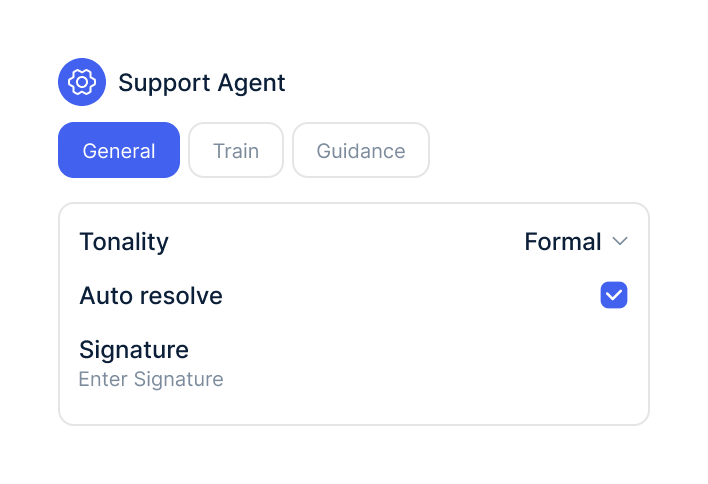
Start from the templates for cancellations and address changes, set write actions to require approval and test with a test order.
Connect Shopify to armincx and confirm with your fulfiller or FFN Connect admin that cancellations and address changes from Shopify reach the warehouse.
Set a short delay for the order import in FFN Connect. Start with around 10 minutes.
Start from the templates for cancellations and address changes, set write actions to require approval and test with a test order.
You don't need an additional integration for FFN Connect. You use the armincx Shopify integration and the order sync between Shopify and FFN Connect.
What armincx costs for your team depends on your ticket volume and the channels you use. In a call, we'll work through your setup with you.
These tools complement FFN Connect in customer service.
Everything you need to know about the connection.
No. Cancellations and address changes run through Shopify, and FFN Connect picks up the latest version at import.
A connected Shopify integration in armincx and an order sync from Shopify to FFN Connect. You also need a short import delay in FFN Connect.
Yes, as long as your orders flow from Shopify into FFN Connect and on to the warehouse.
No. JTL-Wawi is a separate ERP with its own actions in armincx, while FFN Connect runs through Shopify.
No, as long as it's cancelled before the import. FFN doesn't import cancelled orders.
It depends. Around 10 minutes is a good starting point, so customers still have time to get in touch.
Then cancellations and address changes usually fail. The AI agent tells the customer and hands over to your team.
It depends. We recommend approval for write actions until your test runs look safe.
For those, connect a returns integration. Cancellation flows aren't meant for returns.

In 15 minutes we'll show you how cancellation and address requests reach the warehouse via Shopify before picking starts.