GDPR-compliant
ISO 27001
Connected via Klaviyo
Karla reports a shipping event to Klaviyo, a webhook starts your Chatarmin flow, and your customer receives the message on WhatsApp with a button to your shop's tracking page.


































The quick check for decision makers
Karla provides the shipping triggers, Klaviyo passes them on through a webhook, and Chatarmin sends the WhatsApp message to your customer.
Karla sends shipping events such as out for delivery, parcelshop or damaged to Klaviyo. A webhook action in the Klaviyo flow passes the event to Chatarmin and starts your flow there.
In Chatarmin you create a flow with "Klaviyo Webhooks" as the starting point. You enter the destination URL, key and value from that flow into a webhook action, which you place after the relevant Karla trigger in the Klaviyo flow. In the Chatarmin flow you then choose the "Send campaign" action and the matching WhatsApp template.
The webhook passes on email, phone number, first name, carrier, order number, tracking number, tracking URL, postcode and the link to your tracking page. These values arrive at Chatarmin in the payload.
Depending on the Karla trigger, you can select and send further event properties, for example for the parcel shop, parcel locker or neighbour's address. What matters is that the JSON payload in the Klaviyo webhook and the payload body in the Chatarmin flow are identical.
The message runs as a utility template with an "Open website" button. In the flow you link the button to the karla_trackpage_url variable, which leads to your shop's tracking page.
The shipping message is a touchpoint you can use for your opt-in. To do this, you extend the flow with a consent message and collect a double opt-in.
Karla optimises the post-purchase experience for online shops and sends shipping triggers to Klaviyo. Through Chatarmin you use these triggers for WhatsApp. Chatarmin is the channel, Klaviyo is the connection in between.
You need Karla's "Notify" package, which provides the shipping triggers to Klaviyo and therefore to Chatarmin. Your Chatarmin account also has to be connected to your Klaviyo account.
The JSON payload in the Klaviyo webhook and the payload body in the Chatarmin flow have to be identical. The guide provides these fields:
| Field | Content |
|---|---|
email | Email address from the Klaviyo profile |
phone | Phone number from the Klaviyo profile |
firstname | First name from the Klaviyo profile |
carrier | Carrier from the Karla event |
order_number | Order number |
tracking_number | Tracking number |
carrier_url | Tracking URL from the Karla event |
zip_code | Postcode |
karla_trackpage_url | Link to your shop's tracking page with order number and postcode |
You adapt the first part of karla_trackpage_url to the address of your tracking page. Depending on the Karla trigger, you can add further event properties to the payload, for example for the parcel shop, parcel locker or neighbour's address.
You create a template of the type Utility, because these are transactional messages, for example delivered_to_parcelshop as a reminder to collect a parcel from the parcel shop. The template gets an "Open website" button. The URL in the template is only a placeholder: in the flow you select "API: karlatrackpageurl" for the button. You can also use payload values such as the first name or order number as variables in the template's message text.
You'll find the step-by-step guide in our Help Center.
Workflows that come straight out of your Karla triggers.
Karla reports that the parcel is waiting at the parcel shop. Chatarmin sends a utility template such as delivered_to_parcelshop, and the button leads to your shop's tracking page.

The out for delivery trigger starts your flow. Order number, carrier and tracking number arrive at Chatarmin in the payload.

You extend the shipping flow with a consent message. That way you use the touchpoint to collect a double opt-in for WhatsApp.

The guide in our Help Center uses exactly this case as its example. Karla reports a parcelshop event to Klaviyo, your Klaviyo flow passes it to Chatarmin through a webhook, and Chatarmin sends a utility template such as delivered_to_parcelshop.
If you add the parcel shop event properties to the payload, they arrive at Chatarmin together with the order number, tracking number and postcode. The button takes your customer to your shop's tracking page via karla_trackpage_url.
The same pattern applies to other Karla triggers such as out for delivery or damaged: one webhook action after the trigger in the Klaviyo flow and a matching template in Chatarmin.
A shipping notification reaches your customer at a moment when they are waiting for news about their order. You use this touchpoint by extending the flow with a consent message and collecting a double opt-in.
For your data protection review, it also matters who sends the messages: Chatarmin is an official Meta Business Partner, certified to ISO 27001, GDPR-compliant and hosted on servers in Europe.


Disclaimer: All data conducted from over 50+ Sales Calls with DACH Ecom Owners
The integration fits online shops that use Karla for their post-purchase communication and work with Klaviyo. Chatarmin brings the shipping moments Karla provides to WhatsApp.
Then your shipping triggers are already in Klaviyo. You add a webhook action to the Klaviyo flow and build the matching flow in Chatarmin with "Klaviyo Webhooks" as the starting point. The steps in the guide all take place in Klaviyo and Chatarmin.
The button in the WhatsApp message leads to your shop's tracking page via karla_trackpage_url. Order number and postcode are already included in the link as parameters.
Every shipping notification is a touchpoint. With a consent message in the same flow you collect a double opt-in, from customers who have just bought from you.
What leading E-Commerce brands from the DACH region say about armincx
Jakob Graf
HANS Brainfood

“Easy integration with Shopify and Klaviyo, simple setup of all technical aspects. Direct customer reach with open rates over 85% and amazing ROI on WhatsApp costs. Perfect for top customers and as an exclusive sales element.”
Victor Horst
cusbclo

“If you’re not using WhatsApp marketing yet, go to Chatarmin.”
Lisa Straube
BitterLiebe

“I would recommend other companies to try WhatsApp marketing as well and implement it with Chatarmin.”
Matthias Leibitz
T1TAN

“Top tool. Integrates into our entire tech stack.”
HANS Brainfood
“Easy integration with Shopify and Klaviyo, simple setup of all technical aspects. Direct customer reach with open rates over 85% and amazing ROI on WhatsApp costs. Perfect for top customers and as an exclusive sales element.”
cusbclo
“If you’re not using WhatsApp marketing yet, go to Chatarmin.”
BitterLiebe
“I would recommend other companies to try WhatsApp marketing as well and implement it with Chatarmin.”
T1TAN
“Top tool. Integrates into our entire tech stack.”

You use Karla's "Notify" package and connect your Chatarmin account to your Klaviyo account.
You create a utility template with an "Open website" button and build a Chatarmin flow with "Klaviyo Webhooks" as the starting point.
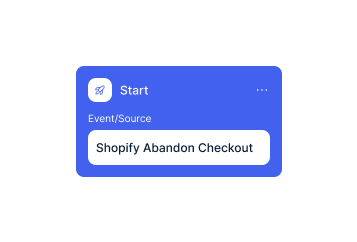
In the Klaviyo flow you place a webhook action with the URL, key and value from Chatarmin after the Karla trigger. Then you set the webhook live and publish the flow.
You use Karla's "Notify" package and connect your Chatarmin account to your Klaviyo account.
You create a utility template with an "Open website" button and build a Chatarmin flow with "Klaviyo Webhooks" as the starting point.
In the Klaviyo flow you place a webhook action with the URL, key and value from Chatarmin after the Karla trigger. Then you set the webhook live and publish the flow.
Shipping notifications run as utility templates. Meta charges €0.0456 per message in Germany, so 1,000 shipping notifications cost you around €46 in Meta fees. A marketing message costs €0.1131 in Germany, around 11 cents, and €0.0490 in Austria and Switzerland, around 5 cents. Since 1 October 2026, service messages are charged as well, at €0.0456 in Germany. These figures are based on the Meta rate card valid since 1 July 2026.
The connection to Karla is part of your Chatarmin setup. What Chatarmin costs depends on your volume. In a call we walk you through the numbers based on your contact base and the flows you plan. For the shipping triggers you also need Karla's "Notify" package and a Klaviyo connection.
Chatarmin fits into your tech stack.
Everything worth knowing about the integration.
Yes. Karla sends the shipping triggers to Klaviyo, and from there a webhook starts your Chatarmin flow.
You need Karla's "Notify" package. It provides the shipping triggers to Klaviyo and therefore to Chatarmin.
The guide names out for delivery, parcelshop and damaged as examples. They are based on the triggers Karla sends to Klaviyo.
Email, phone number, first name, carrier, order number, tracking number, tracking URL, postcode and the link to your tracking page. Depending on the trigger, properties for the parcel shop, parcel locker or neighbour's address can be added.
Utility, because these are transactional messages. The template gets an "Open website" button.
Yes. You link it to karla_trackpage_url in the flow and adapt the first part of that URL to your tracking page.
Yes. You extend the flow with a consent message and collect a double opt-in that way.
Yes. The JSON payload in the Klaviyo webhook and the payload body in the Chatarmin flow have to be identical.
Yes. You add payload values such as the first name, order number or tracking number as variables in the text of your utility template.
No. This integration sends shipping notifications on WhatsApp through Chatarmin, while armincx by Chatarmin has its own Karla connection for AI customer service.

We look at your Karla and Klaviyo setup and show you how your first shipping notifications run on WhatsApp.