GDPR-Compliant
ISO 27001
Approved by Your Team
armincx by Chatarmin shows store credit, history and membership tier from Memberr in the customer panel. Your team or the AI agent books goodwill as store credit the customer can spend straight away.


































Quick check for decision makers
Check credit, book goodwill, explain tiers: with Memberr in armincx it all runs from the ticket, and the AI agent takes over the routine.
armincx looks up the customer by their email address in Memberr and shows the current store credit, the history and the membership tier in the customer panel.
Besides the balance, you see credit that unlocks soon and the next expiry date. The history lists every booking with its source, such as order, cashback, referral or manual adjustment. You also see the active membership tier with its expiry, progress towards the next tier, the birthday and a notice if the customer is blocked in Memberr.
With "Add" or "Reduce", your team changes the credit right from the ticket. The dialog shows the current and the new balance before you confirm.
The booking is recorded in Memberr as a manual adjustment and can be spent in the shop straight away. There is no undo button: a mistake is corrected with the opposite booking. There is no field for a reason, so note it in an internal note on the ticket.
The AI agent can add store credit once you enable the action. Every booking requires approval by your team by default.
Deducting is switched off by default, so the agent can only add credit. For every booking it has to give a reason, which the approver sees. The action itself has no amount limit, which is why you set in the instructions how much credit the agent may offer in which situation.
The armincx Memberr integration brings store credit, booking history and membership tiers from Memberr into the ticket and lets your team and the AI agent book credit. Memberr is a store credit, loyalty and membership platform for Shopify stores.
Under Integrations, select Memberr and enter two values from your Memberr account:
| Field | What to enter |
|---|---|
| Secret API Key | the secret API key from Memberr |
| Shop System | usually "shopify" |
| Ticket origin domain (optional) | the shop domain your chat widget runs on, only needed with several shops |
armincx doesn't test the key when you save it. So afterwards, open a ticket from a customer who exists in Memberr and check that the Memberr card shows their credit. This only reads data and is safe to try.
armincx looks up customers via the contact's email address. The Memberr card shows:
Your AI agents get two actions:
You'll find the step-by-step guide in our documentation.
Balance, credit that unlocks soon and expiry date are in the ticket. Your team or the AI agent replies straight away, without checking the Memberr dashboard.

If a delivery was late, the AI agent proposes a credit with a reason. Your team approves, and the customer can spend the credit in the shop straight away.

Revenue so far, revenue still needed and days left are in the Memberr card. That way your team answers membership questions directly too.

After a late or damaged delivery, customers expect a gesture. With Memberr, your team books that gesture as store credit, right from the ticket. The credit can be spent straight away, and the money stays in the shop.
The AI agent can propose such credits. For every booking it has to give a reason, which the approver sees. How much it may offer in which situation is set in its instructions, because the action itself has no amount limit.
| Point | What applies |
|---|---|
| Minimum amount | 0.01, no upper limit |
| Undo | not possible, a mistake is corrected with the opposite booking |
| Reason for the booking | no field of its own, so note it in an internal note on the ticket |
| Reducing below zero | not prevented, check the new balance before confirming |
| Currency | the currency of the existing balance, otherwise euros |
| Which customer | always the customer matching the ticket's email address |
Store credit is real money in the shop. That's why every AI booking requires approval by default and deducting is switched off. You only need deducting if the agent should correct credit that was booked twice.
If you connect several Memberr shops, armincx needs to know which one a ticket belongs to. For chat widget tickets, armincx compares the website the customer wrote from with each shop's ticket origin domain and opens the matching one automatically. For emails and all other tickets, your team picks the shop in the card.
The workflow with armincx compared with the workflow via the Memberr dashboard.

Disclaimer: All data conducted from over 50+ Sales Calls with DACH Ecom Owners
The integration is built for Shopify stores that run a store credit, loyalty or membership programme on Memberr and handle customer service with armincx.
Cashback, referral credit, expiring credit: every rule in the programme creates questions. With the history in the ticket, your team sees straight away where an amount came from and when it expires.
A credit in the shop keeps the customer with you. The AI agent proposes it with a reason, your team approves.
"What do I need for Gold?" is answered by your team with revenue so far, revenue still needed and days left, straight from the card.
What leading e-commerce brands from the DACH region say about armincx.
Tobias J.
Braun Büffel

“Intuitive to use and quick in support.”
Dominik Englputzeder
myHarry

“To be honest, we are very excited about the tool. It is exactly what we need.”
Matthias Leibitz
T1TAN

“Top tool. Integrates into our entire tech stack.”
Eren Karacabay
vitabay

“Finally, an AI that doesn’t hallucinate.”
Braun Büffel
“Intuitive to use and quick in support.”
myHarry
“To be honest, we are very excited about the tool. It is exactly what we need.”
T1TAN
“Top tool. Integrates into our entire tech stack.”
vitabay
“Finally, an AI that doesn’t hallucinate.”

Under Integrations, select Memberr and enter the Secret API Key and Shop System from your Memberr account.

Open a ticket from a customer who exists in Memberr and check that the card shows their credit.
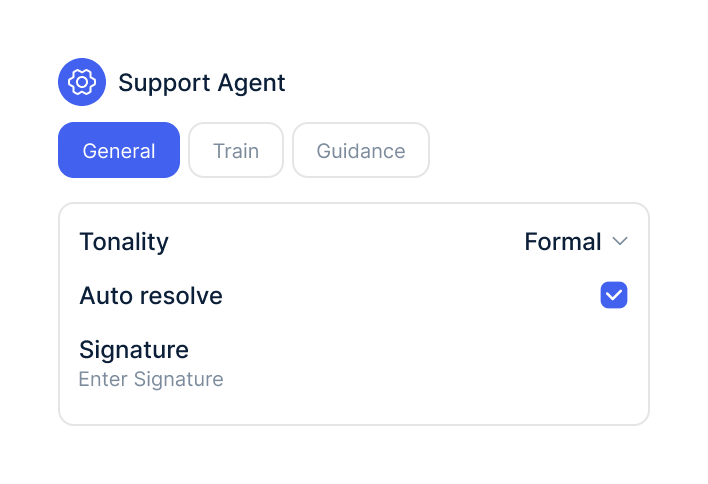
In your AI agents, switch on the Memberr actions, choose the shops and decide how much credit the agent may offer.
Under Integrations, select Memberr and enter the Secret API Key and Shop System from your Memberr account.
Open a ticket from a customer who exists in Memberr and check that the card shows their credit.
In your AI agents, switch on the Memberr actions, choose the shops and decide how much credit the agent may offer.
The Memberr integration is part of armincx. To connect, you need a Memberr account with a Secret API Key.
What armincx costs for your team depends on your ticket volume and the channels you use. In a call, we'll work through your setup with you.
These tools complement Memberr in customer service.
Everything you need to know.
The Secret API Key from your Memberr account and the Shop System, usually "shopify".
No. Afterwards, open a ticket from a known Memberr customer and check that the card shows their credit.
Via the ticket contact's email address. It has to match the email in Memberr exactly, upper and lower case don't matter.
No. Deducting is off by default, and you can switch it on in the action, for example to correct credit booked twice.
No. By default your team approves every booking and sees the reason the agent gave.
No. You correct a mistake with the opposite booking, and both entries stay in the history.
Straight away. Memberr only needs a few seconds before the new balance shows.
Yes. With a ticket origin domain per shop, armincx automatically matches chat widget tickets to the right shop.
Usually the contact has no email address, or it doesn't match the customer's email in Memberr.

In 15 minutes we'll show you how store credit, goodwill and the AI agent come together in one inbox.