GDPR-Compliant
ISO 27001
Approved by Your Team
armincx by Chatarmin shows the next charge, the amount and the frequency of every Recharge subscription in the ticket. Your team or the AI agent moves the charge or cancels the subscription with a reason. Changes made by the AI agent only go through after your approval by default.


































Quick check for decision makers
Look up the date, move the charge, handle the cancellation: with Recharge in armincx it all runs from the ticket, without switching to the Recharge portal.
armincx looks up the contact's email address in every connected Recharge shop and shows the matching subscriptions in the customer panel. Active subscriptions are listed first.
Each subscription shows the product, variant, quantity, status, next charge date, amount and frequency, for example every two weeks. Matching uses the contact's main email address.
On an active subscription, your team picks a new date for the next charge, today or later. armincx sends it straight to Recharge.
Paused and cancelled subscriptions are view-only. Before every change, armincx checks again that the subscription belongs to the contact's email address.
Your team cancels an active subscription right from the ticket and adds a reason of up to 500 characters. Without one, armincx records "Cancelled via ArminCX" in Recharge.
A cancellation can't be undone in armincx. You restore a subscription cancelled by mistake directly in Recharge. armincx doesn't control whether Recharge sends its own cancellation email.
The armincx Recharge integration brings your customers' subscriptions into the ticket with the next charge, amount and frequency. Your team and the AI agent can move the next charge or cancel a subscription. Recharge is a subscription platform for Shopify shops that lets customers receive products on a fixed schedule.
For every shop running Recharge, you need an API token from the Recharge merchant portal. The token needs these permissions:
With a read-only token you can see subscriptions, but moving and cancelling fail. armincx doesn't test the token when you connect. So test the connection with a ticket by expanding the subscriptions of a customer you know subscribes, not with a move or a cancellation.
| Status | What's possible |
|---|---|
| Active | view, move the next charge, cancel |
| Paused | view only |
| Cancelled | view only, restore directly in Recharge |
Your AI agents get one read action and two write actions:
The write actions ask for approval every time by default. In agent tests they're only simulated and don't change anything in Recharge.
You'll find the step-by-step guide in our documentation.
The customer is on holiday or still has stock. Your team moves the next charge to a later date, and the subscription stays active.

The AI agent looks up the subscriptions via the email address and names the product, quantity and next charge date.

The AI agent prepares the cancellation with a reason. Your team checks the subscription in the approval request and confirms.

Every cancellation through armincx reaches Recharge with a reason. Your team or the AI agent adds the reason to the cancellation, up to 500 characters. That way Recharge shows why the customer left. Without a reason, armincx records "Cancelled via ArminCX".
Good reasons are short and comparable:
If it's only about timing, there's often no need to cancel at all. Your team moves the next charge instead, and the subscription stays in place.
Give the agent a clear order of steps: look up the subscriptions by email address first and only work with a subscription ID returned there.
Keep both write actions subject to approval. Unlike the buttons in the ticket, the AI actions don't check that the subscription belongs to the ticket's contact. So always check the subscription in the approval request before you confirm.
If the customer writes again after the proposal, or the ticket is resolved, the proposed action expires. Nothing changes in Recharge, and you review the ticket again.
armincx only finds subscriptions via the contact's main email address. If a customer writes from a different address than the one they ordered with, your team adds the order address as the contact's email address. The subscriptions then appear.
The workflow with armincx compared with the workflow via the Recharge portal.

Disclaimer: All data conducted from over 50+ Sales Calls with DACH Ecom Owners
The integration is built for Shopify shops that sell subscriptions through Recharge and handle customer service with armincx, for example for coffee, pet food, supplements or skincare.
The AI agent answers "When will I be charged?" and "What am I subscribed to?" from the subscription data. Your team focuses on the cases that really need a decision.
With a reason on every cancellation through armincx, Recharge shows what's behind the churn. That's the basis for fine-tuning frequency, price or product.
Each shop gets its own connection with its own token. You give the AI agent only the connections it needs for its shop.
What leading e-commerce brands from the DACH region say about armincx.
Tobias J.
Braun Büffel

“Intuitive to use and quick in support.”
Dominik Englputzeder
myHarry

“To be honest, we are very excited about the tool. It is exactly what we need.”
Matthias Leibitz
T1TAN

“Top tool. Integrates into our entire tech stack.”
Eren Karacabay
vitabay

“Finally, an AI that doesn’t hallucinate.”
Braun Büffel
“Intuitive to use and quick in support.”
myHarry
“To be honest, we are very excited about the tool. It is exactly what we need.”
T1TAN
“Top tool. Integrates into our entire tech stack.”
vitabay
“Finally, an AI that doesn’t hallucinate.”

In the Recharge merchant portal, create a token with read access to customers and read and write access to subscriptions.

Under Integrations, select Recharge and paste the token. Repeat this step for further shops.
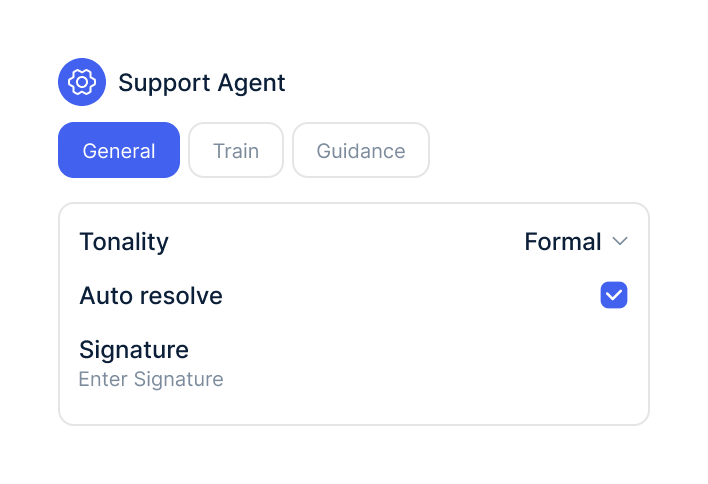
In your AI agents, switch on the Recharge actions and choose which connections the agent may use.
In the Recharge merchant portal, create a token with read access to customers and read and write access to subscriptions.
Under Integrations, select Recharge and paste the token. Repeat this step for further shops.
In your AI agents, switch on the Recharge actions and choose which connections the agent may use.
The Recharge integration is part of armincx. To connect, you need a Recharge shop and an API token with the right permissions.
What armincx costs for your team depends on your ticket volume and the channels you use. In a call, we'll work through your setup with you.
These tools complement Recharge in customer service.
Everything you need to know.
No. armincx connects directly to Recharge with an API token and matches subscriptions via the contact's email address.
Read access to customers and read and write access to subscriptions. With a read-only token you can see subscriptions but not change them.
Via the contact's main email address. It has to match the customer email in Recharge.
No. Moving and cancelling are only available for active subscriptions.
No, not in armincx. You restore a subscription cancelled by mistake directly in Recharge.
Yes. By default, cancellation asks your team for approval every time.
No. In tests, moving and cancelling are only simulated.
Yes. You connect each shop with its own token. The connections don't have their own names, so it's best to note which shop belongs to which.
It depends. Whether Recharge sends a cancellation email is up to Recharge, not armincx.

In 15 minutes we'll show you how charges, cancellations and the AI agent come together in one inbox.