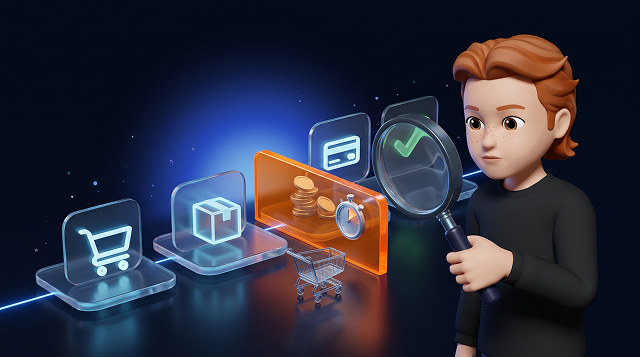

The most common reasons for cart abandonment are extra costs, slow delivery, forced account creation, long forms and payment problems. Open product questions and shoppers who plan to buy later add to the list. Which of these matters in your store comes out of your checkout flow and what your customers tell you.
What is cart abandonment?
In this guide, a cart counts as abandoned when someone adds at least one product and leaves without buying within a set observation window. Pick that window to match your product range and typical buying cycle.
Checkout abandonment is the narrower case. The shopper has started checkout and doesn't complete the order within the same window. Express payment buttons can skip the cart page entirely, so decide upfront how you count those paths. A product page view only counts once something lands in the cart.
A full cart signals interest. Some shoppers use it to compare prices, as a wishlist or to prepare a later purchase. Keep that in mind before you treat every abandoned cart as a lost order.
Why do shoppers abandon their carts?
Shipping costs and delivery times rank among the best-documented reasons shoppers drop an online purchase. In the DHL E-Commerce Trends Report 2025 (page 11), 32% of respondents named having to pay for delivery and 36% said delivery was too slow. DHL surveyed 24,000 online shoppers in 24 countries in February and March 2025. Respondents could pick more than one answer.
These figures are stated motives from the surveyed markets. The share of carts each reason actually costs you comes from your own data. The cost answer also covers paid versus free delivery in general, without pointing to a specific fee level.
The table below links possible causes to the signals worth checking first. It's an editorial diagnostic aid and makes no claim about how often each cause occurs. One signal alone rarely proves a cause. The store scenarios further down are fictional examples.
| Possible cause | Signal in your store | First check |
|---|---|---|
| Shipping and extra costs | Exits right after the total price appears | Check when and how costs are shown and calculated |
| Delivery time and options | Questions about arrival dates or delivery | Compare delivery promises with stock and logistics |
| Forced account creation | Exits at login or registration | Find and try the guest checkout yourself |
| Forms and mobile usability | Input errors on specific devices | Run a mobile test order including autofill |
| Payment methods and failures | Declines or exits after a payment redirect | Check payment status and the return to your store |
| Trust and returns | Questions about the seller, returns or refunds | Check that contact details and terms are easy to understand |
| Bugs and discount logic | Errors cluster after a release | Recreate the affected checkout path |
| Product information | Repeated questions about size or fit | Compare support answers with your product data |
| Comparing and buying later | Repeat visits before the purchase | Look at purchase gaps and ways back into the cart |
1. High or unexpected shipping and extra costs
Shipping, surcharges and other fees can change the total a shopper expected to pay. Check both the amount and the moment shoppers first see it. Baymard's research on shipping cost display shows how shoppers already look for shipping costs on the product page.
Example: A product costs €29. The €6.90 shipping fee only appears in the last checkout step. Check whether shoppers could see that cost earlier and whether exits spike right after the price changes. Back up your analytics with a test order or optional feedback.
Show shipping costs early or give shoppers an easy way to calculate them. If the exact amount depends on the delivery address, explain the conditions and update the price once the address is in. In the EU, Article 6(1)(e) of the Consumer Rights Directive requires you to state delivery charges before the consumer is bound by the order. Where you can't reasonably calculate them in advance, you state that they may apply. Under Article 6(6), consumers don't have to pay charges you failed to disclose. If you sell to German consumers, § 6 PAngV sets out the same principle in national law. Explain any free shipping threshold and check how discount codes affect the minimum order value.
Free shipping is a business decision. Weigh the extra orders against shipping costs, returns and contribution margin. Clear cost communication works just as well when shoppers pay for delivery.
2. Slow or unclear delivery and missing delivery options
Delivery has to fit the shopper's need. For a birthday gift, a late arrival can rule out the purchase. Vague labels like "ships soon" leave shoppers guessing whether the order arrives in time.
Example: A lamp shows as in stock. A three-week delivery time only appears at checkout. Compare what the product page, cart and checkout say with your stock levels and actual delivery dates. Break the results down by destination country and shipping method.
Give a realistic estimated delivery date or date range. Separate dispatch from arrival and factor in order cut-off times, public holidays and stock availability. Baymard's research on delivery dates explains why a bare shipping speed forces shoppers to work out the arrival date themselves.
Offer pickup points, parcel lockers, express or other options where they suit your audience and run reliably. Clear delivery information is part of good customer communication before and after the purchase.
If you dropship, check supplier commitments, ship-from locations, possible extra costs and split shipments. Align your delivery promise with what actually happens. Faster delivery needs a supply chain that can keep up.
3. Forced account creation
A mandatory account adds a sign-in or registration step to the purchase. Depending on the setup, shoppers have to create a password, confirm a code or recover access. Baymard's guest checkout testing documents how a hard-to-spot guest option gets in the way of the rest of the purchase.
Example: A first-time buyer lands on a login page and misses the small guest link. Ask someone outside your team to start an order without an account. Compare drop-offs between new and returning customers too.
Make guest checkout easy to find wherever your offer allows it. Explain what an optional account gives shoppers and let them create one after the purchase. If your offer genuinely requires an account, say why and keep the effort minimal.
4. Long forms and poor mobile usability
Unnecessary fields and vague error messages make ordering harder. On a phone, hidden buttons, the wrong keyboard or lost input can break the flow entirely.
Example: After an invalid postcode, the store wipes the entire address form. Check field errors by device and browser. Test long names, separate billing and shipping addresses, autofill and keyboard navigation.
Ask only for the details you need and label required and optional fields clearly. Keep valid input when an error occurs and show how to fix it right at the field. Support autofill and the right input formats.
Aim for clear tasks and minimal typing. Baymard's checkout audit guide covers these points along with error handling and payment flows. The number of checkout pages explains only part of the effort.
5. Missing payment methods or failed payments
Separate a missing option from a broken process. A new payment method leaves a defect in your existing payment flow exactly where it is.
Example: After approving the payment in their banking app, the shopper returns to a blank page. Check with your payment provider what status the payment and the order actually have. Recreate the path using the provider's test procedure.
An exit after the add_payment_info event leaves the cause open. When implemented correctly, the event shows that the shopper submitted payment details at checkout. A successful payment shows up in your order and payment logs, so reconcile analytics against them. Never send card numbers or bank details to analytics.
Show available payment methods early and explain the next step after a declined payment. Choose additional methods by audience and destination country. Factor in fees, fraud risk and payment defaults.
6. Low trust and unclear return policies
Hard-to-find contact details and contradictory return information can trigger doubts right before payment. Your own research shows which questions your shoppers actually have.
Example: The product page promises easy returns. The return policy leaves the return address unclear. Ask testers to find contact details, return costs, the return process and refund terms. Compare their questions with the ones your support team gets.
Show real contact options, clear terms and genuine reviews. Use trust badges according to their terms of use. HTTPS encrypts the connection. The connection indicator in the browser covers exactly that. Whether a merchant delivers reliably is a separate question shoppers answer from your contact details, terms and reviews.
7. Technical bugs, slow pages and broken discount logic
Broken buttons and page errors can block a purchase outright. Unclear loading states after clicking "Place order" leave shoppers unsure whether the order went through. With discount codes, check for both technical errors and confusing conditions.
Example: An advertised code only works above a minimum order value the ad never mentions. Recreate the purchase with exactly that code. Check the conditions, the error message and the final order value.
After every release, test express checkouts and external payment flows too. Preserve the cart where it's technically possible and allowed under data protection rules. Show the order's processing status. Before a shopper retries a payment, check whether the first one already went through. Confirmed bugs come first. Judge further performance work by what your measurements show.
8. Missing product information
Open questions about fit, material or compatibility can stall a buying decision. In that case, the cause sits on the product page.
Example: Someone adds a bike rack to the cart and finds no reliable information on whether it fits their car. Map support questions like this to products and look for recurring gaps.
Add dimensions, usage notes and verified compatibility details. Individual questions need a reachable contact with clear response times. If you're considering website chat for that, our comparison of live chat software is a good starting point. Where information is missing, your team checks suitability with the manufacturer or a specialist before confirming it to the shopper.
9. Comparing, distraction or not ready to buy yet
Shoppers build carts for a later purchase or finish buying on another device. A cart left within your measurement window can still turn into an order later.
Example: A shopper compares sofas on their phone and orders on a laptop after measuring the living room. Analyze the time between visits and purchases within the data you're allowed to use. Device switches and missing attribution can hide parts of that journey.
Check how easily shoppers find saved products again. Offer a wishlist or a saved cart where it's technically possible and compliant. Flag price or stock changes clearly. Use real stock information and skip countdown timers that quietly reset.
How do you find the causes in your store?
A funnel maps the steps of your purchase flow and the exits you record along the way. It narrows down where to look. The reason itself comes from additional evidence.
Google documents the GA4 ecommerce events add_to_cart, begin_checkout, add_shipping_info, add_payment_info and purchase. Run test orders to confirm they fire in line with your actual checkout. Express payment paths can behave differently from your standard checkout.
The GA4 purchase journey report counts users along defined steps. Analyzing individual carts needs its own consistent matching logic. So check the unit of analysis and your funnel setup first.
Process personal analytics, order and log data only for defined purposes, with a valid legal basis, limited access rights and set retention periods. Within that frame, connect exits with technical logs, test orders, support questions and optional on-site feedback. Watch for self-selection in feedback. Answers describe the people who chose to respond, who may differ from your visitors as a whole. Our guide to measuring customer satisfaction helps you pick the right question and timing.
Segment by device, browser, new versus returning customers and relevant traffic sources where your data allows. Use store data for delivery countries. Location in analytics reflects where the activity happened, which can differ from the delivery address. Follow Google's rules on personally identifiable information: names, email addresses and phone numbers stay out of analytics, including URLs, event parameters and error messages.
Session recordings capture how users interact with your store. Before you use them, check the legal basis, required consent, data processing agreements, possible transfers outside the EU, access rights and retention periods. Block payment data, passwords, verification codes and other sensitive input before anything is captured or transmitted. Test the masking with dummy data, including URLs and chat content. Masking alone leaves the legal review still to do. In the EU, storing or reading information on a user's device generally needs consent under Article 5(3) of the ePrivacy Directive. Germany implements this rule in § 25 TDDDG.
How to calculate your cart abandonment rate
Cart abandonment rate = (1 − completed carts / started carts) × 100
For this cart-level calculation, every unique cart counts once from the moment the first product is added. The denominator holds all carts started in a fixed start period. The numerator holds the carts from that same group that turn into an order within the follow-up window. Define the completion status, how you handle express checkout paths and your matching rules before you start.
Worked example with fictional data: In one week, 1,000 unique carts start with at least one product. Of those, 300 turn into an order within seven days of their start. Once the follow-up window has closed for every cart, the abandonment rate is (1 − 300 / 1,000) × 100 = 70%.
Wait until the full window has passed for the most recent carts too. Count each cart in the numerator once at most. Seven days is just the example definition here. Purchases after that fall outside this evaluation window.
Raw event counts won't give you this number. One cart can fire several add_to_cart events. Purchases also have to belong to the starting group. Duplicate events, ordering and time windows need fixed rules. Missing consent or device switches can leave gaps in the data. Reconcile your measurement with your store system and state which population it covers.
Which fixes should you tackle first?
Rank confirmed problems by frequency, severity and effort. The matrix below is an editorial decision aid. A reproducible payment failure always takes priority over a cosmetic design test.
| Task | First step | Who's involved | How to measure impact |
|---|---|---|---|
| Walk through checkout yourself | Place mobile and desktop test orders, compare costs and delivery info | Store team, customer service | Document the problem and your baseline |
| Fix confirmed blockers | Repair the affected buttons, form fields or payment return | Development, payments | Test orders and error rate in the affected segment |
| Improve your terms | Adjust the shipping model, delivery window or payment options | Logistics, finance, payments | Orders alongside contribution margin, defaults, returns and complaints |
| Test a hypothesis | Change one cost notice, form or help element | UX, development, analytics | Compare success and guardrail metrics you set upfront |
Write down the hypothesis, the owner and the success metric. A properly set up A/B test splits eligible users randomly and keeps each user in the same variant for the whole test. With enough traffic and a controlled setup, that lets you pin down the effect more reliably. Guardrail metrics like complaints or returns reveal the downsides of a variant. Plan sample size and test duration around the effect you expect and your buying cycle. Set these rules before you start and end the test according to the agreed analysis plan. Before-and-after comparisons stay exposed to seasonality, promotions and shifts in traffic.
When does cart recovery via email or WhatsApp make sense?
Recovery messages pick up an interrupted purchase. Fix confirmed blockers first. A reminder sends shoppers straight back into whatever stopped them the first time.
Only contact people with a valid contact address and the right marketing permission. Check that permission for each channel separately. Stop reminders for a cart once the shopper buys. Stop all marketing once someone withdraws consent or objects. Coordinate your channels and the overall message frequency. Test timing and content for your product range and budget discounts including their full cost.
Across the EU, Article 13 of the ePrivacy Directive requires prior consent for direct marketing by electronic mail. Its definition of electronic mail is broad and covers text messages as well. The soft opt-in exception in Article 13(2) applies only when all conditions hold together. You received the contact details from a customer in the context of a sale. You market your own similar products. The customer gets a clear, free and simple way to object when you collect the details and in every message. Member states implement these rules in national law, for example Germany in § 7 UWG. A contact detail typed into an abandoned checkout doesn't qualify on its own.
Treat promotional cart reminders as marketing. Check the data protection basis as well. In their February 2022 guidance, the German data protection authorities (DSK) consider double opt-in necessary to verify electronic marketing consent. Document what each consent covers and how it was confirmed for each channel. Have your specific setup reviewed by a lawyer.
When you measure results, keep attribution apart from incremental impact. Attribution assigns an order to a campaign based on fixed rules. The Chatarmin WhatsApp Flow Benchmark describes orders attributed this way across Chatarmin customer accounts. A randomized test among equally eligible contacts shows the incremental impact. Compare all purchases in the same period between contacts who got a reminder and a control group who didn't. Include purchases without any channel attribution too.
Cart abandonment FAQ
What is cart abandonment?
A cart counts as abandoned when it holds at least one product and no purchase follows within your defined observation window. A product page view alone doesn't count.
Why do customers abandon their carts?
Documented reasons include extra costs, slow delivery, forced account creation, complicated forms, payment problems and low trust. Comparing prices and planning to buy later play a part too. Your own analysis shows which causes matter for your store.
How do you calculate the cart abandonment rate?
Divide the carts completed within your set window by all carts started in the same group. Subtract the result from one and multiply by 100. Count each cart once and follow it through the full window.
What's the difference between cart and checkout abandonment?
In this guide, cart abandonment starts with the first product added. Checkout abandonment requires that the shopper has started checkout. In both cases, no purchase follows within the defined window. Express checkout paths need their own clear assignment.
How much do shipping costs and delivery times matter?
They can stop a purchase when the total price or the arrival date doesn't fit the shopper's need. Show costs early and give realistic delivery windows. Treat high costs, surprise costs and slow delivery as separate checkpoints.
What's a normal cart abandonment rate?
There's no universal target. Baymard reports 70.22% as the unweighted average of 50 studies from 2006 to 2025, with the page dated October 28, 2026. That figure pools studies from different years and markets. Your most useful benchmark is your own trend, measured with the same definition and similar visitor groups.
Can you prevent every abandoned cart?
Part of abandonment comes from shoppers comparing or planning ahead. Focus on confirmed blockers and an easy way back into the cart. Full recovery of every cart is out of reach for any store.
Can you just message shoppers who abandoned their cart?
You need permission for each marketing contact. Contact details entered at checkout aren't enough on their own. Check consent, any legal exception and data protection before you send anything.
Bottom line: walk through your checkout like a customer
Place a test order on your phone and on a desktop. Note the first moment where costs, the delivery date, form input or payment status gets unclear. Match that moment against your recorded exits and support questions. That gives you a testable hypothesis for your first fix.
Once your checkout runs smoothly and you want to add WhatsApp to the mix, talk to Chatarmin about your contact base and the business case.